Back

Second brand,same engine

Integri, Domax's brand of modular storage systems, got an online store of its own. We built it on the Shopware 6 instance that already ran the DMX store, with a new Next.js frontend ready for three markets and a 3D creator wired into the cart.

See the store
Client
Integri (Domax)
Scope
Headless frontend, Shopware setup, plugins, integrations
Timeline
Since June 2026, ongoing
Stack
Next.js 16, Shopware 6, Redis

Domax already had a store we had built for it. Its second brand didn't need a second back office. It needed a character of its own, three domains and a cart that understands designs from a 3D creator.

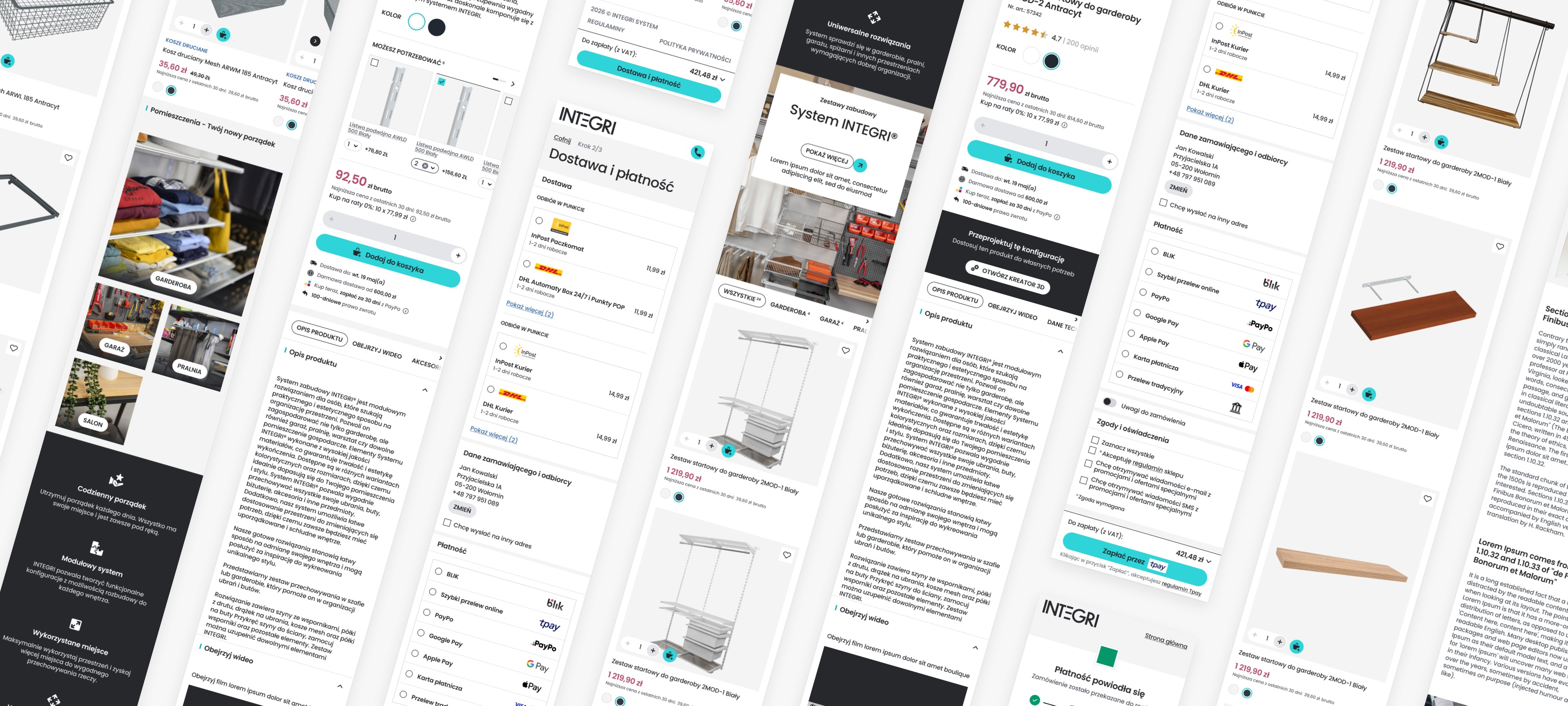
Integri store screens on a phone: homepage, listing, product page, cart and checkout

Context

A brand that sells order

Integri makes storage systems for garages, wardrobes, pantries and laundry rooms: rails, tracks, frames, shelves, hooks and boxes that add up to a whole wall. Customers think in rooms, not product codes, so the store had to lead with rooms and inspiration.

Behind the brand is Domax, for whom we had built the headless DMX store a few months earlier. The brief: give Integri a store of its own, fast, without rebuilding everything that already worked.

The brief

Domains
integrisystem.pl, .de, .cz
Currencies
One per domain
Back office
Shopware 6, shared with DMX
Frontend
New, in Next.js
3D creator
Separate app, wired into the cart
Work started
18 June 2026

Platform

Three new channels instead of a new backend

Instead of standing up a second backend, we added Integri to the Shopware instance that already ran DMX. The new brand got sales channels of its own and shares the rest of the back office with DMX.

  1. 01

    A shared core

    Catalogue, orders, promotions and our plugins were already running for DMX. Integri uses the same Shopware 6 instance, so we started with the store, not the infrastructure.

  2. 02

    Three new sales channels

    integrisystem.pl, .de and .cz are separate sales channels, each with one currency, its own catalogue and its own customer accounts. A DMX customer and an Integri customer never share an account.

  3. 03

    Plugins that work per channel

    We taught our product bundle, FAQ, sitemap and photo-pin plugins to work per channel. The same bundle can exist in one store and not in the other.

  4. 04

    One operational back end

    Each channel has its own BaseLinker integration, and order-number sync tells the domains apart. Prices in each currency and stock levels run through one main integration.

Customer journey

Four stages of one purchase

We laid the store out the way people buy storage: first they look for an idea, then they choose, sometimes they design a whole wall, and finally they pay.

01Inspire

Ideas start with a photo

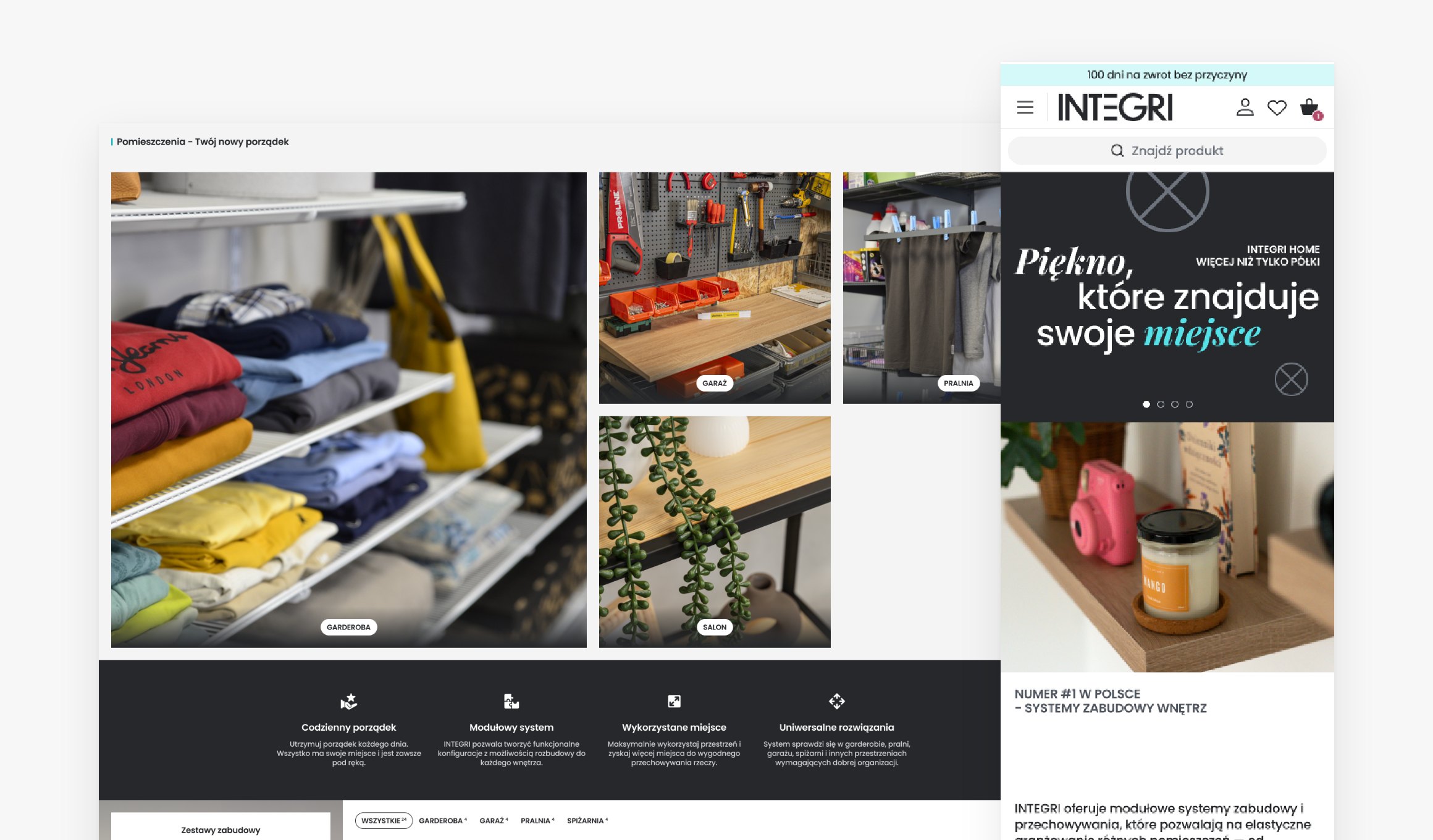
The homepage leads through rooms: wardrobe, garage, pantry and laundry. Editors pin products onto room photos, and customers see the pins on the page and in the enlarged photo. We wrote a dedicated Shopware plugin for the pins.
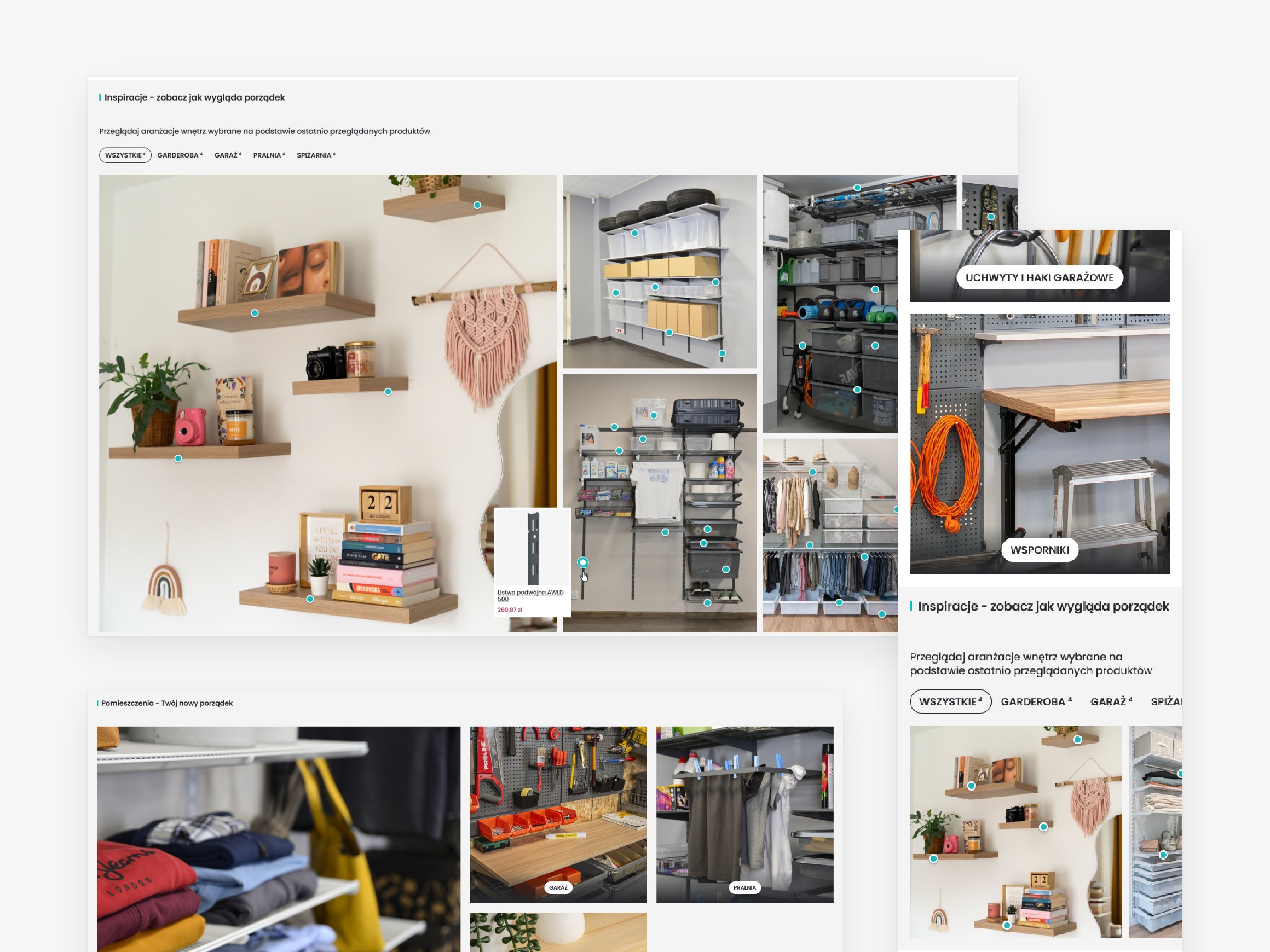
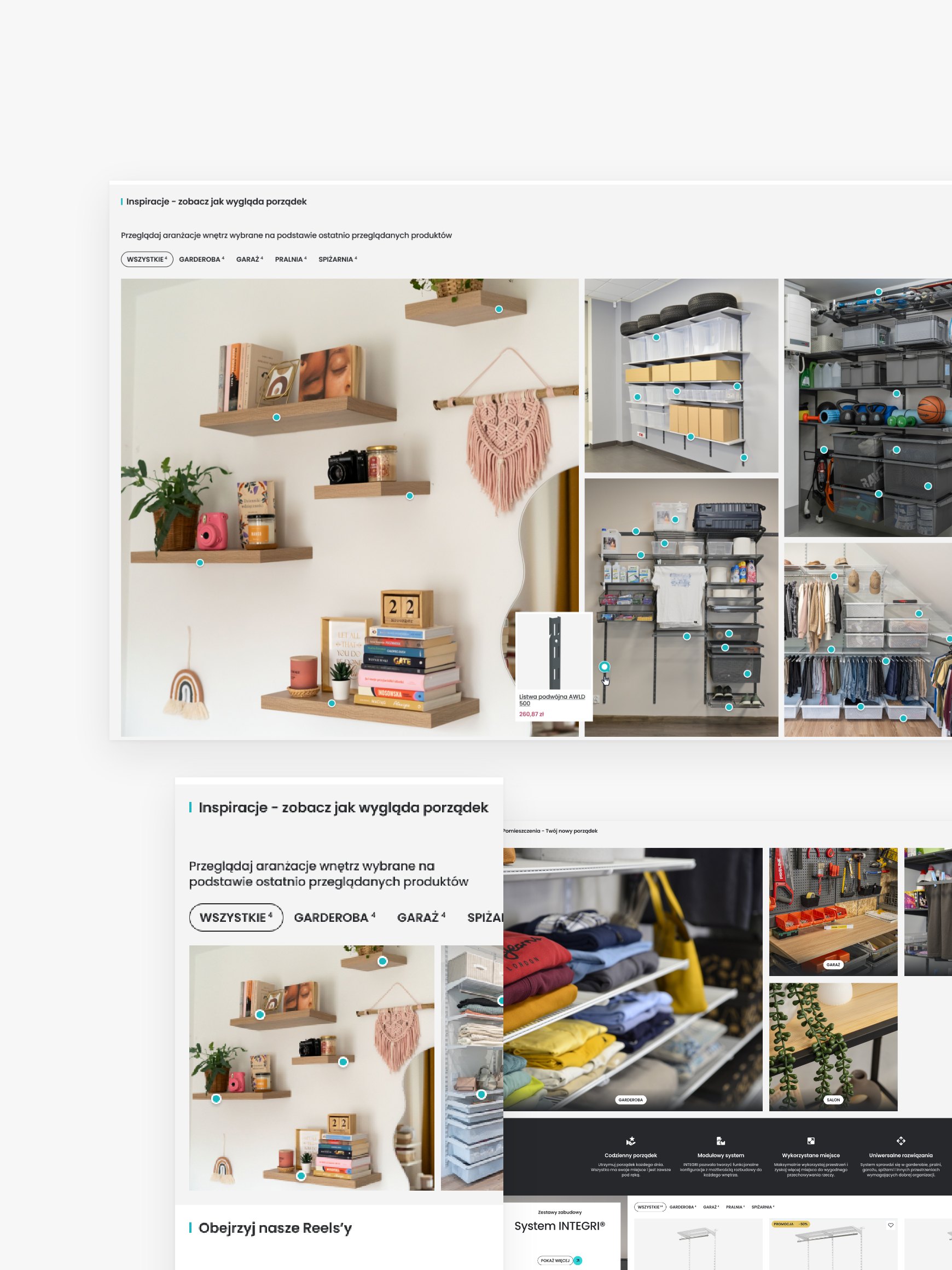
Inspiration in the Integri store: room photos with product pins, on a laptop and a phone

02Choose

A product page that answers questions

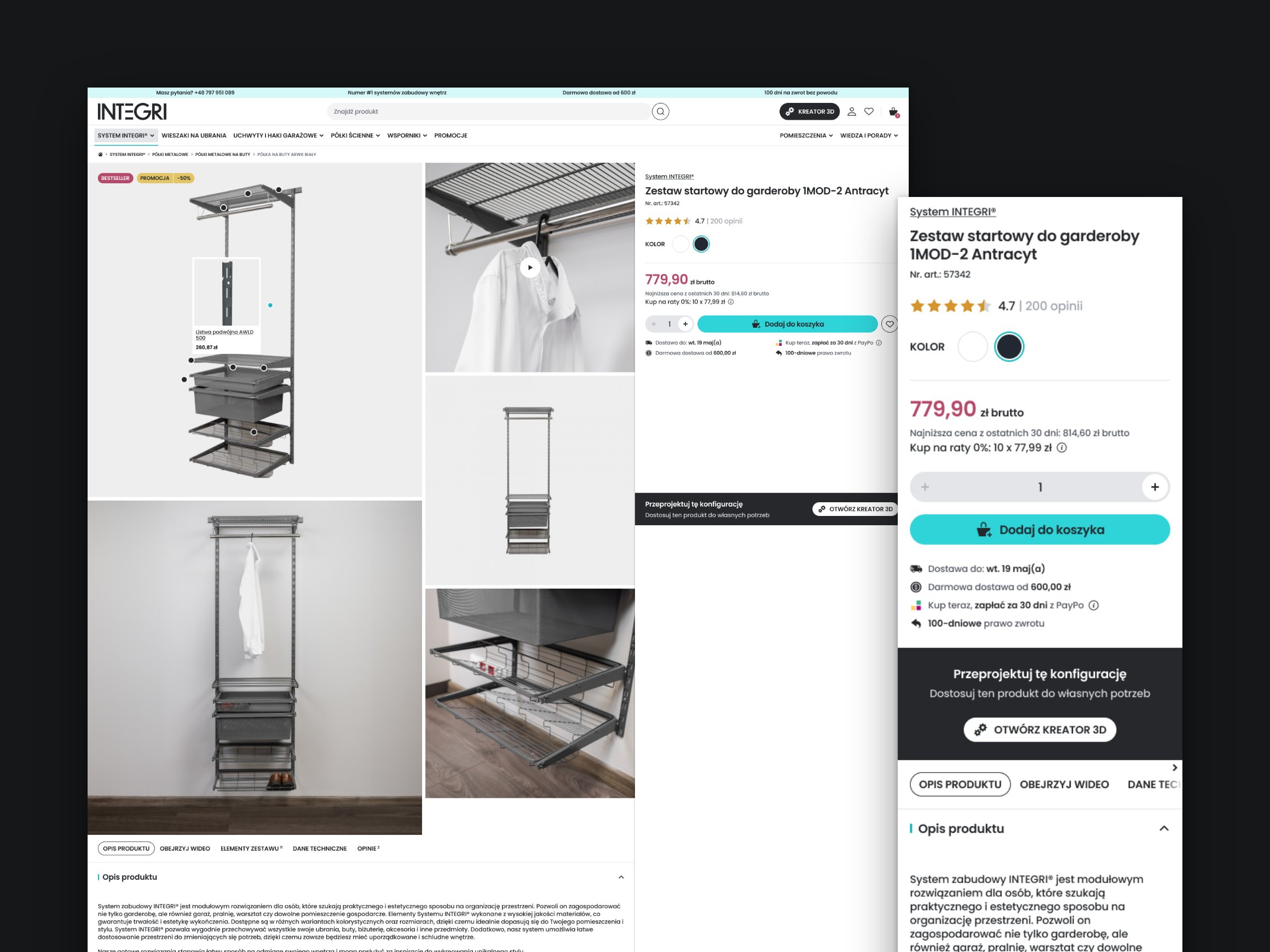
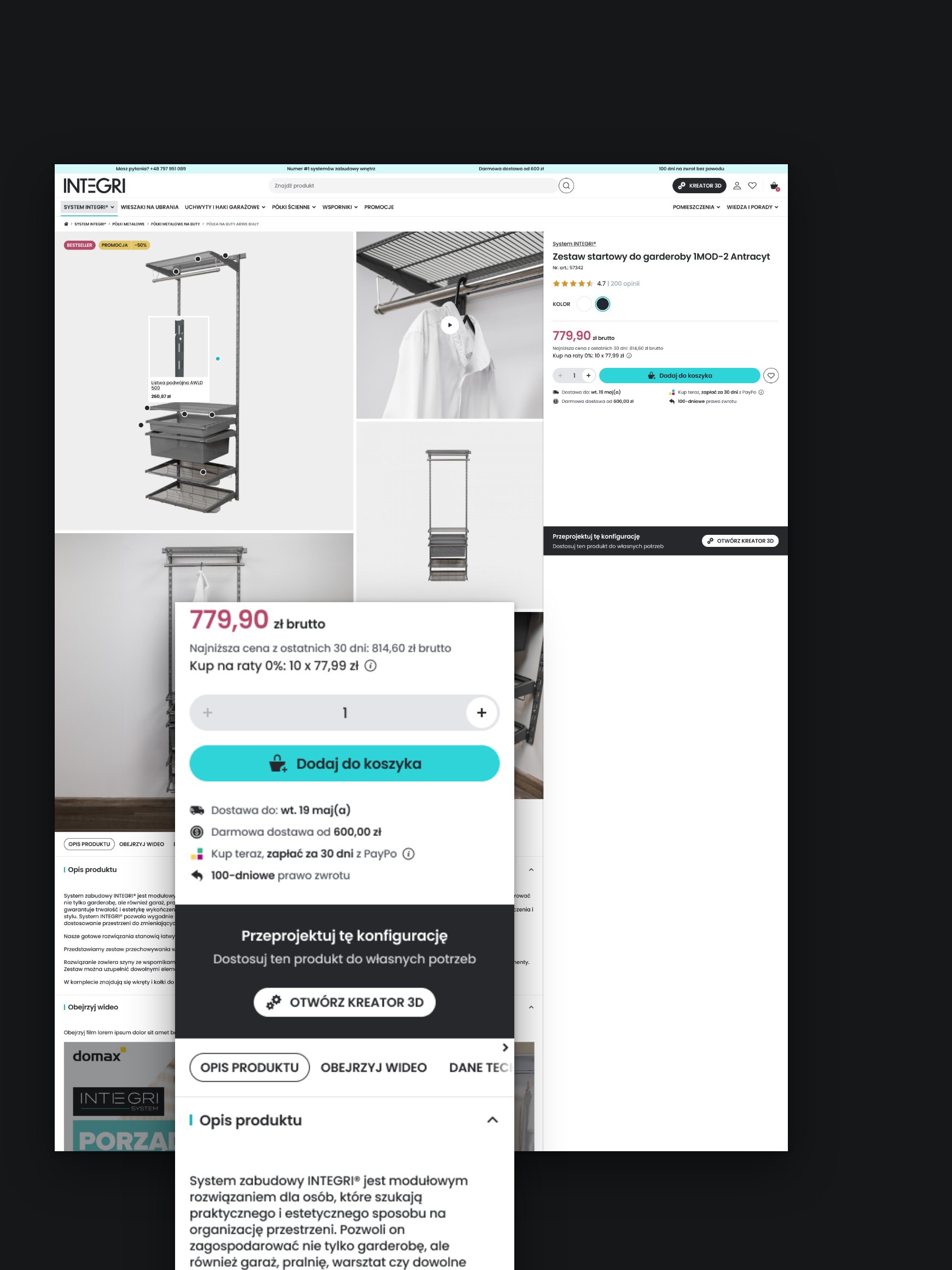
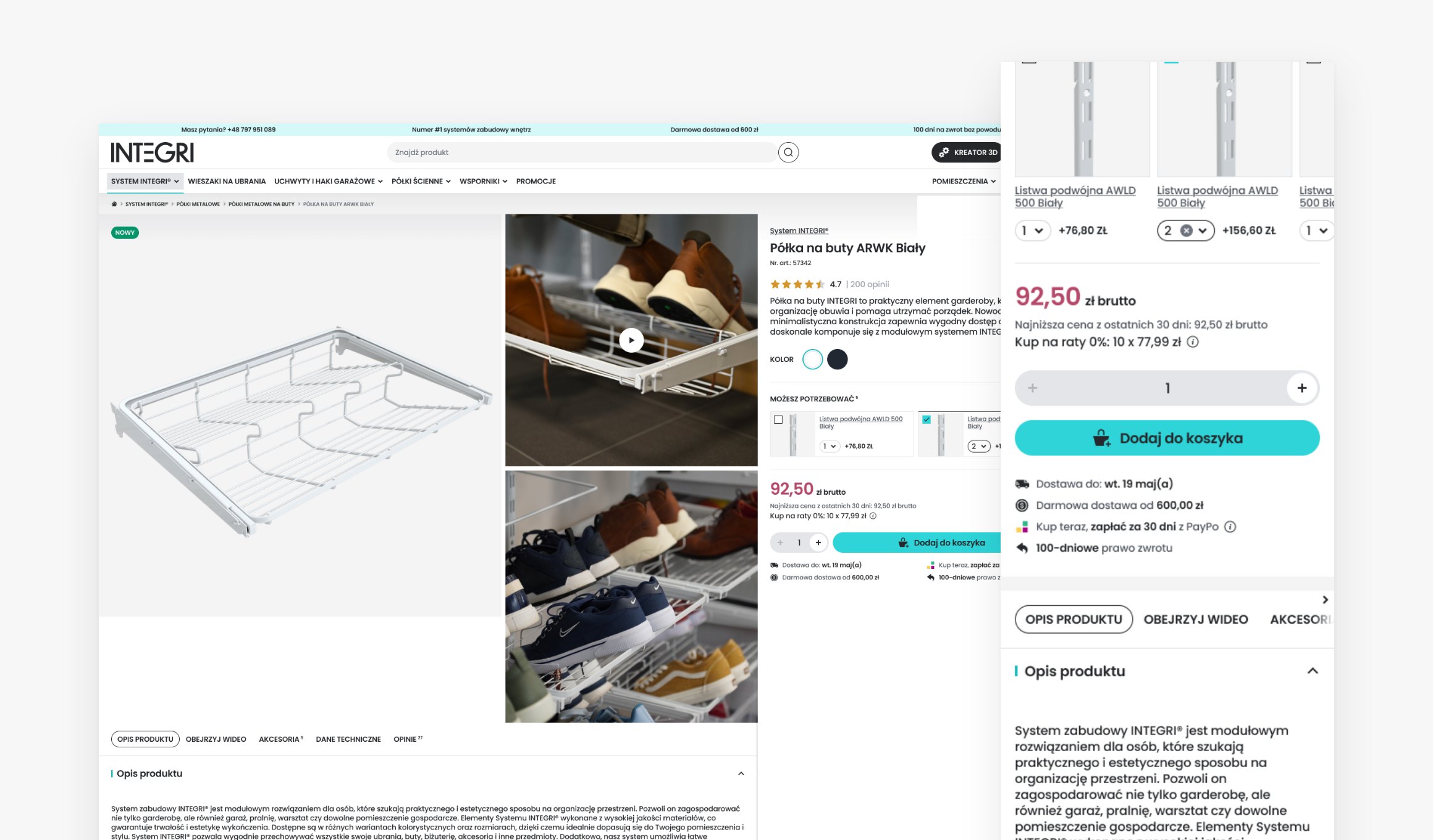
On listings, the team decides which filters show up front. The product page shows variants, bundles, reviews and a delivery date calculated from the time of the order. Checkout uses the same logic, so both dates always match.

03Design

A whole wall from the 3D creator

Customers who would rather design the whole wall open the 3D creator: a separate Domax app we embedded in the store. Everything they place on the scene lands in the cart. How that works is shown further down.

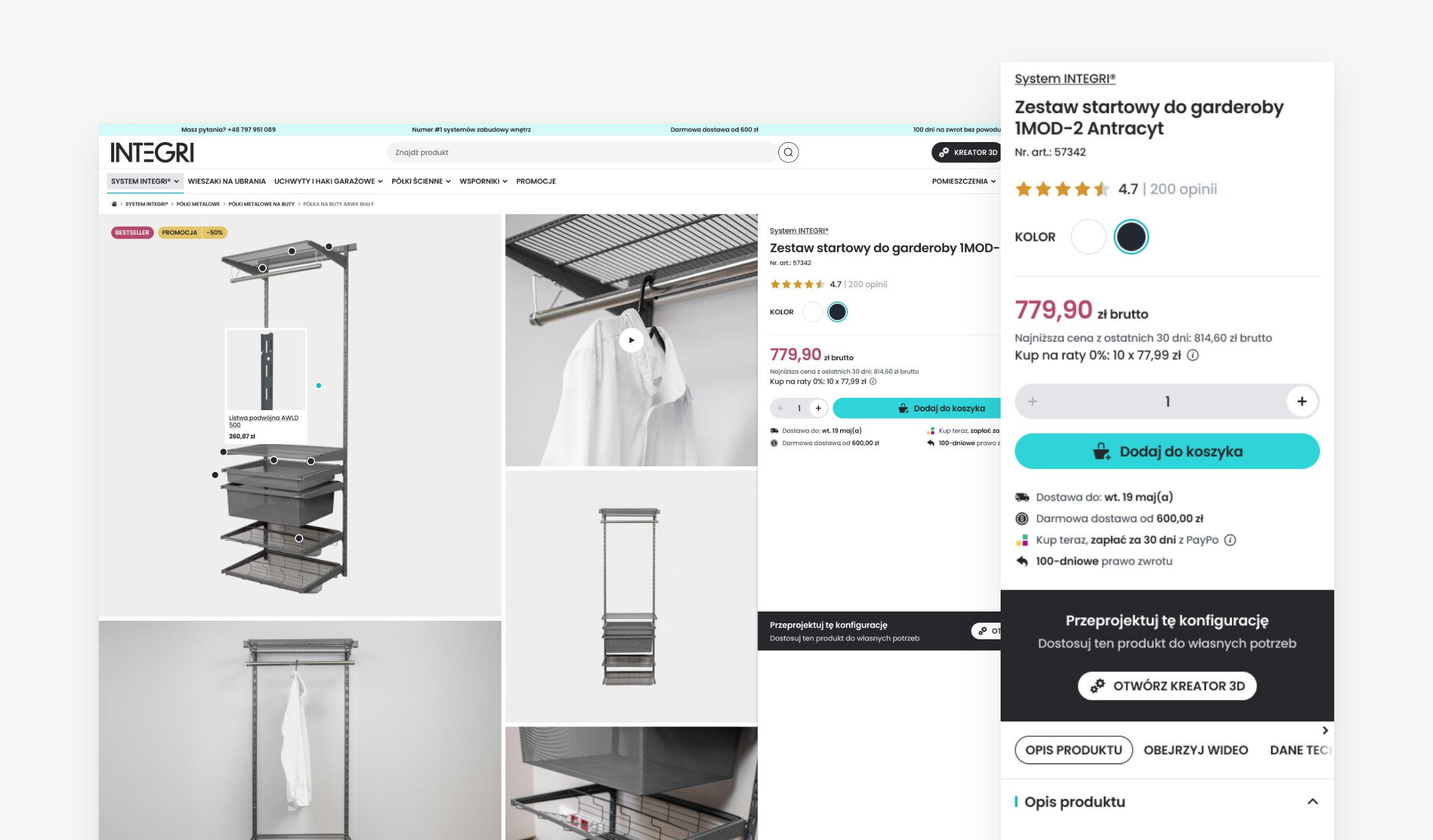
An Integri ready-made set page with the button that opens the 3D creator, on a laptop and a phone

04Buy

A checkout without surprises

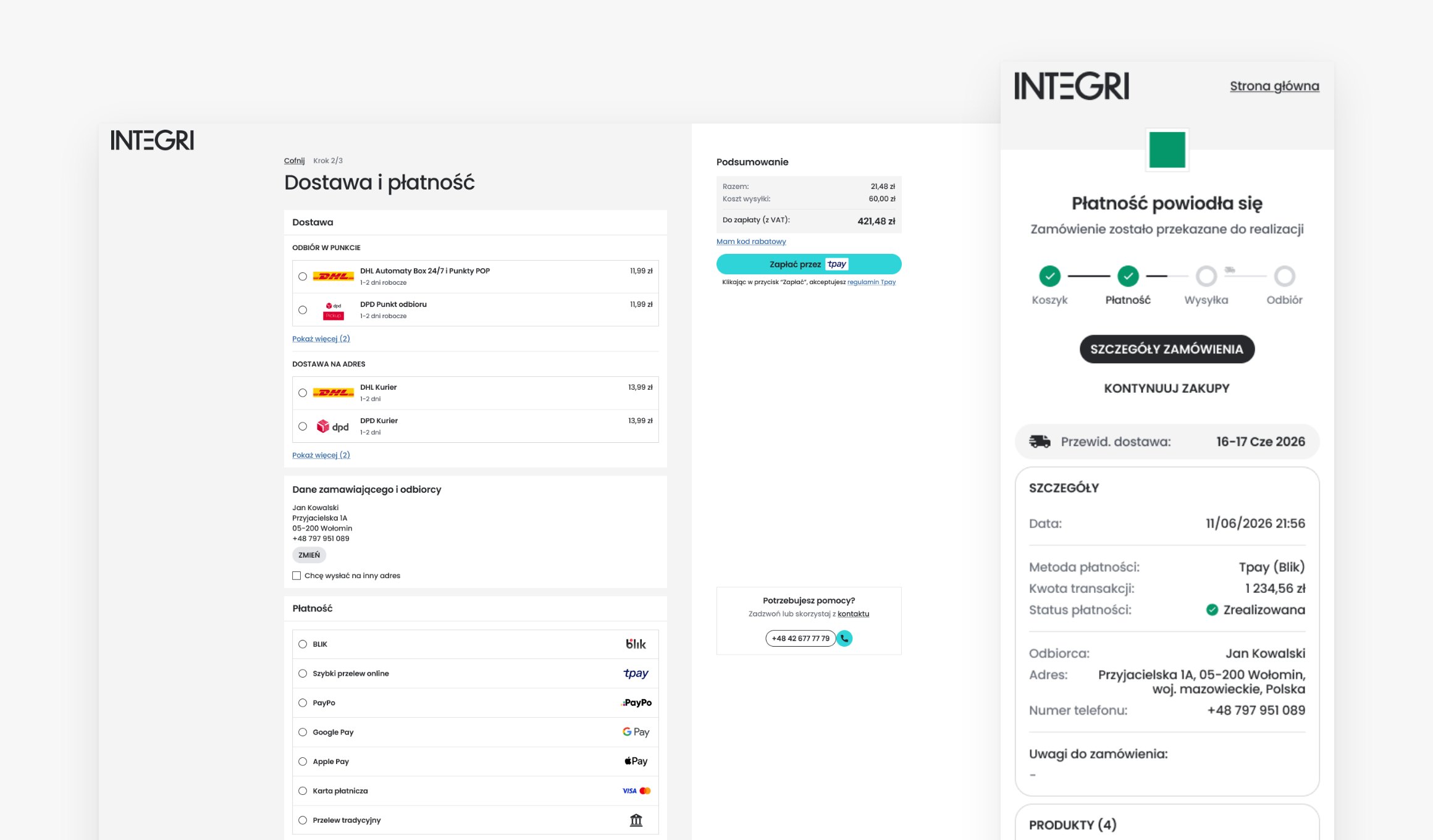
Tpay, card, Apple Pay, Google Pay or InPost Pay. Pick-up points are chosen on an InPost or DPD map. The order goes to BaseLinker, its status shows up in the customer account, and emails ask for a review and say when an item is back in stock.

Creator in the cart

What's on the scene is in the cart

The 3D creator is a separate Domax app embedded in the store. On the store side, we made sure a wall someone has designed becomes an order without retyping a list of parts.

Cart152pcs

3D creator

What the customer sees

  1. 3D creator

    The customer adds a ready-made wardrobe set

    Every element of the set lands in the cart straight away

    Cart: 152 pcs

  2. 3D creator

    Adds another element to the wall

    The cart counts it in as it happens

    Cart: 155 pcs

  3. 3D creator

    Removes an element from the scene

    It leaves the cart too

    Cart: 152 pcs

  4. Checkout

    Goes to checkout

    Orders exactly what they designed

    Cart: 152 pcs

  • The design becomes the order

    No hunting for parts in the catalogue and no retyping a list. Everything on the scene goes into the cart by itself.

  • The store's own prices

    Every element on the scene is linked to a Shopware product, so in the cart it has the same price and delivery rules as in the store.

  • One cart for everything

    Products from the creator and products added from a product page share one cart and one checkout.

The store up close

  • The Integri homepage on a laptop and a phone
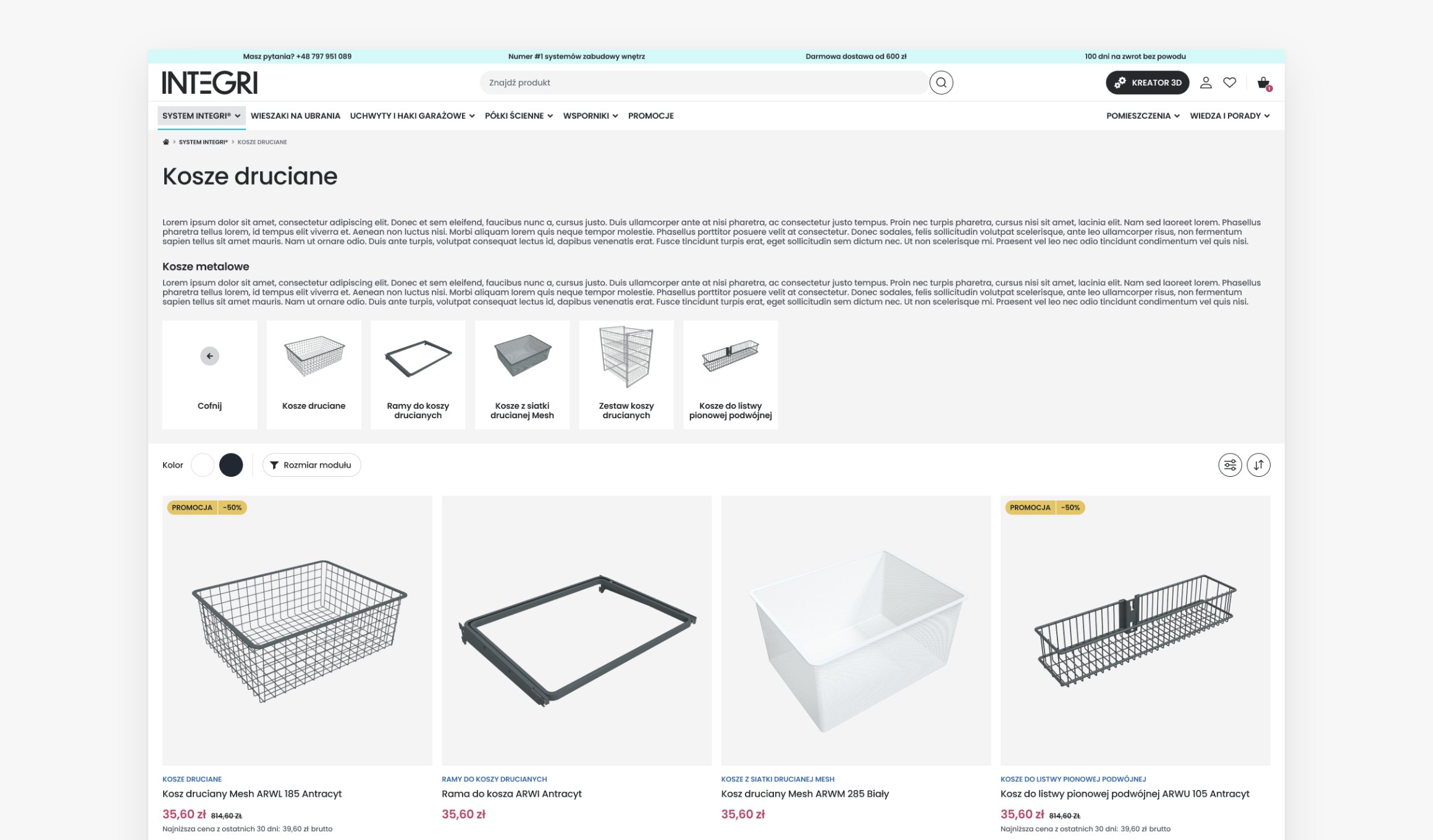
  • A category listing with subcategory tiles and filters
  • A product page on a laptop and a phone
  • A ready-made set page with the way into the 3D creator
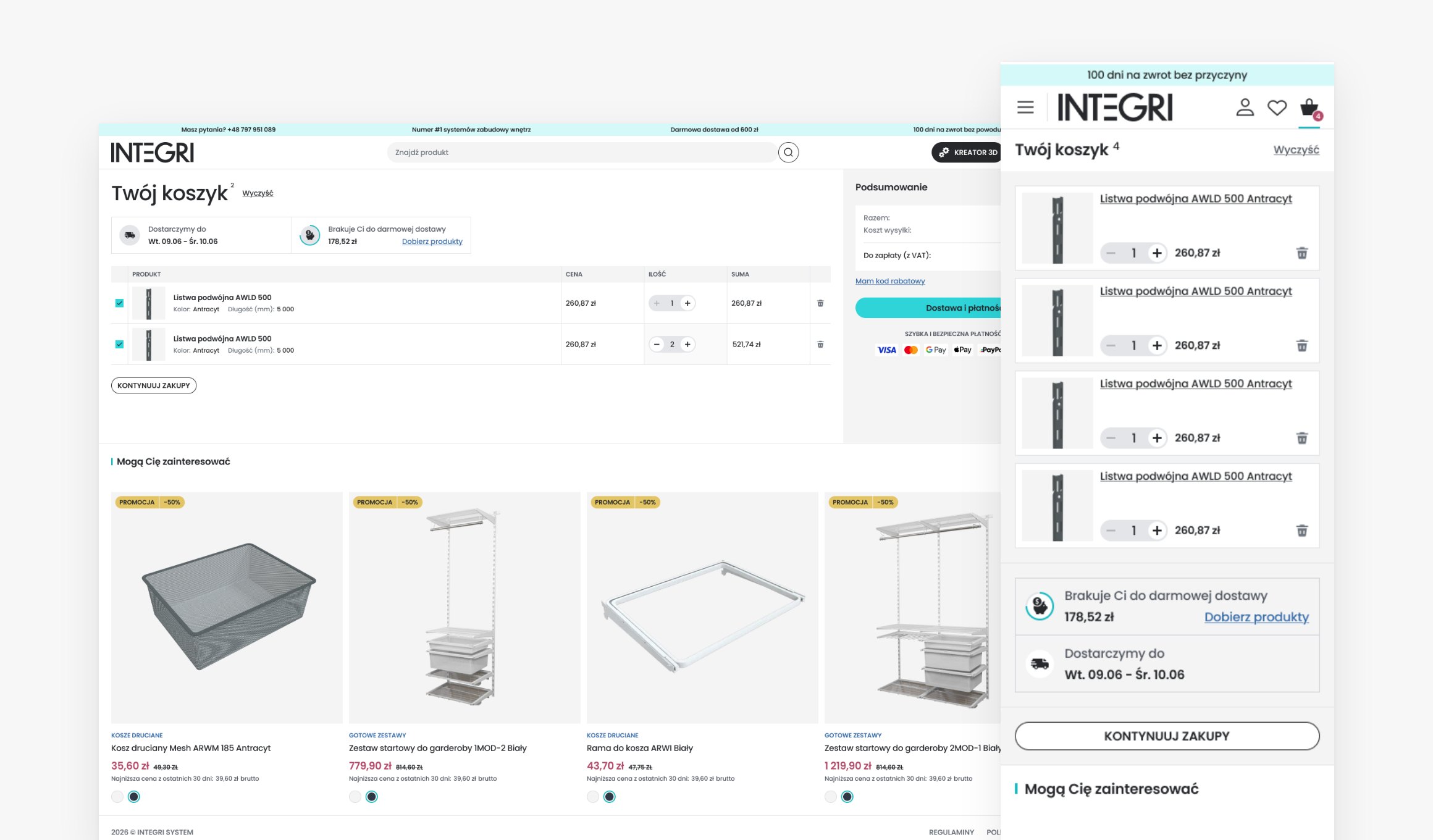
  • The cart on a laptop and a phone
  • Delivery and payment, and the order confirmation

Under the hood

Under the hood

We wrote the Integri frontend from scratch, but not from zero. What had proven itself in DMX came along wherever it made sense.

  • One codebase, three deployments

    The same Next.js 16 app runs as three instances, one per domain. Each takes its language and currency from its own sales channel.

  • A cache that knows when to refresh

    Pages render with Cache Components and live in Redis. When a product changes in Shopware, the admin sends the frontend a revalidation signal.

  • Proven in DMX

    We carried the cache handling over one to one from DMX, so both stores behave the same way and are easier to maintain.

  • Code that won't drift

    A linter enforces the Feature-Sliced Design structure, and TypeScript, React Compiler, Biome and Vitest tests take care of the rest.

  • Shared backend, shared responsibility

    Every Shopware release touches both brands, so after releases we smoke-test DMX and Integri. Only what passed the tests goes to production.

Store stack

Next.js 16
Next.js 16
React 19
React 19
TypeScript
TypeScript
Tailwind CSS
Tailwind CSS
Radix UI
Radix UI
Shopware 6
Shopware 6
Redis
Redis
Vitest
Vitest

Launch

From the first task to the creator in the cart

The store went to production in stages, so that no single step could hold up sales on DMX.

  1. Jan–Jun 2026

    We build the DMX store for Domax on Shopware 6 and Next.js. That backend is about to serve a second brand.

  2. 18 Jun

    First tasks: a Shopware API client with language and currency headers, three app instances for three domains.

  3. 13 Jul

    Shopware change plan: new channels, separate customer accounts, per-channel plugins. Products are created straight in production; categories are tested on beta with real data.

  4. 6 Aug

    Pipelines and environments for .pl, .de and .cz are ready.

  5. 8 Sep

    Smoke tests of both stores on the shared backend pass.

  6. Sep

    Final checkout and pick-up map fixes, green light to switch the domains.

  7. 21 Oct

    The 3D creator lands in the integrisystem.pl cart.

Results

What came out of it

125

daysfrom the first task to a store with the 3D creator in its cart

800+products
on sale at integrisystem.pl, colour and size variants included
3sales channels
integrisystem.pl, .de and .cz, each with its own currency and customer accounts
1cart
shared by the store and the 3D creator

The store keeps growing

We stayed on after launch. Among the things on the board right now:

  • an order-status page for guest customers
  • author listings for blog posts
  • a creator plugin on the Shopware side

Team

  • Marcin MroczkaProject manager, Shopware setup
  • Konrad ReperowskiFrontend architecture
  • Artur WróbelFrontend
  • Kamil BeredaBackend and Shopware plugins
  • Adam KwiecieńDevOps
  • Michał PieczonkaQA

Let's talk about your project idea!

Tell us about your project. We’ll help you plan the architecture, scope, and execution.

Get in touch

© Webalize 2026