Back

From sign-upto certificate

Wiedza i Praktyka wanted its trainings, conferences and online courses in one place. We built eduwip.pl and a back office for the team in Next.js, we develop the API in a backend shared with another of the client's learning platforms, and we wired it all into nine systems, from sales and payments to webinars and certificates.

See the platform
Client
Wiedza i Praktyka
Scope
Frontend, admin panel, API, integrations
Timeline
Since April 2026, ongoing
Stack
Next.js 16, Symfony 7, Redis

Before a participant gets a certificate, their training passes through several of the publisher's systems. They were only ever meant to see one: eduwip.pl.

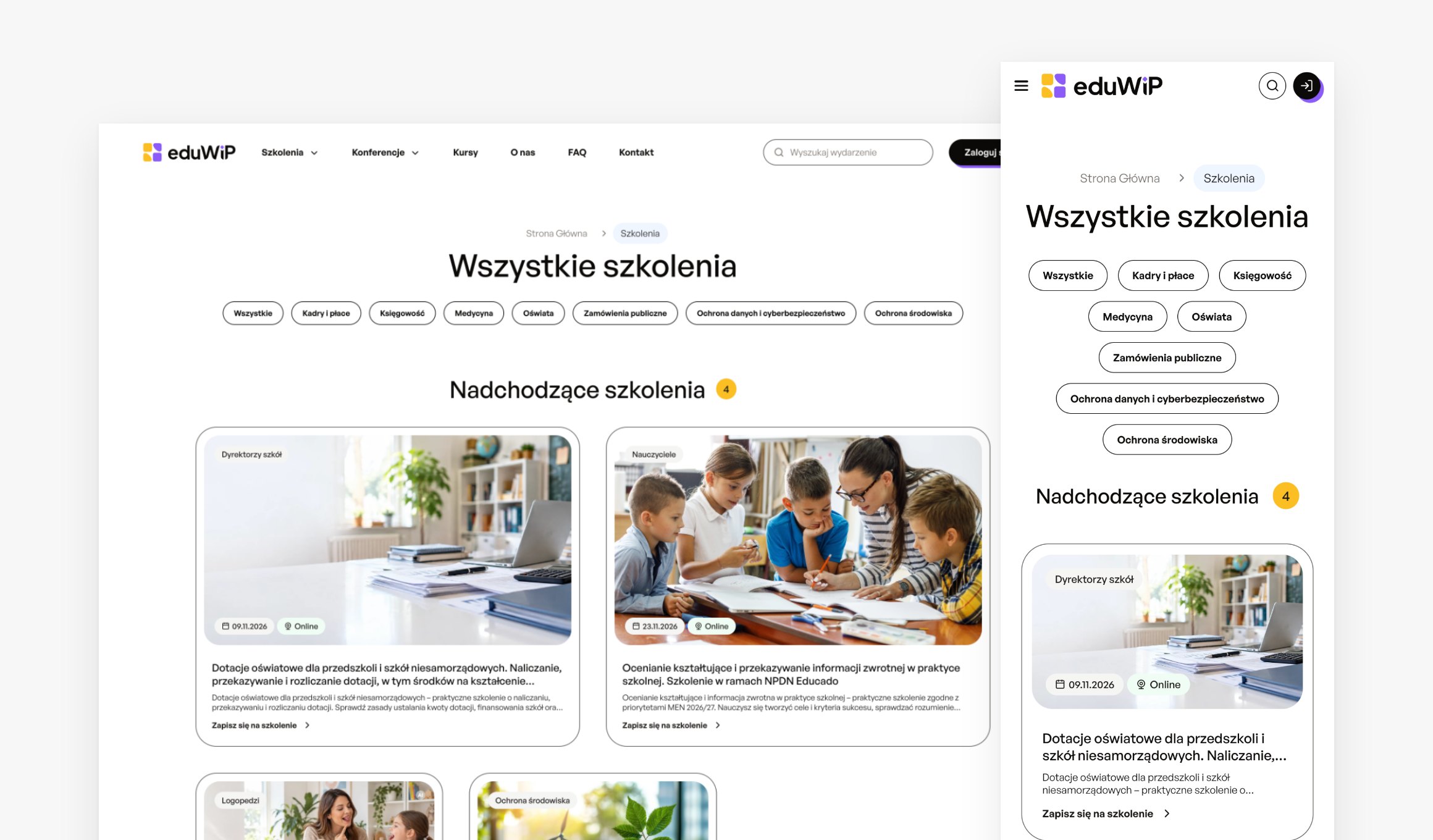
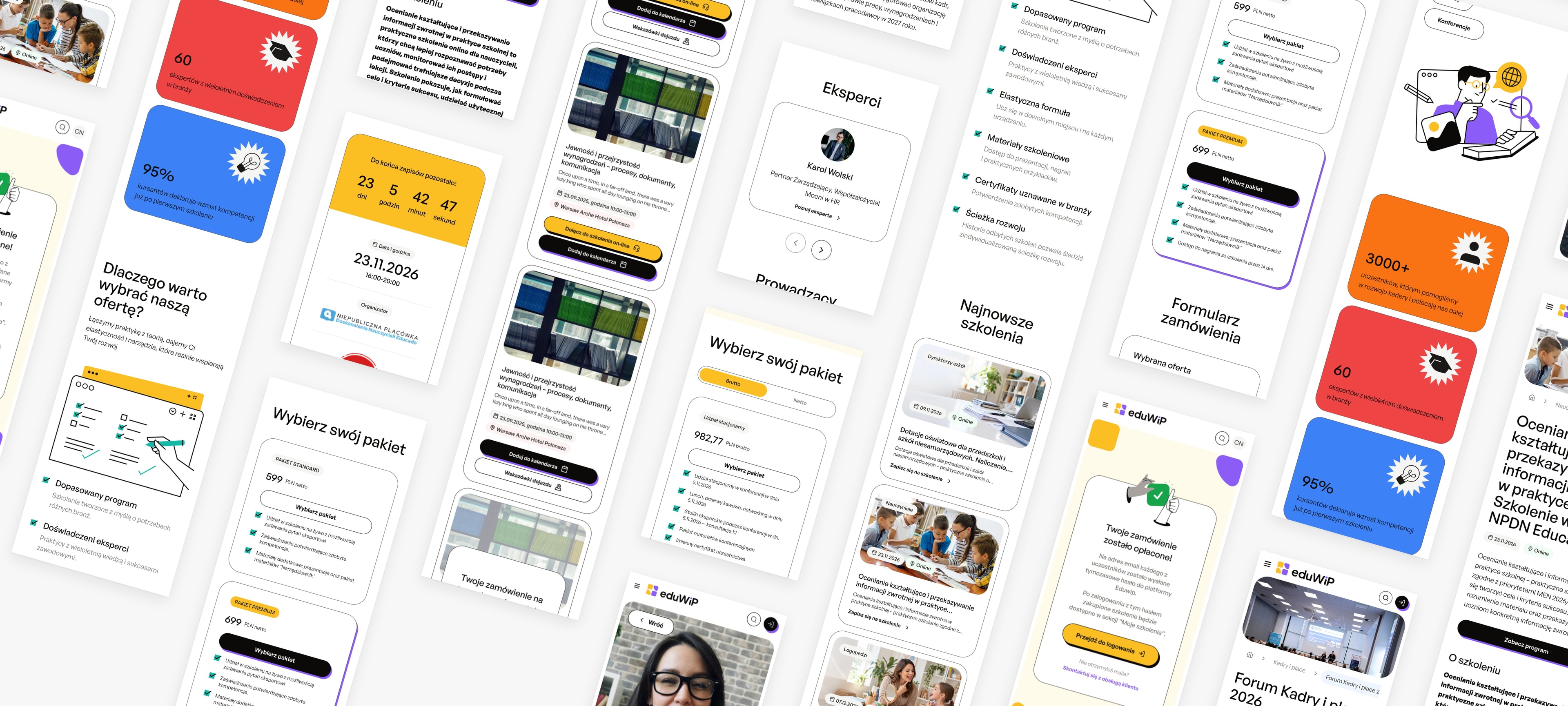
eduwip.pl screens on a phone: homepage, training list, training and conference pages, packages and the sign-up countdown

Context

One place for the whole training offer

Wiedza i Praktyka publishes professional content for schools, HR, accounting and health and safety, and runs online and on-site trainings, conferences and courses on top of that. It sells them in several ways: through landing pages, customer service consultants and phone sales teams.

Every stage already has its own system: events and prices live in the product service, orders in the order service, invoices in the invoicing system and webinars in ClickMeeting. Eduwip had to build one path on top of them for participants, who find an event, buy it, join it and collect their certificate in one place. The team needed one panel to run sales from.

The brief

Formats
Trainings, conferences, online courses
Modes
Online, on-site, hybrid
Packages
Up to three per event
Sales
eduwip.pl, landing pages, by phone
Backend
Symfony, shared with another platform
Accessibility
WCAG 2.1 guidelines

Ecosystem

Nine systems, one path

Eduwip doesn't duplicate what already works at the publisher. It takes events and prices from the product service and accounts from the API Gateway, and hands orders over to the order service. Our job was to connect it all so that participants see a single site.

  1. 01

    One source for events and prices

    The team picks a training or conference from the product service, and Eduwip pulls in its details and price packages. When the date changes or the event is cancelled, Eduwip picks the change up without anyone retyping it.

  2. 02

    Buying without signing up first

    The participant's account is created in the API Gateway with their first order, and the form fills in company details from the tax number. The payment service handles PayU payments, and the order goes to the order service, which passes it on for invoicing.

  3. 03

    Joining without a second login

    For an online event, Eduwip creates a ClickMeeting room, and every participant gets their own auto-login link. Course lessons play from Vimeo. All of it happens in the participant panel on eduwip.pl.

  4. 04

    Certificates without retyping

    After the event, Eduwip requests a certificate from the certificate service. For trainings that require it, it adds the participant's date and place of birth, which the order form collected.

  5. 05

    Selling beyond the site

    Conferences are sold on campaign landing pages that pull their offers from Eduwip. The team signs in to the panel with their company account through LDAP, and consultants copy their own sales links from it.

Formats

Three formats, one engine

A training, a conference and a course sell differently and are attended differently. Each format has its own rules in Eduwip, but categories, orders, accounts and certificates are shared.

01Trainings

Online, on-site or hybrid

A training gets a page with its description, experts, date and packages. Online sessions take place in a ClickMeeting room embedded in the participant panel, and a package with the recording gives access to it for a set number of days. For on-site events, sign-ups close when the seats run out.
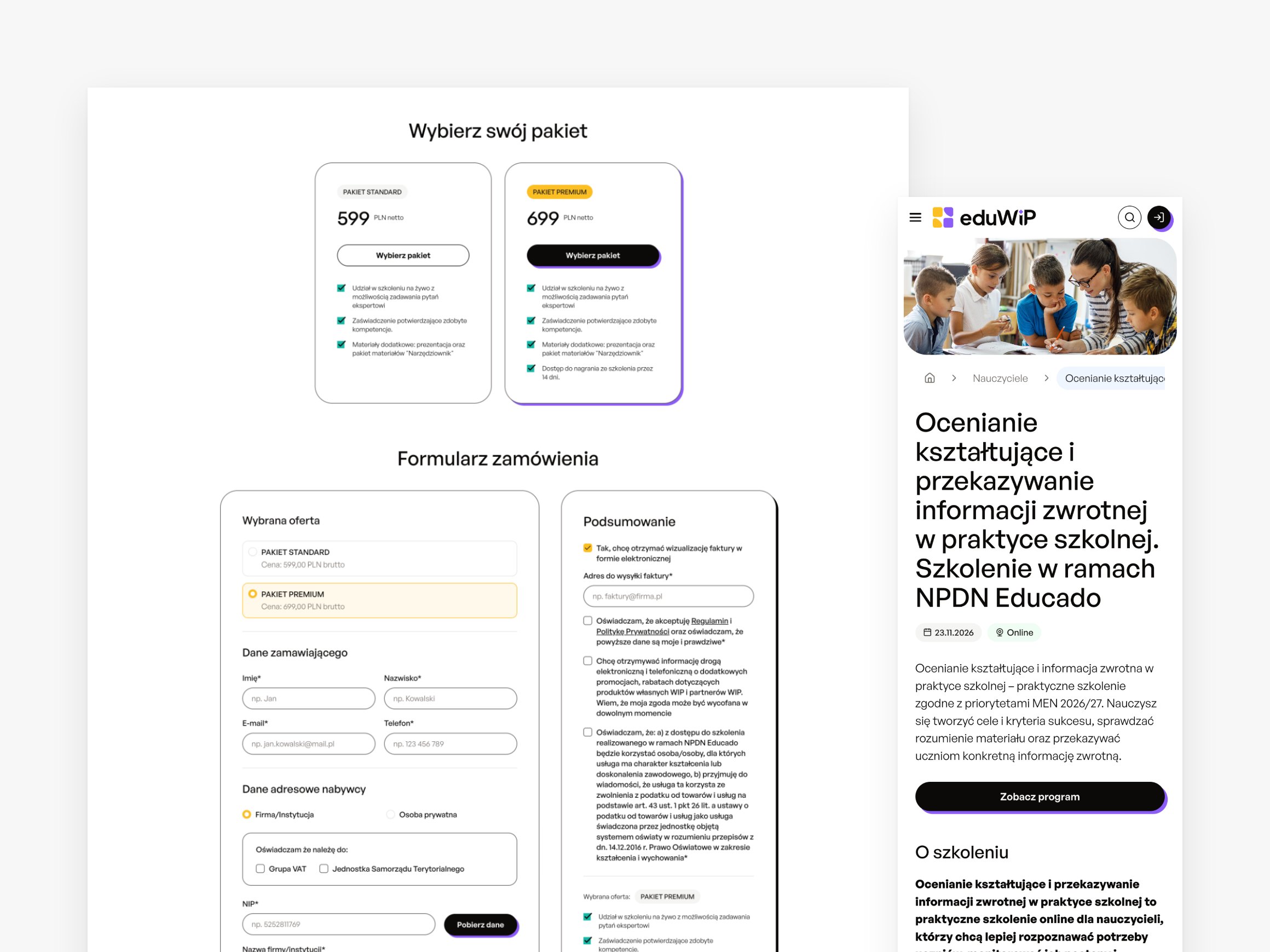
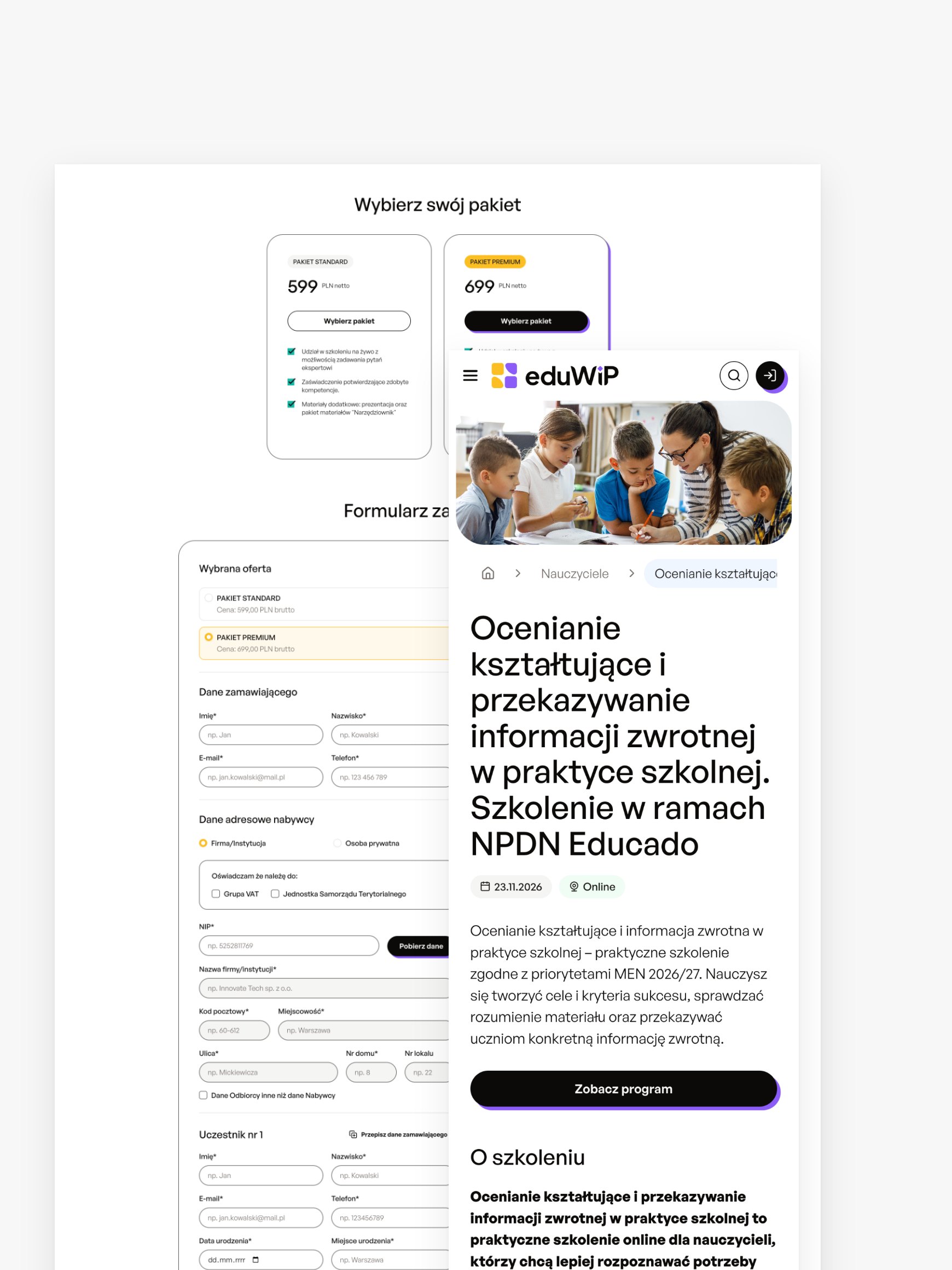
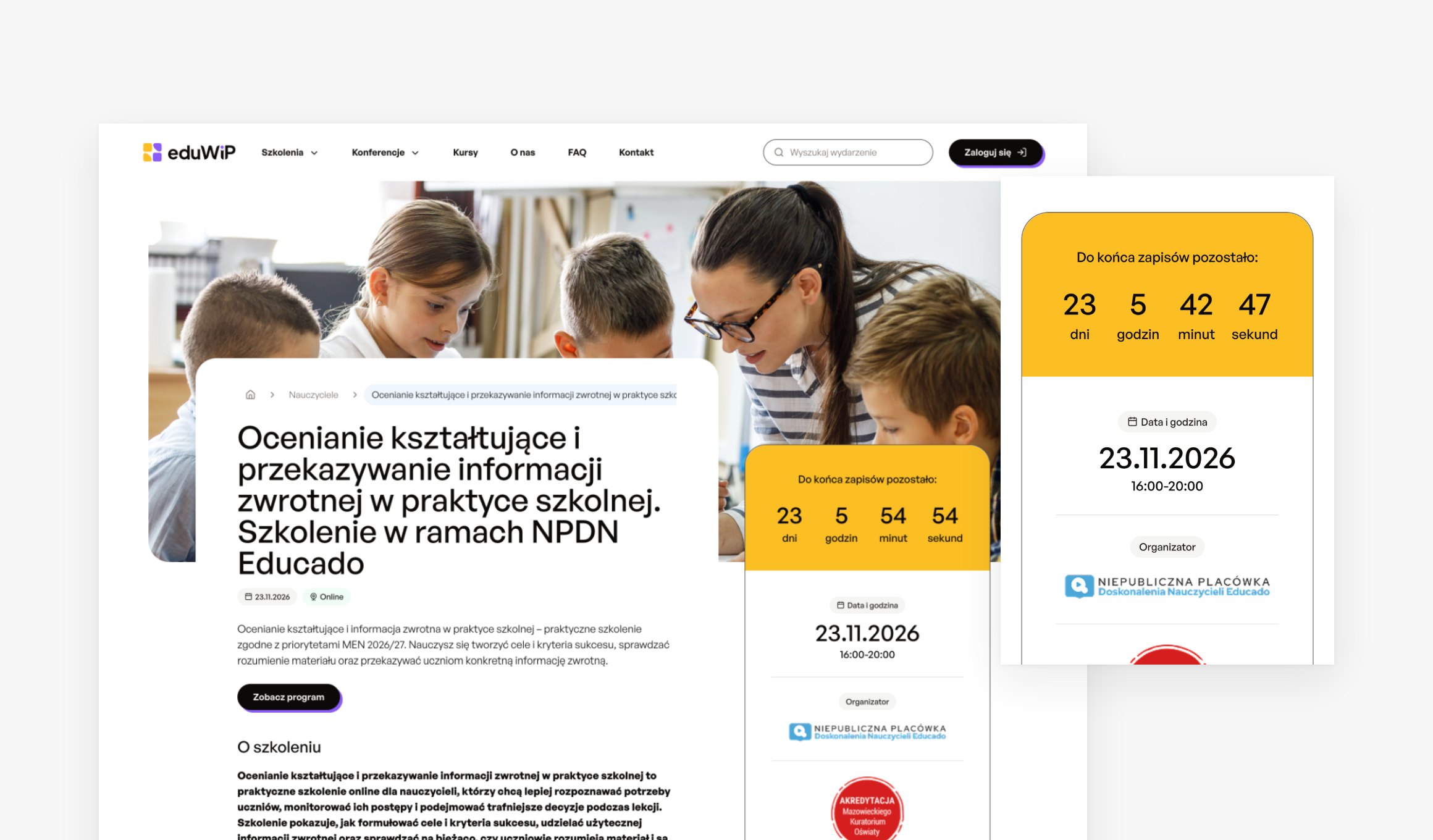
A training page on eduwip.pl: priced packages and the order form on desktop, the training header on mobile

02Conferences

Partners, workshops and sales on landing pages

A conference has its own page on eduwip.pl with its experts and a partners and sponsors section. It is sold on campaign landing pages that pull offers straight from Eduwip. Workshop participants get an additional certificate if their package includes one.

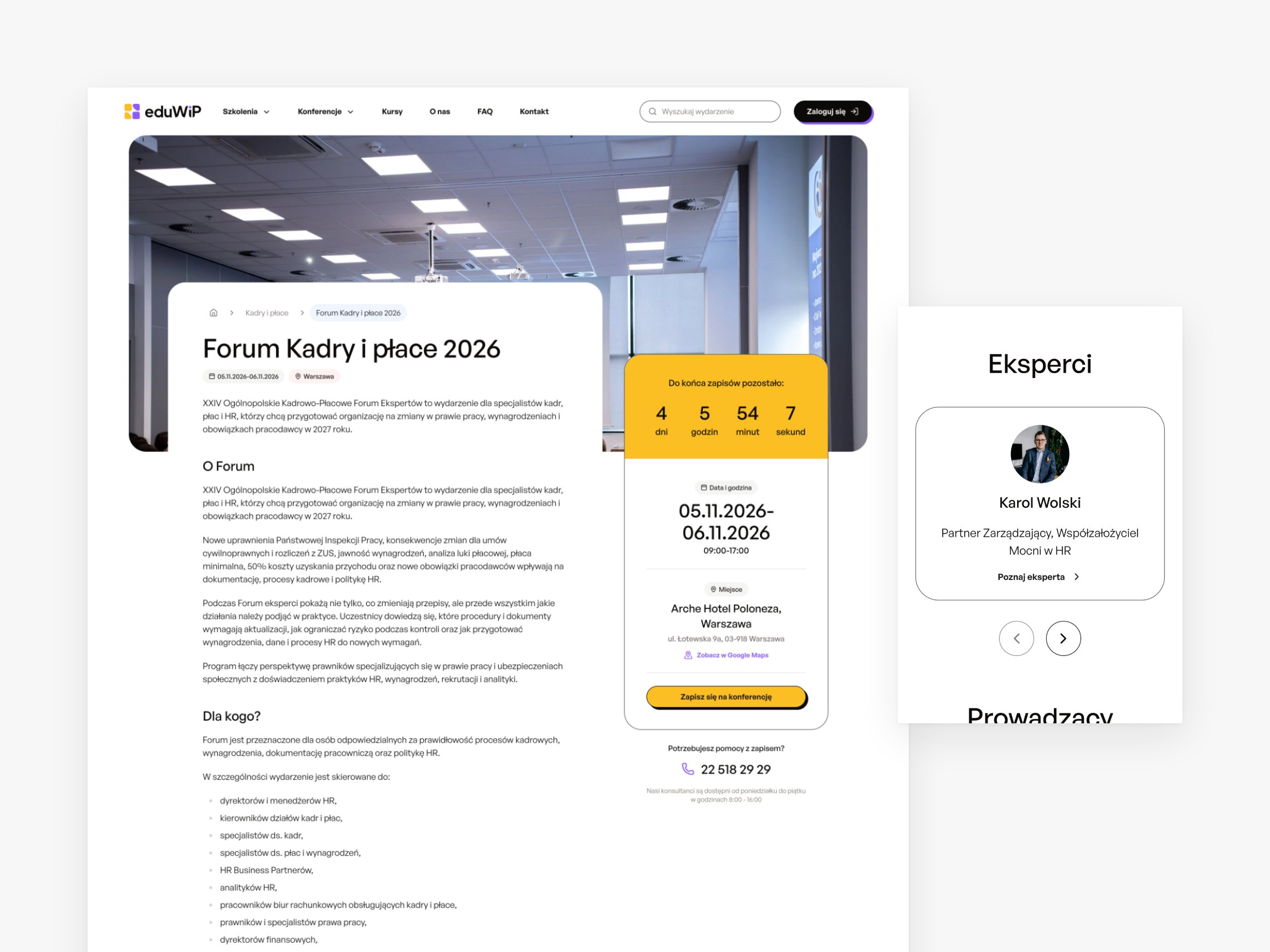
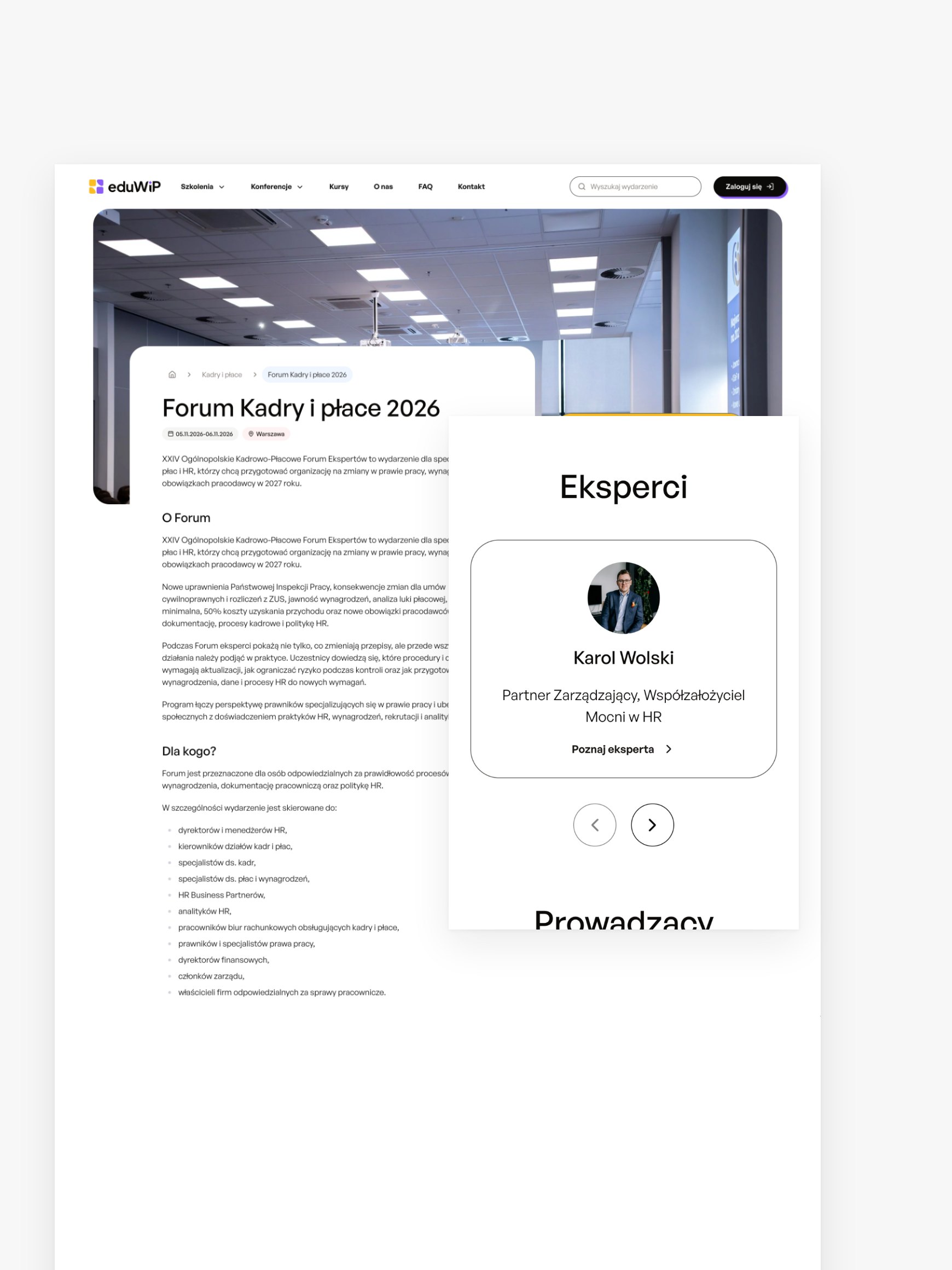
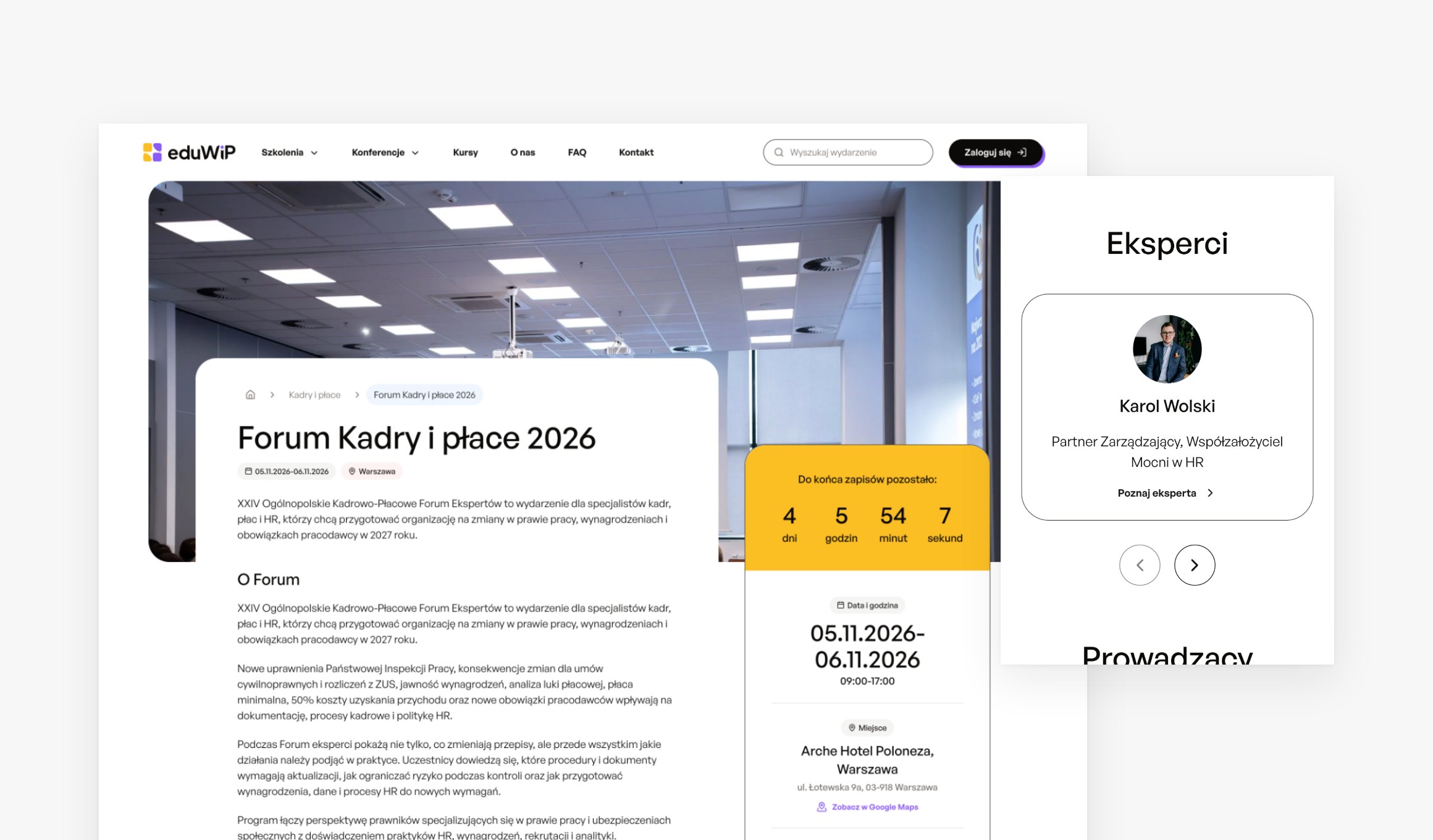
A conference page with the countdown to the end of sign-ups on desktop and an expert card on mobile

03Online courses

Lessons that unlock over time

A course is made of modules and Vimeo video lessons, with downloadable materials and a progress bar. Lessons can be available straight away or appear every few days, and in a subscription course a whole module is added every few days. After the last lesson a certificate is issued, and access to the content lasts until the end of the paid period.

Before and after

Every email at the right moment

Participants get emails planned around the mode they bought. Online and on-site are two different paths, and at a hybrid event each participant follows their own.

Attendance mode

  1. Order · Automatic email

    Order confirmation

    Goes out as soon as the order reaches the order service. The client's own systems send the sign-in details to every participant and the invoice to the buyer only.

  2. −7 days · Automatic email

    Getting ready

    A week before the start, participants get information on how to prepare.

  3. −24 h · Automatic email

    Join link

    The day before the event, the room link arrives. Anyone who buys later gets it in the reminder.

  4. −2 h · Automatic email

    Reminder

    Two hours before the start, a reminder arrives, again with the room link.

  5. Start · Participant panel

    Joining from My Zone

    The ClickMeeting room opens inside the panel on eduwip.pl. Participants don't sign in again, because each has their own auto-login link.

  6. After · Automatic email

    Thank you and certificate

    The email goes out as soon as the certificate is ready. The certificate, the materials and the recording, if the package includes it, wait in My Zone.

  • 01

    The participant's mode, not the event's

    At a hybrid event, the email template and content follow the mode that particular participant bought.

  • 02

    A new date moves the schedule

    A date change in the product service reschedules the planned emails and tells participants about the change straight away.

  • 03

    Cancelling stops everything

    Cancelling the event in the product service sends a cancellation email and cancels all further communication.

  • 04

    One switch per event

    Turning off automatic notifications on an event immediately stops all emails to its participants.

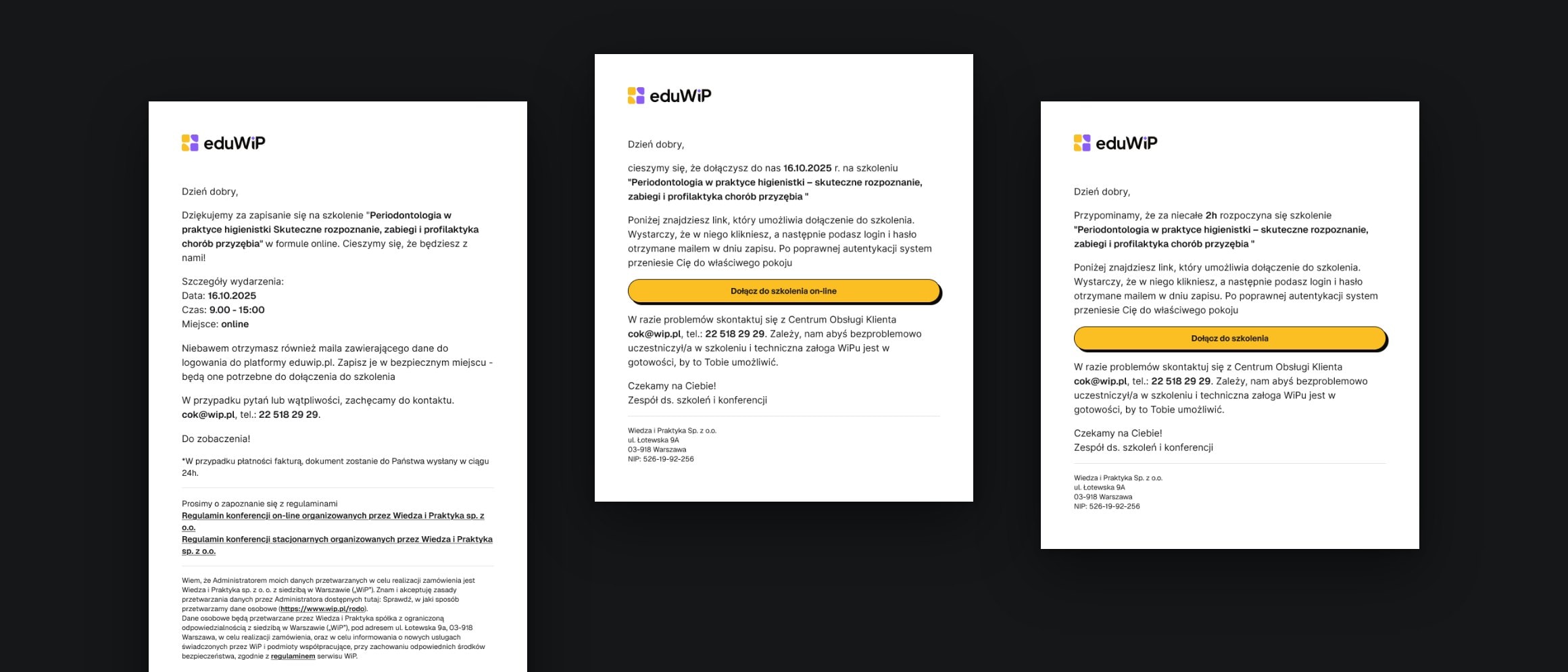
Three emails to an online training participant: the sign-up confirmation, the join link and the reminder two hours before the start

Cron jobs in the backend schedule the sending, and on the dev and stage environments Mailpit catches every email, so a test email never reaches a real participant.

The platform up close

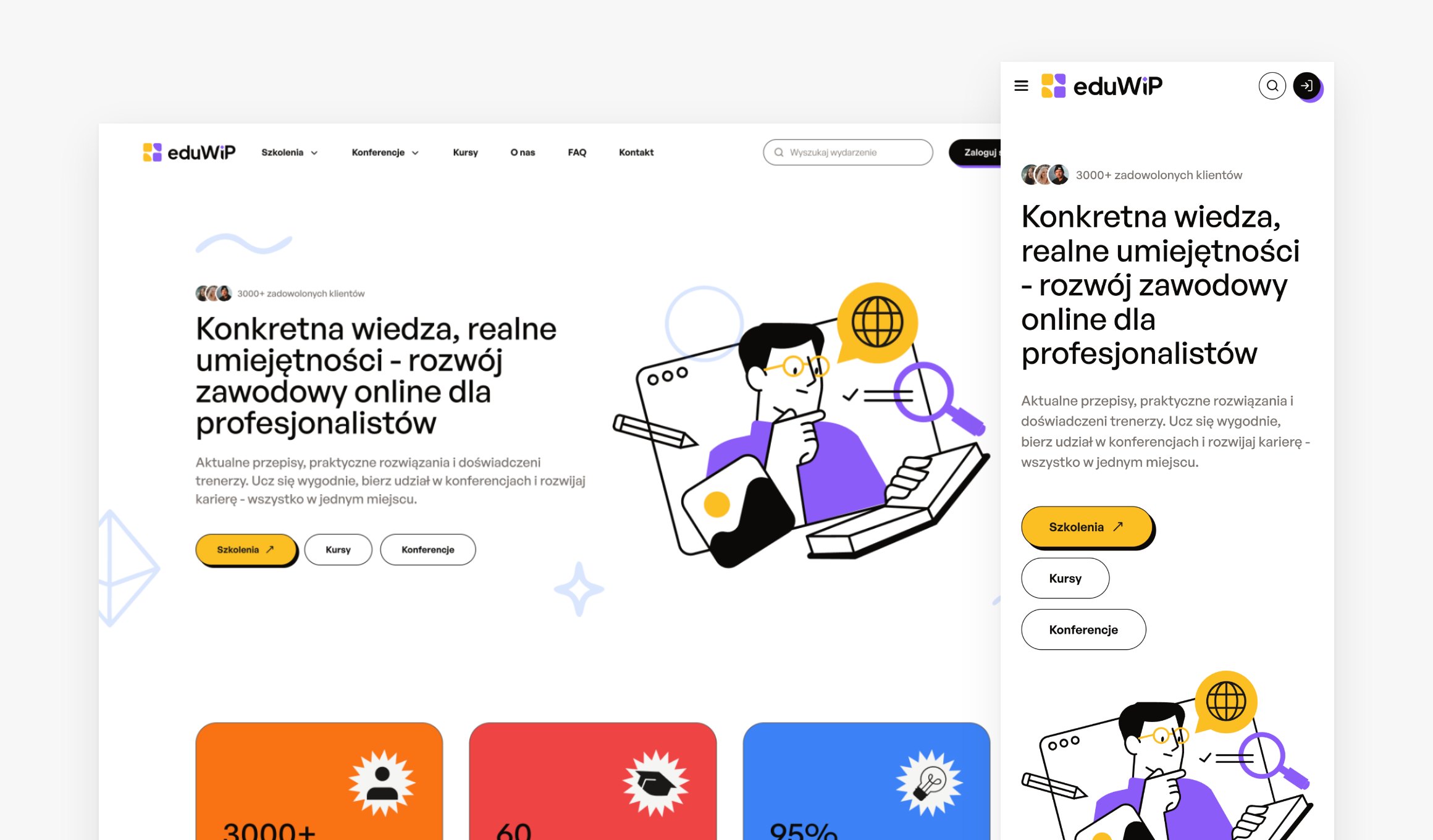
  • The eduwip.pl homepage on desktop and mobile
  • The training list with category filters on desktop and mobile
  • A training page with the countdown to the end of sign-ups
  • A conference page and an expert card on mobile
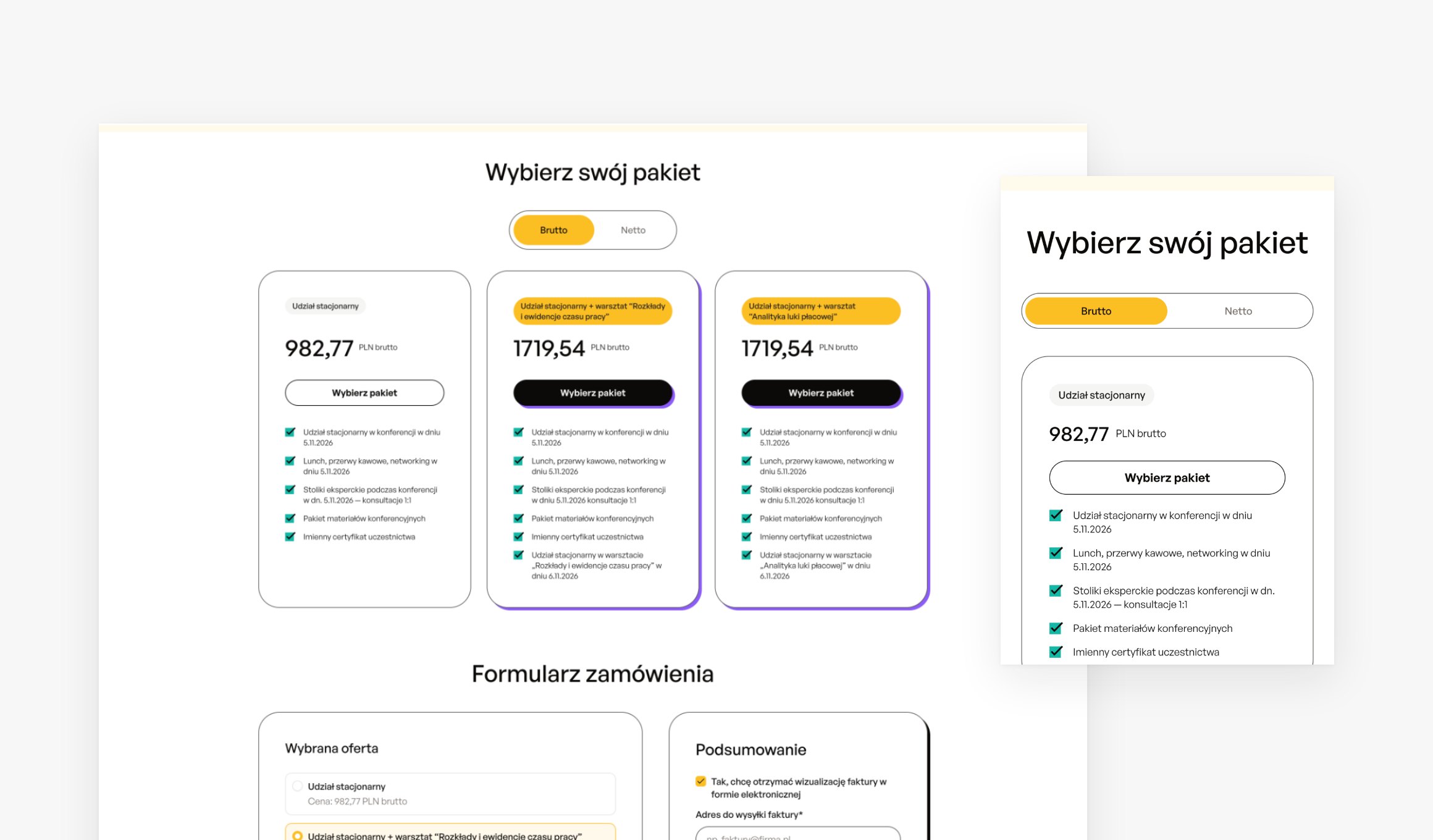
  • Conference packages and the order form
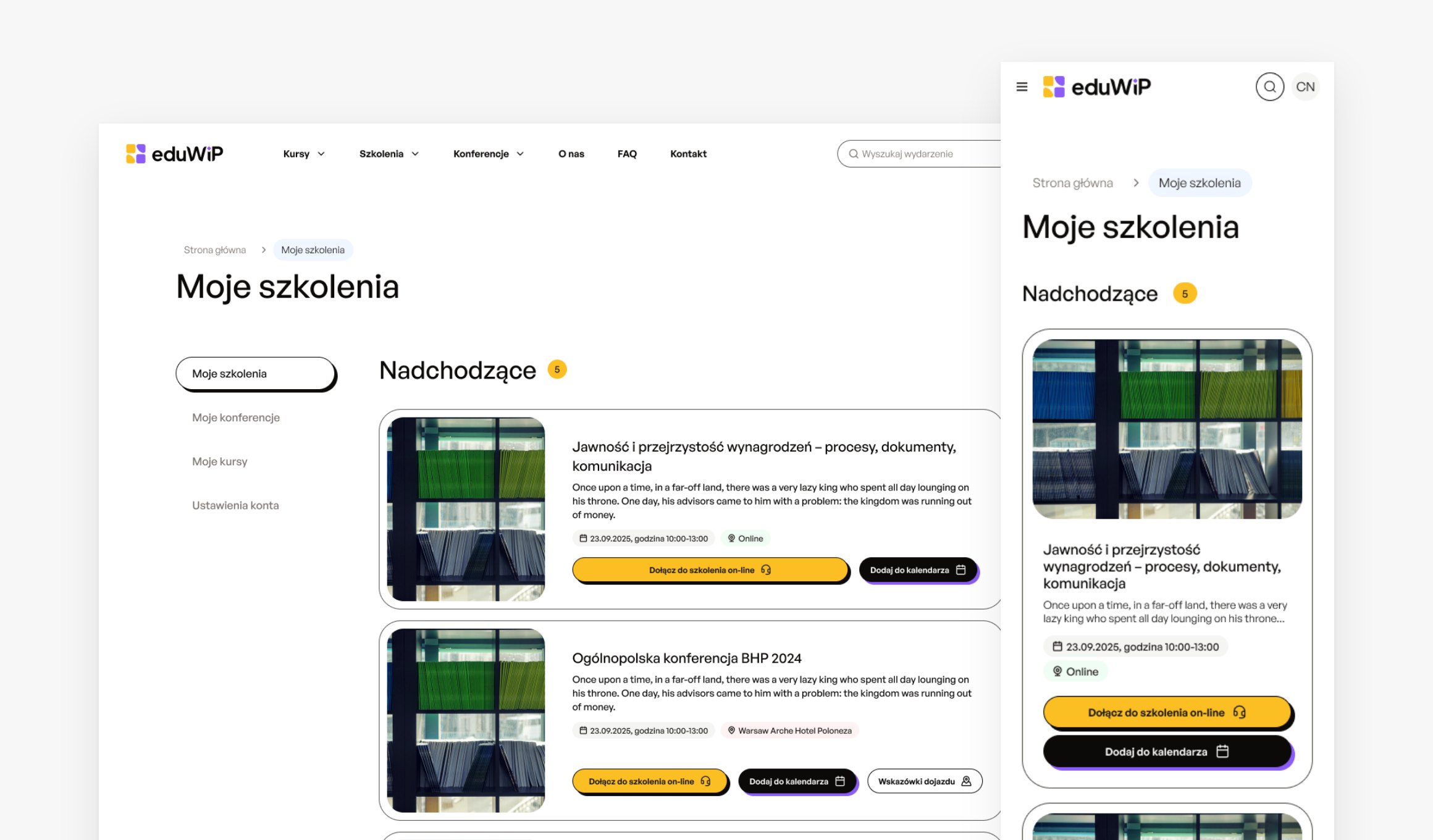
  • The participant area: upcoming trainings, joining online and certificates

Back office

From an event to a sales page

The WiP team doesn't copy data between systems. It picks the event from the product service list, and Eduwip prepares its offers and consultant links by itself.

  1. 01

    Picking the event

    The list shows trainings and conferences from the product service. Once picked, the training is saved straight away as a draft.

  2. 02

    An offer for every package

    Every price package from the product service automatically gets an offer. They all start hidden, and packages meant only for phone sales never reach the site.

  3. 03

    Content and packages

    The team fills in the description, experts, partners and SEO, and sets each offer's discount, payment methods, recording access and additional certificate.

  4. 04

    Publishing

    The team publishes the offers it chooses. The site only shows the ones that are active on the date and open for sale, and when the seats run out, the order form locks.

  5. 05

    Links for sales

    When the event is created, Eduwip requests three links from the campaign service: for customer service and the two sales teams. Each consultant copies their own, with their ID attached.

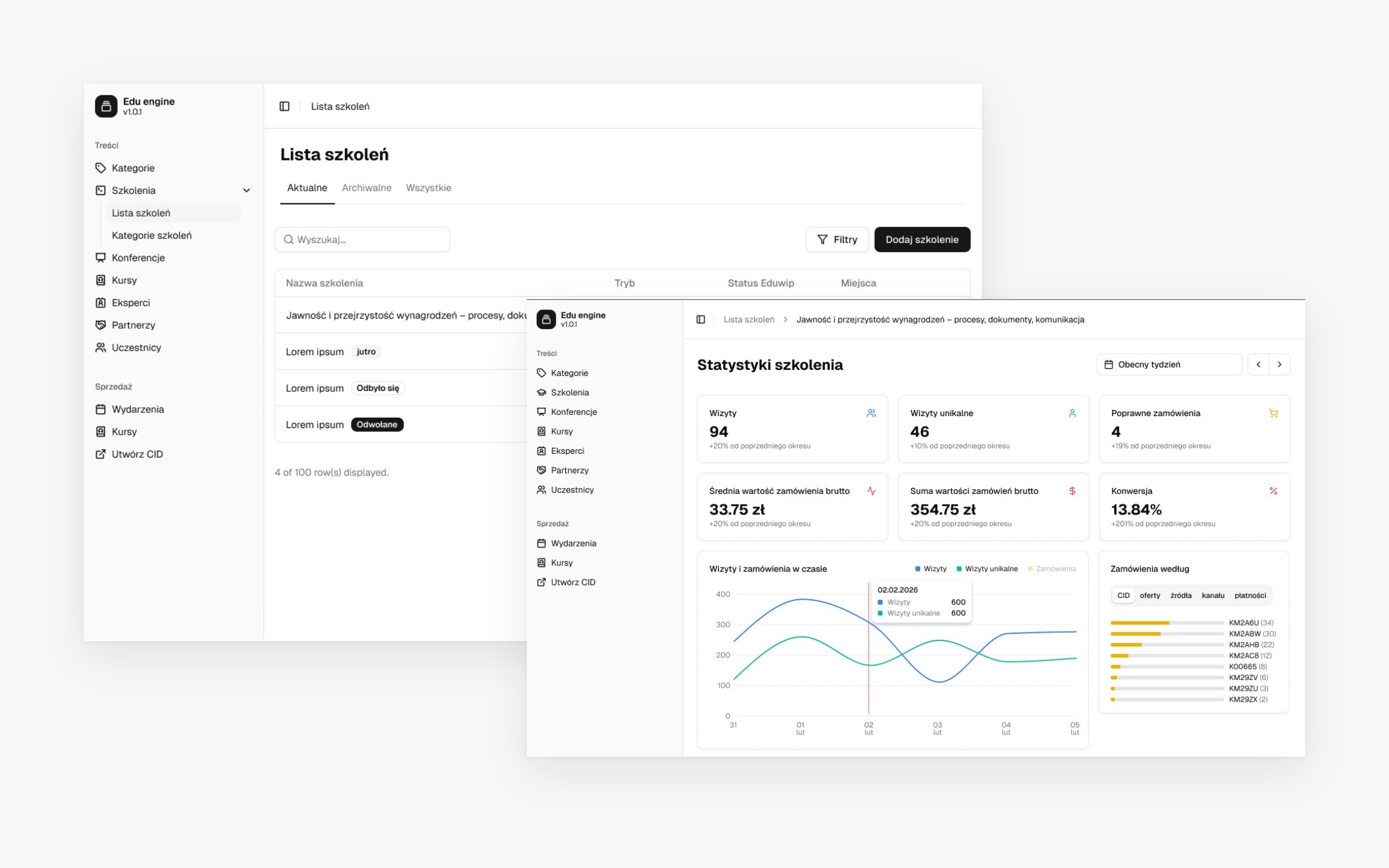
The Eduwip admin panel: the training list with publishing status and statistics for visits, orders and conversion, on sample data

Who works in the panel

  • 01

    Administrator

    Full access to the panel

  • 02

    Customer service

    Upcoming events, users and participants

  • 03

    Phone sales

    Two roles for two teams: upcoming events and own links

  • 04

    Analyst

    Event and statistics preview

A link that knows who made the sale

A consultant is on the phone with a client, and the client asks for a link to order. The consultant copies their link from the panel, and every parameter in it has a job.

Consultant link

eduwip.pl/szkolenia/training-name?cid=A1B2C3&utm_source=channel&utm_medium=link&utm_campaign=campaign-name&consultant_id=7f3a…

  1. eduwip.pl/szkolenia/training-name

    Event page

    A training links to its page on eduwip.pl, a conference to its landing page.

  2. ?cid=A1B2C3

    Campaign ID

    Eduwip gets it from the campaign service when the team creates the event.

  3. &utm_source=channel&utm_medium=link

    Sales channel

    Customer service or one of the sales teams. Each channel has its own link.

  4. &utm_campaign=campaign-name

    Campaign

    The event name and the channel the order came from.

  5. &consultant_id=7f3a…

    Consultant

    Who copied the link. WiP maps the ID to a person and pays them commission.

Eduwip passes the full entry URL, with every parameter, to the order service together with the order. That way every sale can be traced to a campaign and a consultant.

Under the hood

Under the hood

We built the frontend and the panel from scratch, and we develop the backend in code that another of the client's platforms already runs on. Most of the decisions were about how to talk to the systems around it.

  • A backend shared with another platform

    We develop the Eduwip API in the existing Symfony code of another of the client's learning platforms rather than in a separate service. That means one source of data and one codebase to maintain, and both platforms share orders and their handling.

  • Webhooks instead of polling

    Syncing events through the product service API kept hitting rate limits, so we are moving to webhooks. ClickMeeting already works that way. We also considered a RabbitMQ bus, but settled on webhooks.

  • One tab asks about the payment

    After payment, the frontend checks its status every 5 seconds, for 90 seconds at most. When the client has several tabs open, only one asks. Web Locks take care of that, and the other tabs get the result through BroadcastChannel.

  • Light on the backend

    The frontend serves public pages from a Redis cache, and only checks the JWT when a participant opens their panel.

  • The same path to production

    Every change goes through dev, stage and production on WiP's infrastructure. We document the API in Bruno collections kept in the repository, and TypeScript, Biome and a Feature-Sliced Design linter keep the frontend in check.

Platform stack

Next.js 16
Next.js 16
React 19
React 19
TypeScript
TypeScript
Tailwind CSS
Tailwind CSS
Radix UI
Radix UI
Symfony 7
Symfony 7
Redis
Redis
Docker
Docker

Launch

From analysis to the first events in production

First we mapped out the integrations, then we built the platform. It went to production with a clean database, so the WiP team could set up real events straight away.

  1. Aug–Sep 2025

    Analysis: the ClickMeeting integration, the functional requirements for eduwip.pl, WCAG 2.1 and SEO guidelines.

  2. 29 Sep 2025

    We weigh it up: a separate service or shared code with another of the client's platforms.

  3. Jan 2026

    Panel wireframes and the frontend UI design in Figma.

  4. 17 Apr 2026

    The decision: a separate frontend, the API in the shared backend. Development starts.

  5. 21 May

    Product service integration spec: events, packages and automatic offers.

  6. 22 Jun

    First test environment for the frontend and the API.

  7. Jul

    The panel with roles and participant lists goes into testing. Payments with safe status checks.

  8. Sep

    ClickMeeting moves to webhooks. The code goes to production, and the WiP team sets up the first events.

  9. Oct

    The course module, subscription courses included, in testing before launch.

Results

What came out of it

9

systemsconnected into one participant path: from sign-up, through payment and the webinar, to the certificate

3formats
trainings, conferences and online courses on one engine
5panel roles
administrator, customer service, two sales teams and analyst
4automatic emails
before every online event: from the order to the reminder two hours before the start

The platform keeps growing

We stayed on the project. Among the things on the board right now:

  • launching the course module, subscription courses included
  • visit and sales statistics per event for analysts
  • courses in the SCORM 1.2 standard

Team

  • Marcin MroczkaProject manager, analysis and specs
  • Konrad ReperowskiFrontend architecture
  • Artur Wróbeleduwip.pl frontend
  • Michał SkolakPanel frontend
  • Kamil BeredaBackend
  • Adam KwiecieńBackend, integrations, DevOps
  • Michał PieczonkaQA

Let's talk about your project idea!

Tell us about your project. We’ll help you plan the architecture, scope, and execution.

Get in touch

© Webalize 2026