Back
A browser-based remote desktop platform for companies
Project goal
To let a company's people reach their work machines from any browser, with nothing to install, while giving the business the security and oversight that remote access demands.
Our scope
UX/UI design
System architecture
Web development
Project duration
November 2024-June 2025
Ongoing development
Technologies used
Next.js
Laravel
Apache Guacamole
PostgreSQL
Redis
AWS
Client
Terralink
A remote desktop that opens in a browser tab
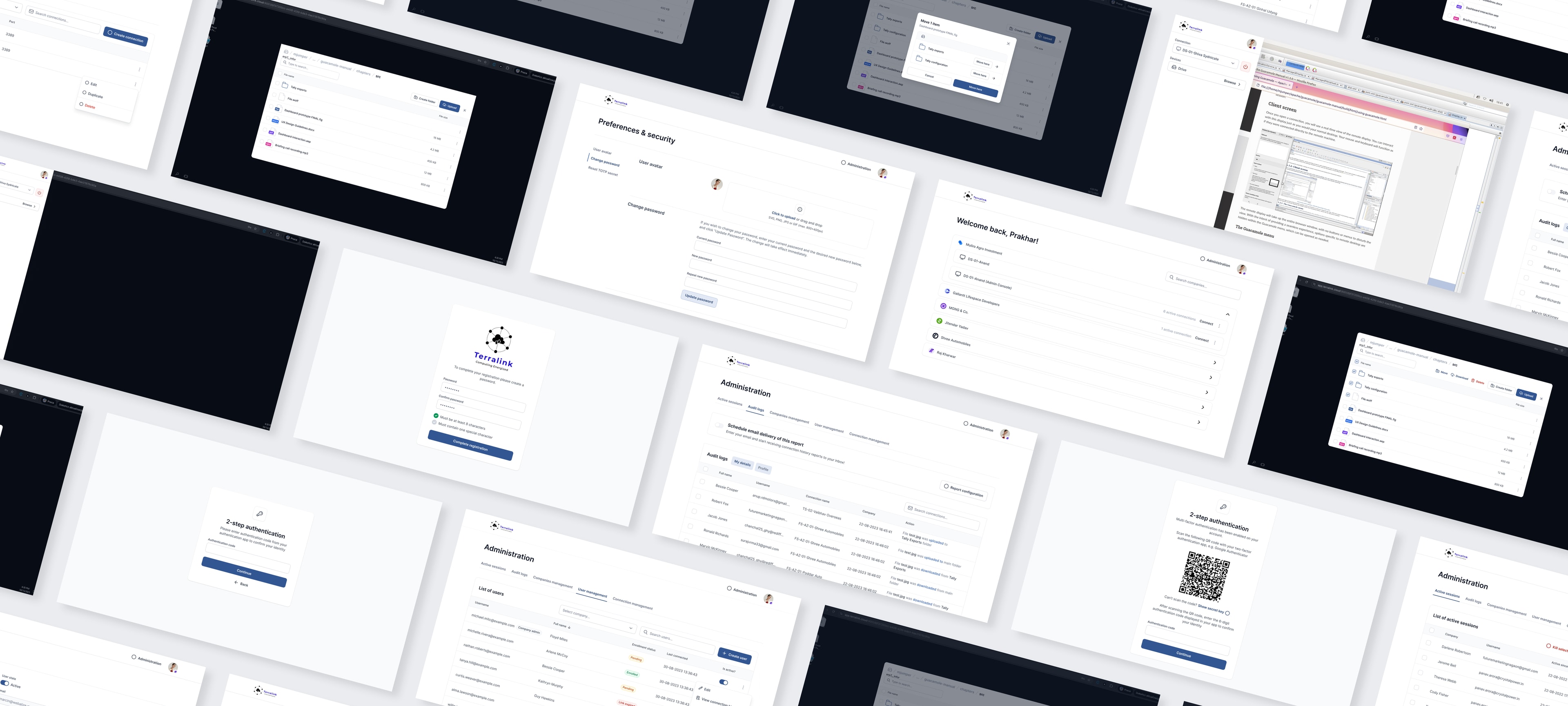
Terralink lets a company's people open a work computer straight in their browser. Someone on staff or a contractor signs in, picks a machine and they are working on a Windows desktop over RDP as if they were sitting in front of it. No VPN client, no desktop app, nothing to install. We built the platform from the ground up: the research, the interface, the architecture and the code.
Built on Apache Guacamole, wrapped in a real product
At the centre of Terralink sits Apache Guacamole, an open gateway that turns remote-desktop protocols into a stream a browser can render. Guacamole does the hard translation. Our job was to build the product around it: the account and company structure, the security, the dashboards and the everyday experience that makes it usable for a business rather than a lab tool. A Java servlet takes the browser connection, while a native daemon called guacd speaks RDP to the machine on the other end.
A multi-tier architecture that scales the hard parts on their own
Remote desktops are heavy work. The load is lumpy too: a quiet morning can turn into fifty people connecting at once. So the architecture splits the work up and lets each part scale on its own across three availability zones. Traffic arrives through a firewall and a load balancer, then fans out to independent auto-scaling groups. One group runs the Next.js front-end and the Laravel API. Another runs Guacamole, the servlet and guacd together. The Windows terminal servers people actually connect to over RDP sit in their own groups again and scale separately from everything else. PostgreSQL holds the accounts, the connections and the session history. Redis keeps sessions, tokens and cache in memory. A dedicated network load balancer spreads RDP traffic across the terminal servers, backed by shared file storage, an S3 bucket and an Active Directory domain controller. It is a lot of moving parts, deliberately so, because that is what keeps the platform quick and steady when everyone piles on at nine in the morning.
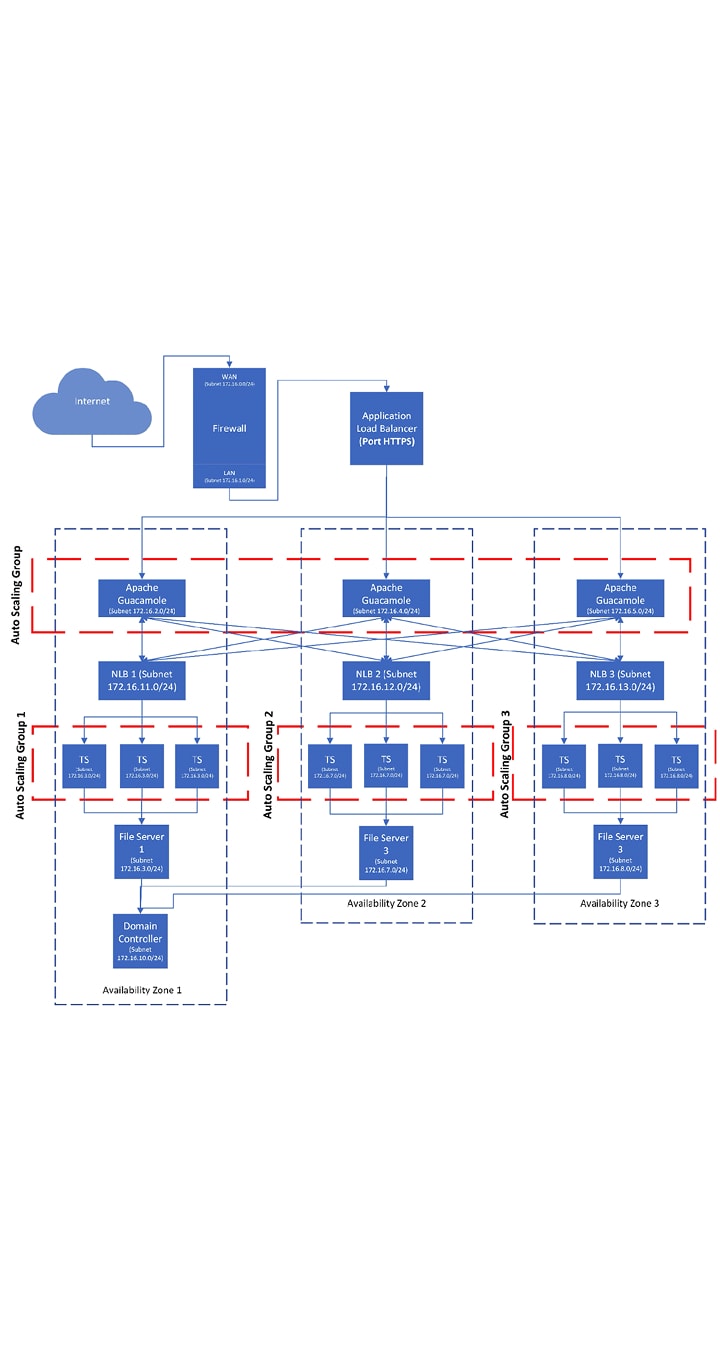
Phase 1
Where the architecture started - the diagram we designed around at the beginning of the project.
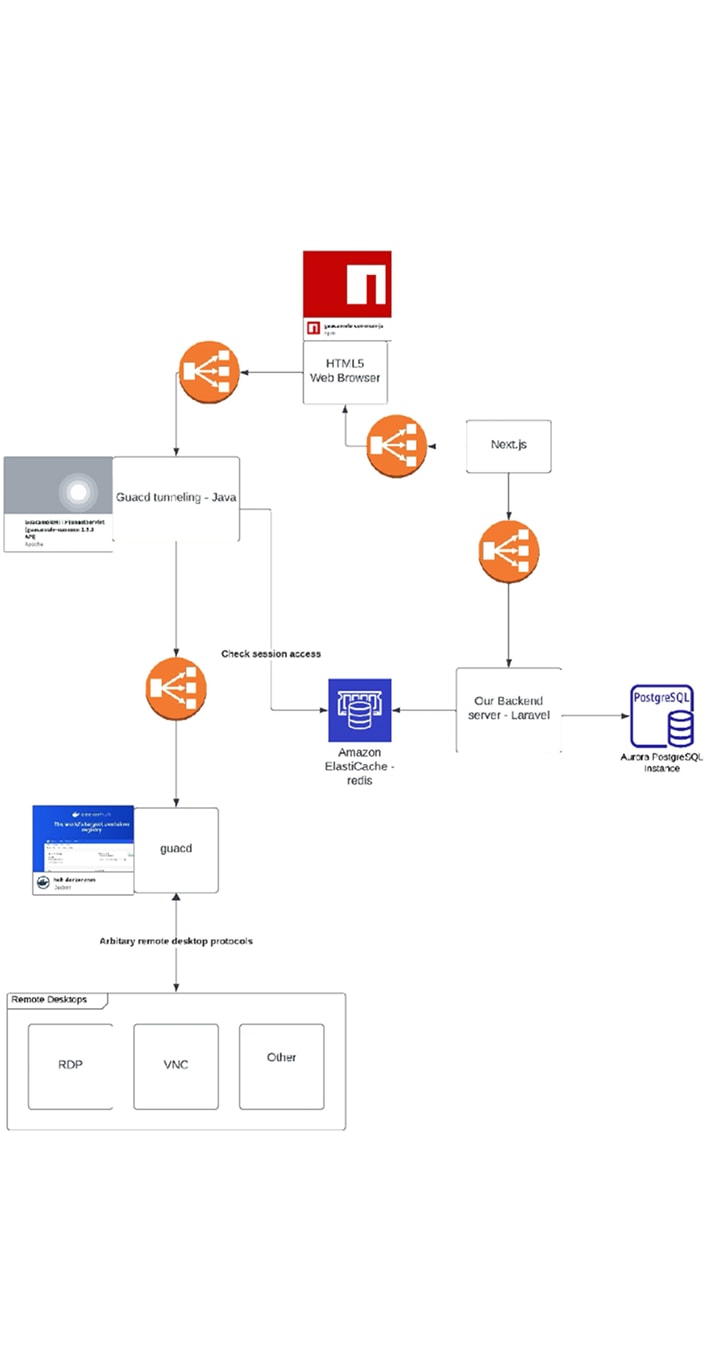
Phase 2
How that first version evolved as the platform took shape.
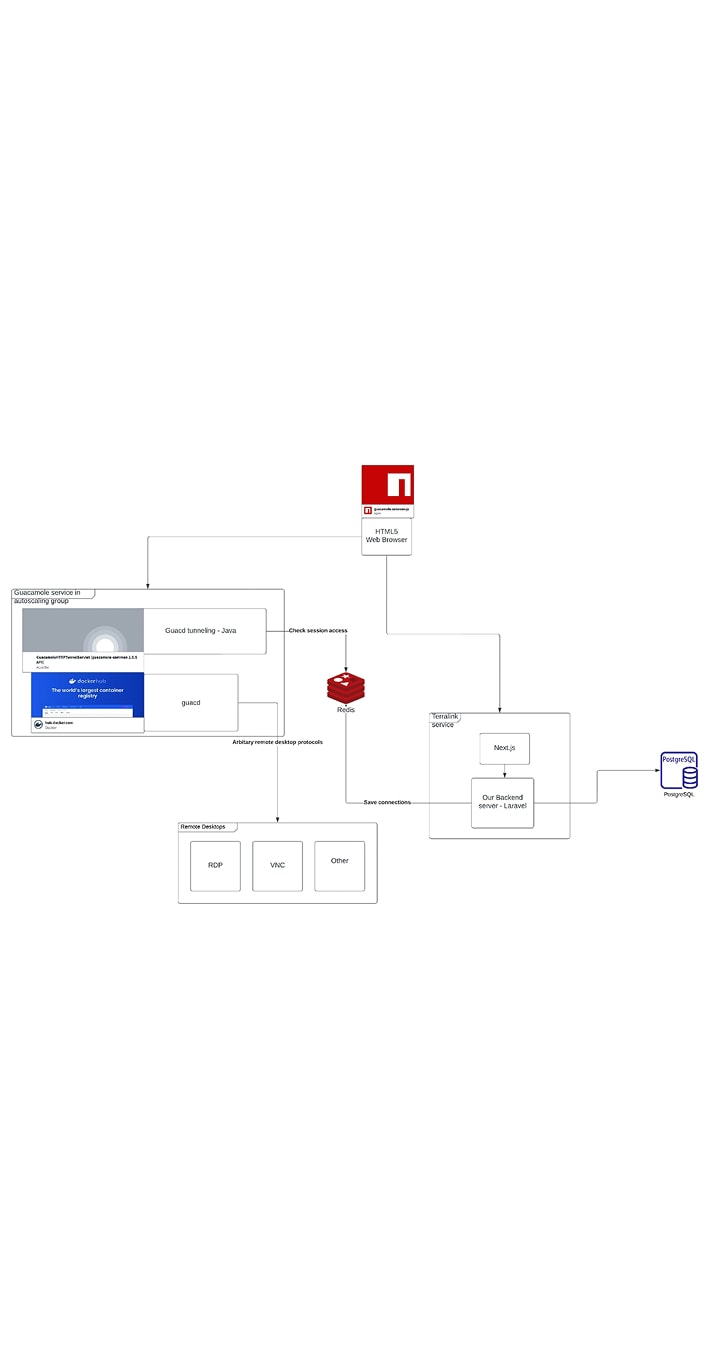
Phase 3
The final layout, optimized for cost. Phase 2 carried too many load balancers; here we also improved how the Backend (API) + Frontend tier and the Guacamole + Servlet tier scale together.
Connection tokens: the bridge between logged in and connected
Getting a person from signed-in to sitting on a remote machine takes care, because the gateway that handles the actual desktop connection is a separate service from the Laravel backend that knows who you are. We join the two with connection tokens. When an authenticated user asks to connect, the backend issues a short-lived UUID token that authorises that one session. Guacamole honours the token and opens the desktop. The user never touches a credential for the target machine. The token is what carries the trust across the gap.
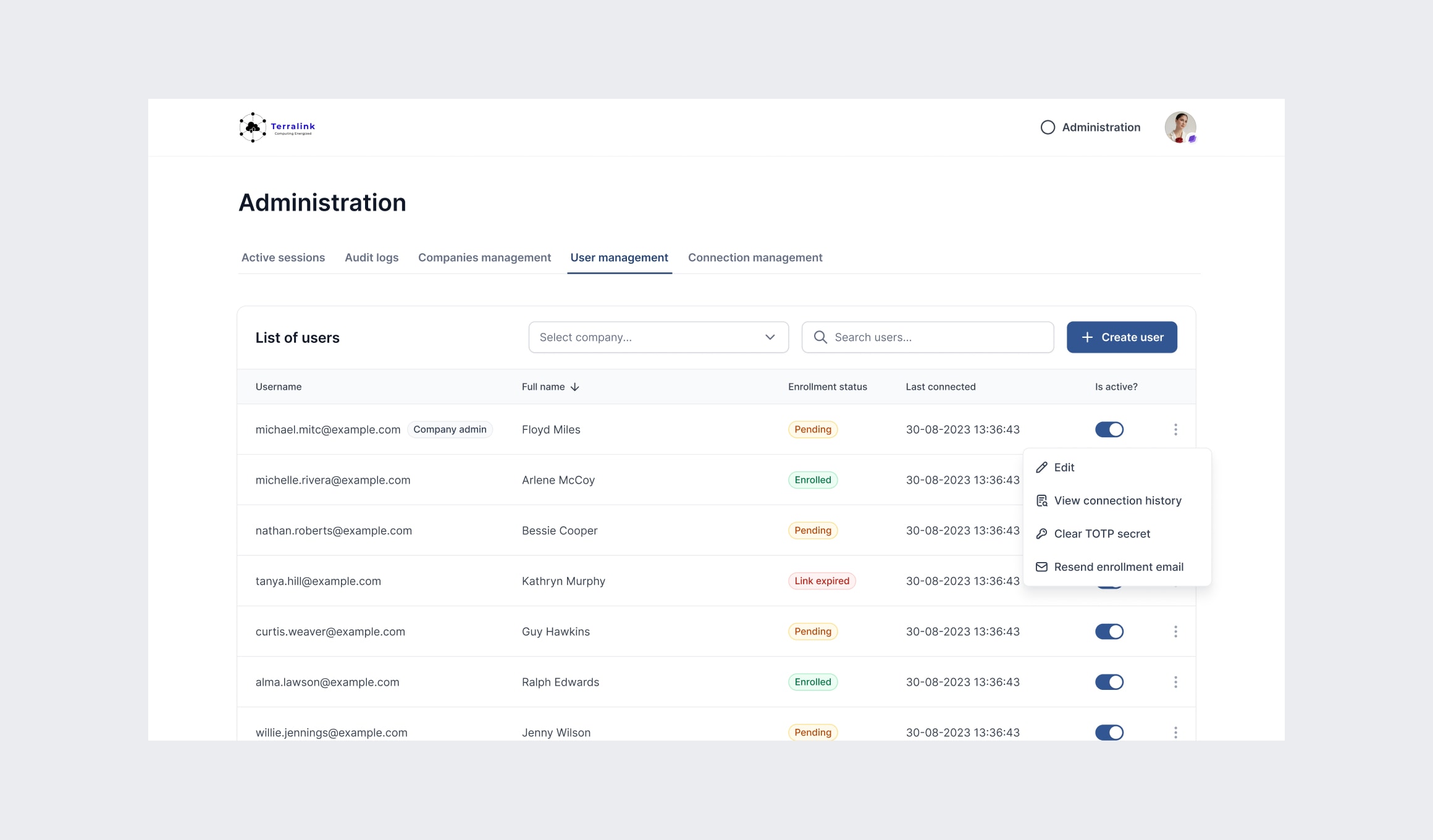
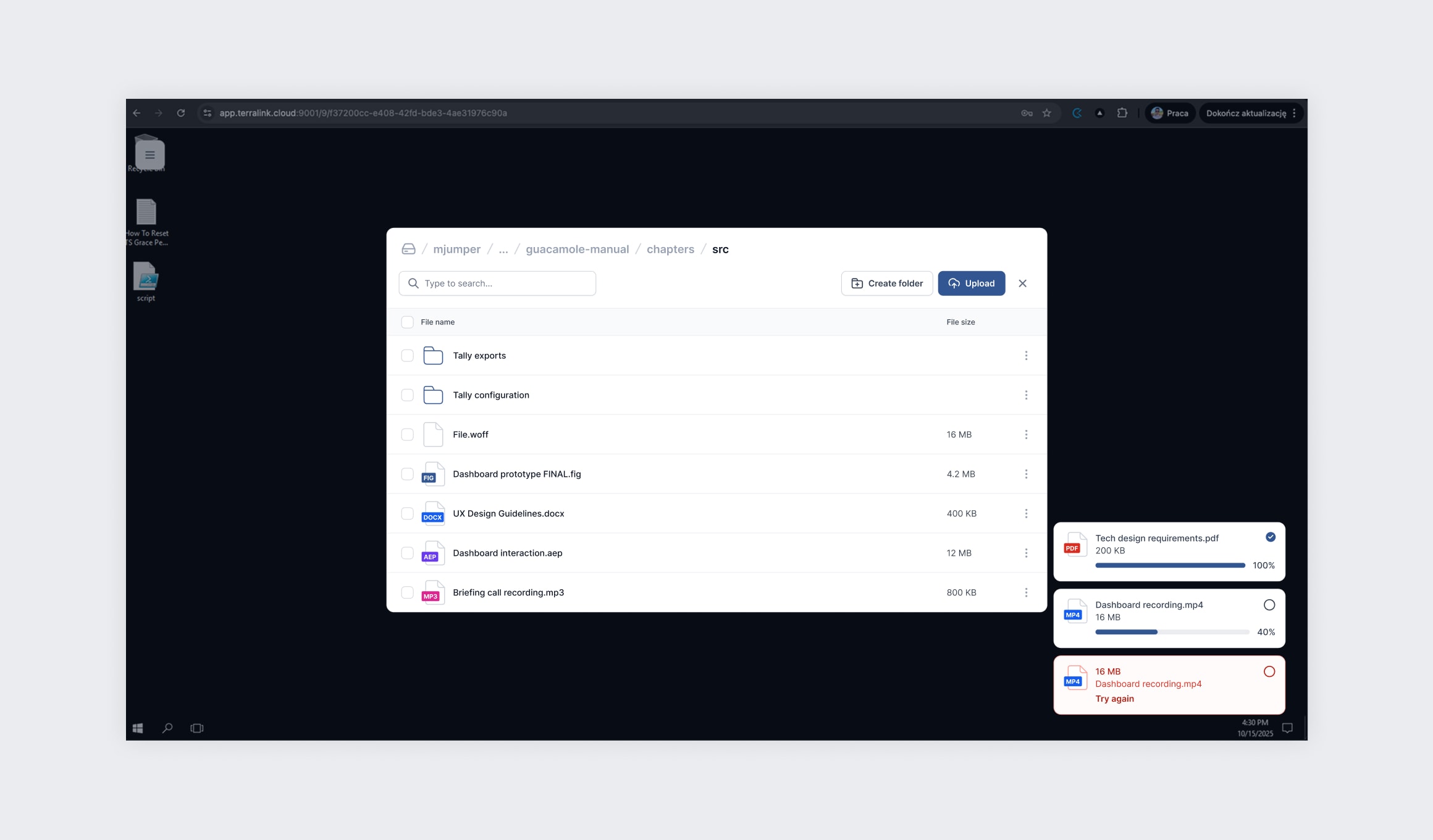
Everything a business needs around the desktop, down to printing home
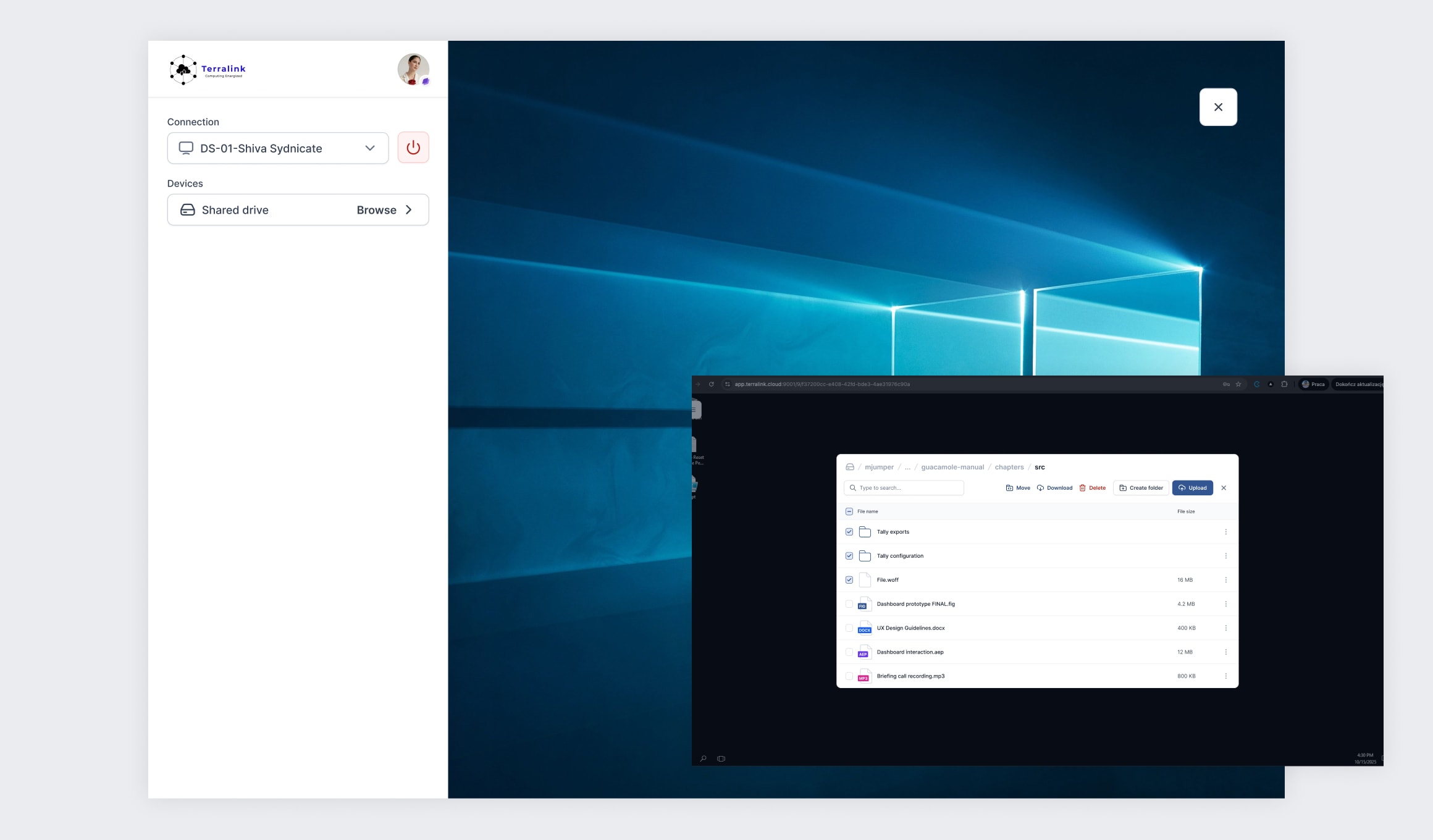
A remote desktop is only useful if it stops feeling remote. So the session carries what people expect. There is a shared clipboard. There is file transfer over SFTP with folders you can pull down as a zip. And there is a small touch we are fond of: printing. Hit print inside a remote Windows session and the dialog opens on your own computer, on your own printer, as if the work had been local all along. Details like that are the difference between a demo and a tool people are happy to use all day.
Three tiers of control, from the platform owner down to the user
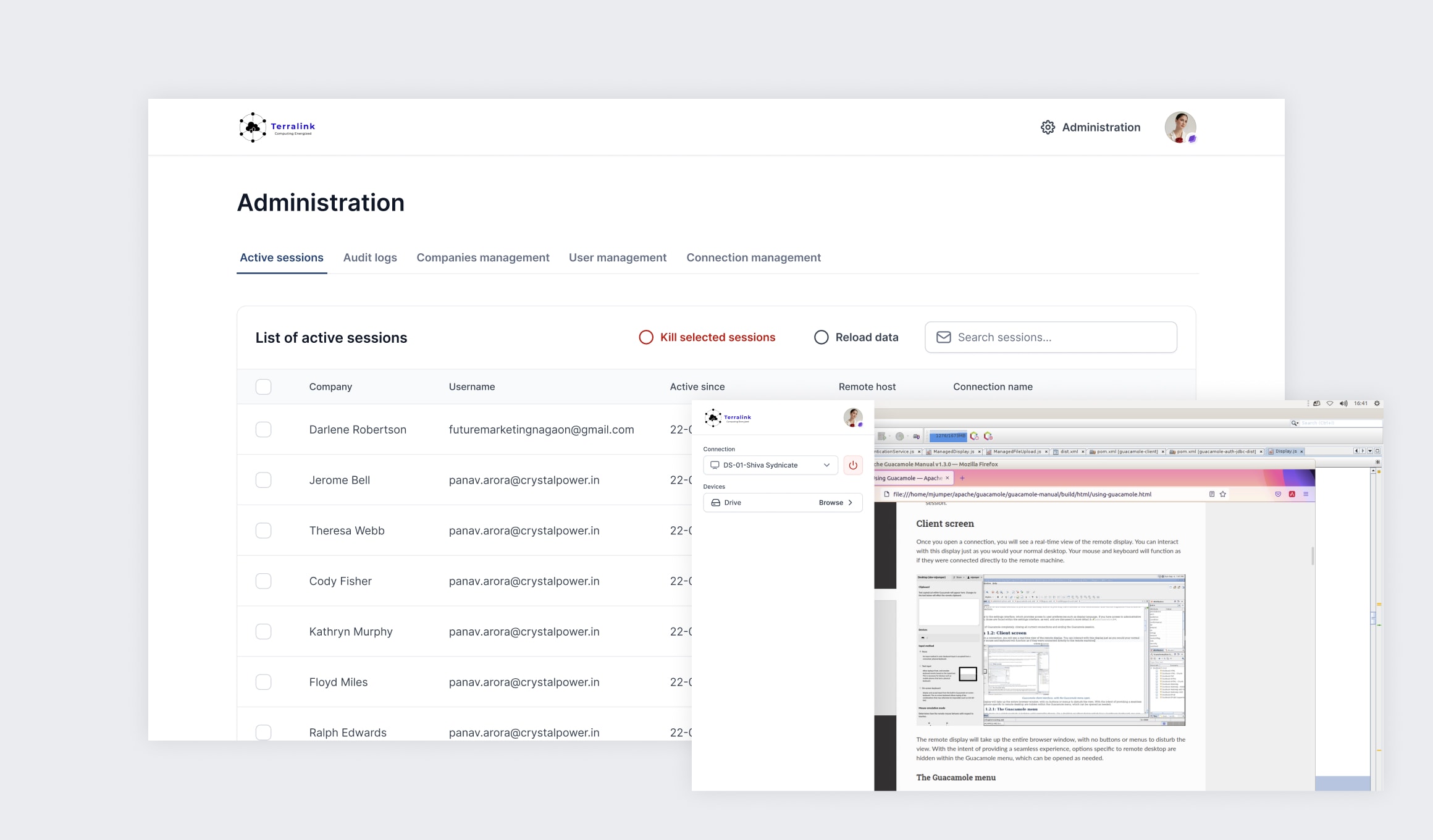
Terralink is multi-tenant, so control sits in three layers. The global administrator, the platform owner, sets up companies and watches over the whole system. Each company gets its own administrator, who runs that company's users, their connections and their permissions. Everyone else is a user who signs in and reaches only what they have been granted. Onboarding a company is handled properly, with enrolment tracking, mandatory documents at creation and guard rails like having to type a company's name before it can be removed.
Security and oversight built for the risk remote access carries
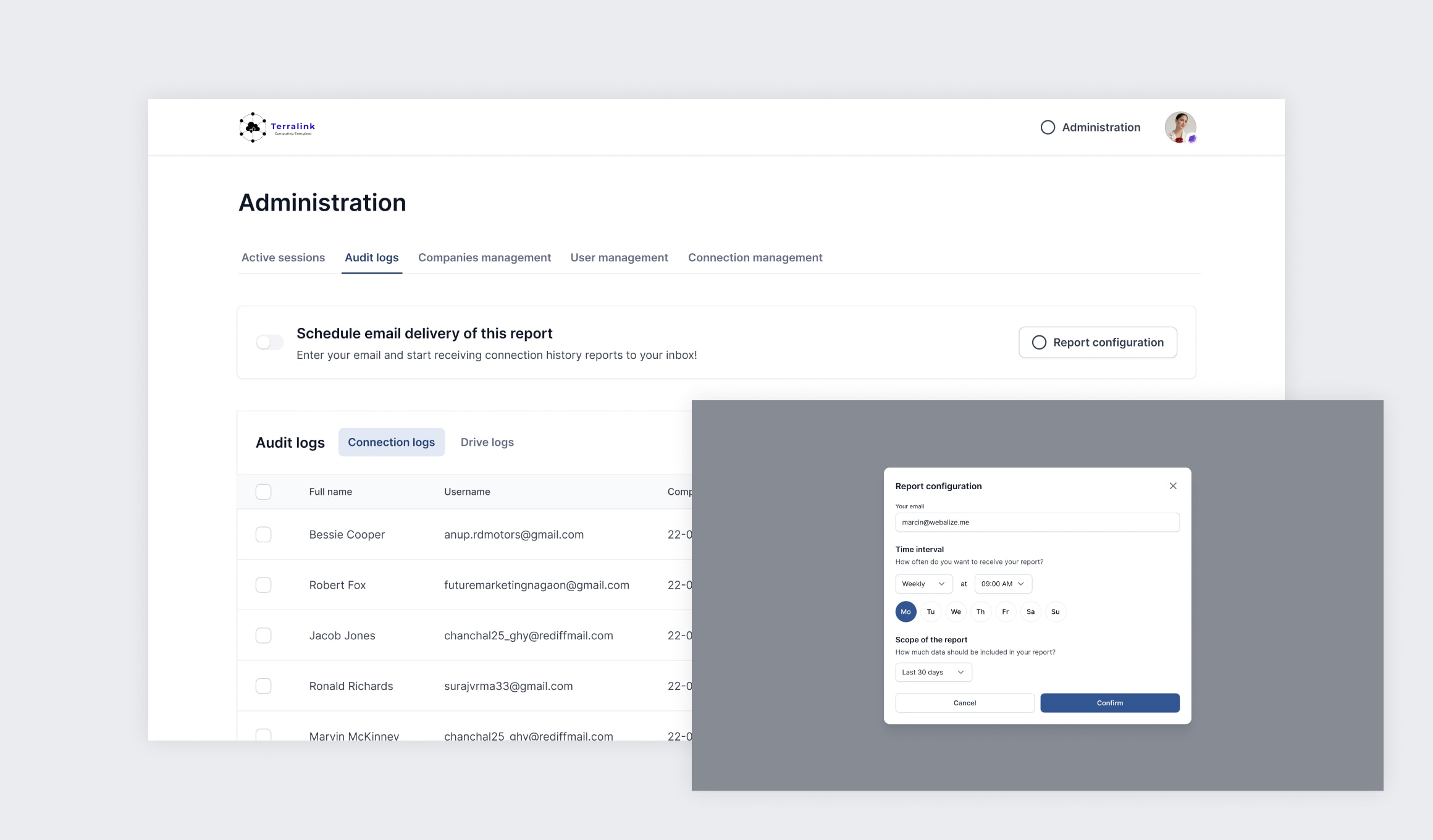
Letting people into machines from anywhere raises the stakes, so security was never an afterthought. Sign-in is protected with two-factor authentication over TOTP, with password expiry and geo-fencing available on top. Administrators can watch active sessions and end any of them. The platform lets a user know when an administrator has closed theirs. Overdue sessions close themselves at a set hour. Every connection is logged, filterable and exportable. Scheduled email reports arrive in an administrator's inbox on their own, which matters for oversight and compliance. The system can even tell a real logout apart from a dropped internet connection, so the records stay honest.
We load-tested the part that had to hold
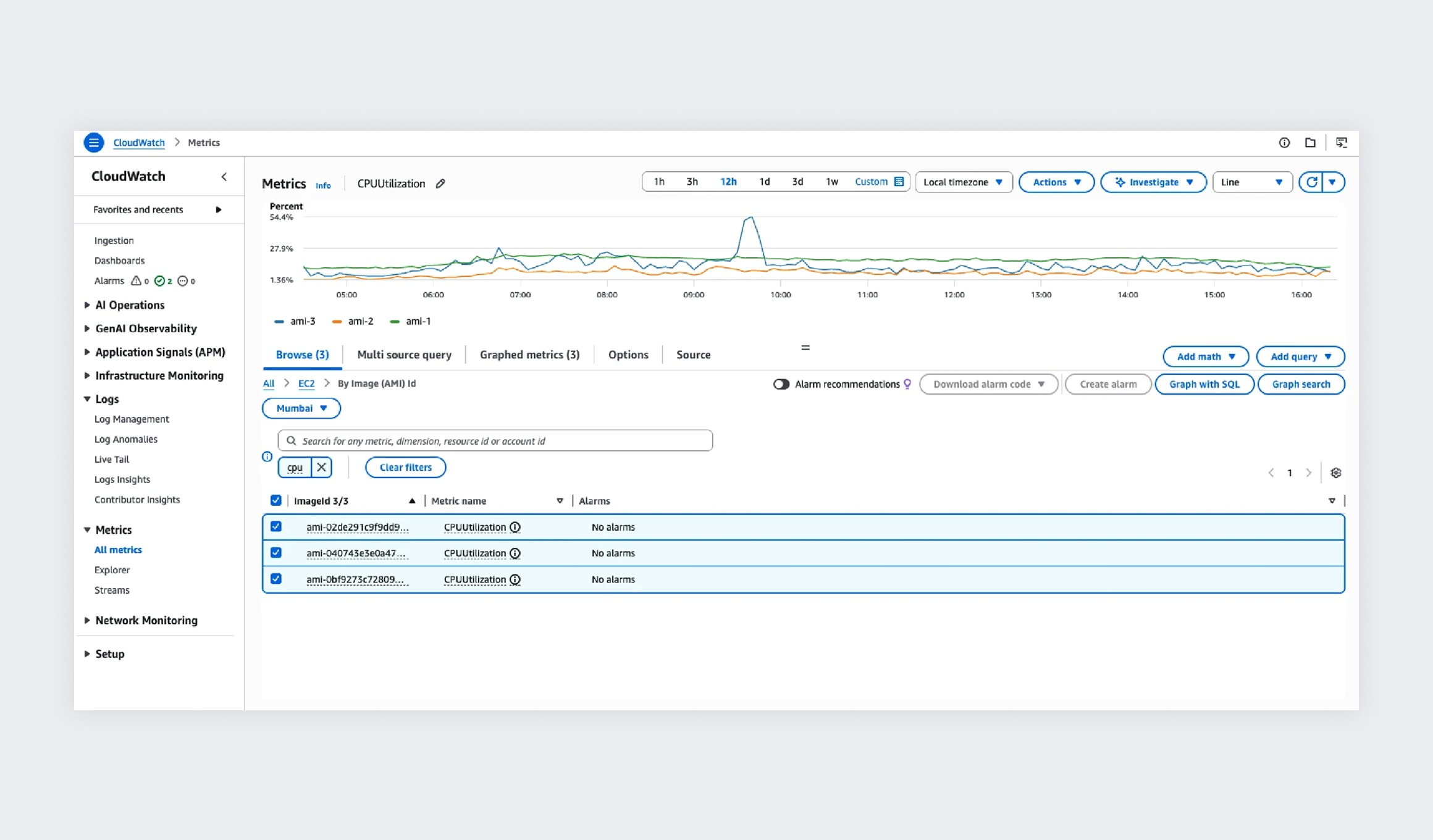
The riskiest piece of a system like this is the tunnel itself, the servlet and guacd carrying every keystroke and frame between the browser and the machine. So we stress-tested it hard before launch, pushing the tunnelling layer until we knew how it behaved under real load rather than finding out in production. A good deal of why connections stay smooth on a busy day traces back to that work.
Outcome
Terralink turns any browser into a secure door to the office. We delivered the platform between November 2024 and June 2025 and are still building on it, with newer work going into the remote streaming and the way users are handled in the dashboard. What the company has now is remote access its people find simple and its administrators can genuinely control, on an architecture built to stay fast as it grows.
Let's talk about your project idea!
Tell us about your project. We’ll help you plan the architecture, scope, and execution.
© Webalize 2026

