Back
Custom case & task management app for a law firm
Project goal
To give a law firm a single place to run its cases, handle incoming correspondence and track every task across the team.
Our scope
UX research
UI design
Web development
Project duration
June 2021-May 2022
Ongoing development
Technologies used
Laravel
Inertia.js
React
TypeScript
PostgreSQL
MongoDB
Client
KPP
We started by sitting down with the whole firm, not just the partners
Before designing anything, we ran interviews across the firm, from the partners down to the people opening the post each morning. A practice-management tool only earns its place if it matches how the office actually runs. The day looks very different depending on where you sit. Those conversations showed us how a case moves through the firm, how incoming correspondence gets shared out and where work was quietly slipping through the cracks. That picture shaped every decision that followed.
From paper sketches to a design the firm could sign off
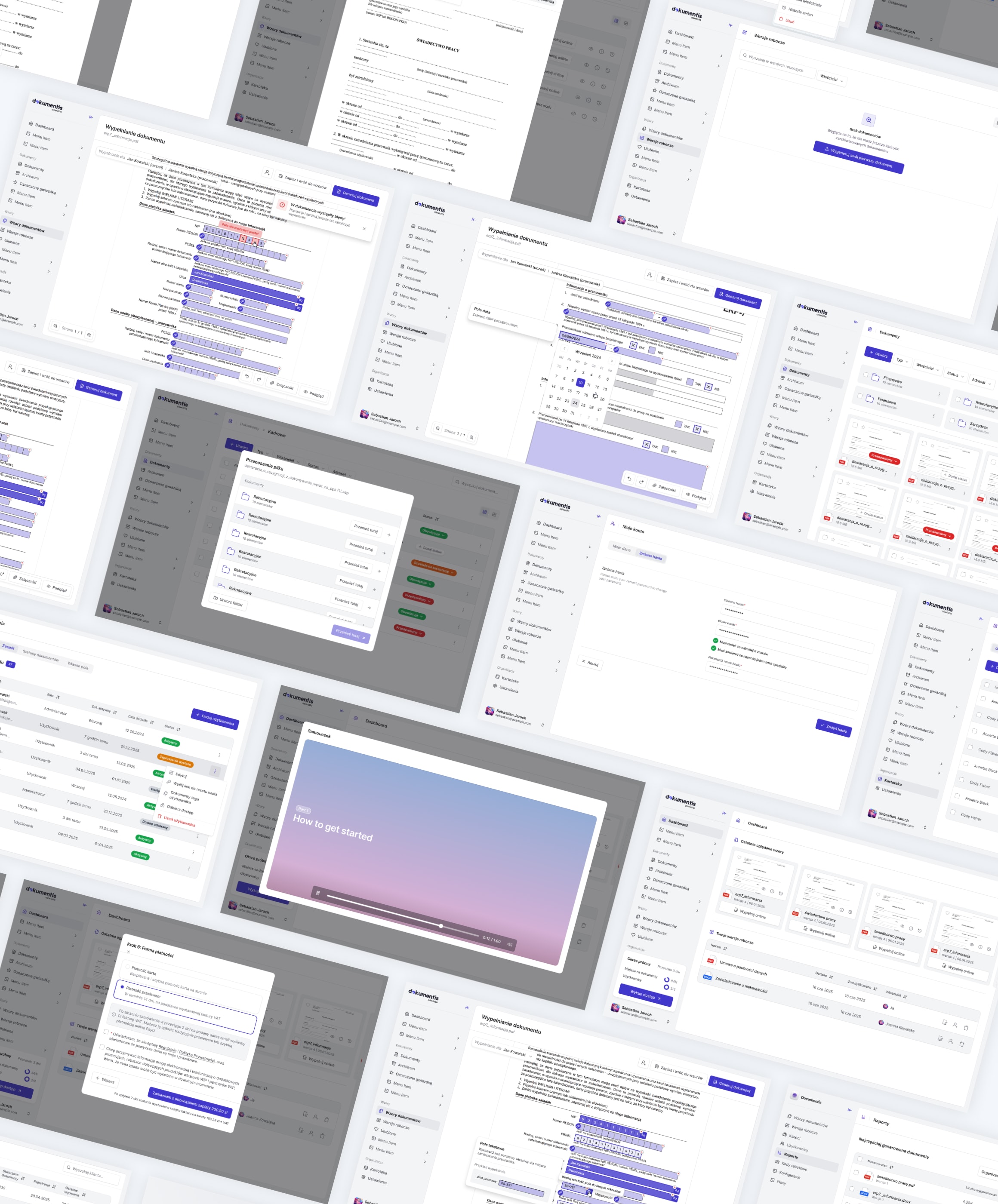
With the research in hand, we moved into wireframes and worked through the structure of every module before adding any visual polish. Once the flows held up, we took them to high-fidelity designs the firm could react to and approve. This is a tool people would sit in for hours a day, so we went for a calm, uncluttered interface built on a design system, which keeps screens consistent and lets new features slot in without redrawing everything from scratch.
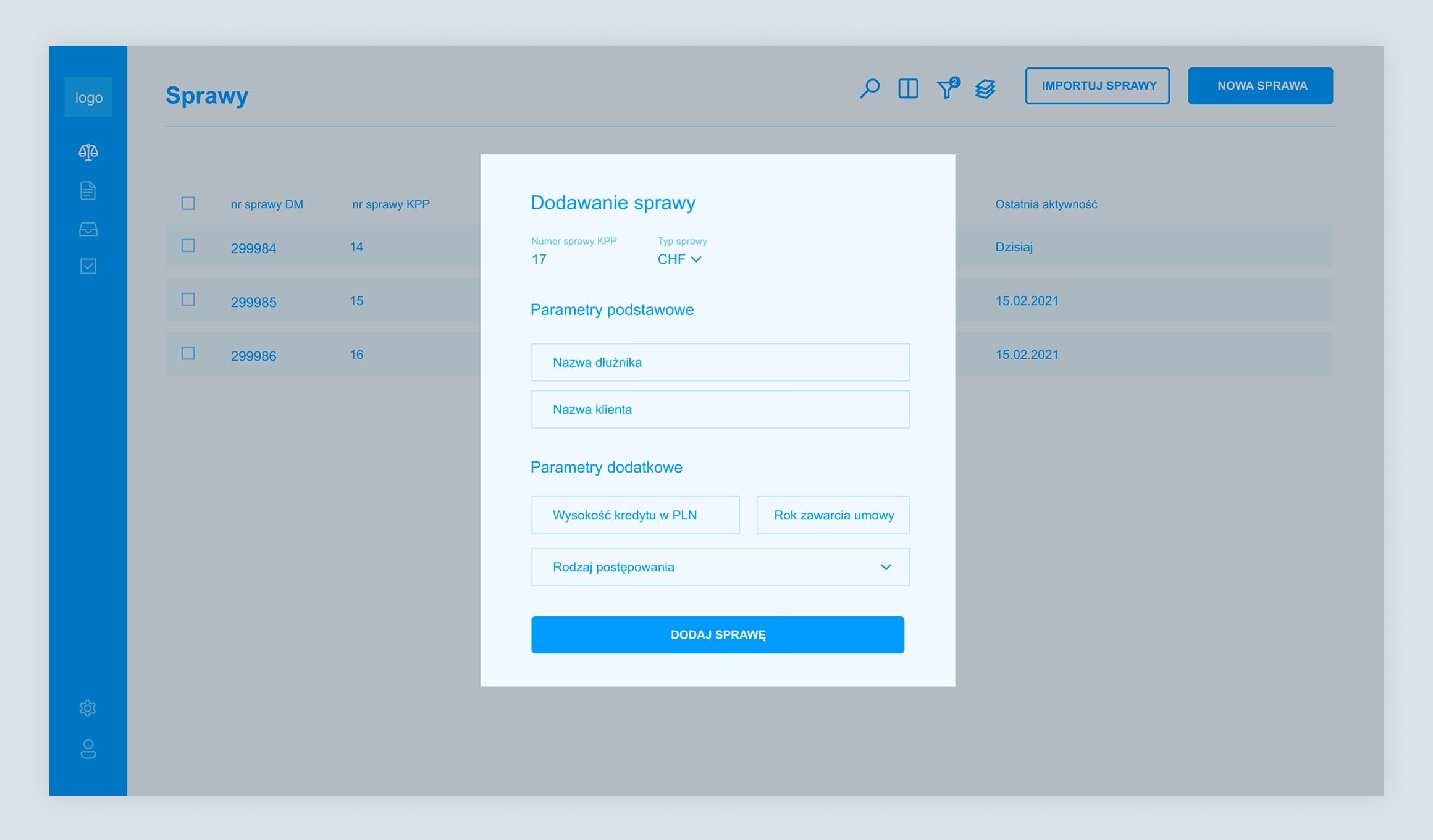
One app for cases that look nothing alike
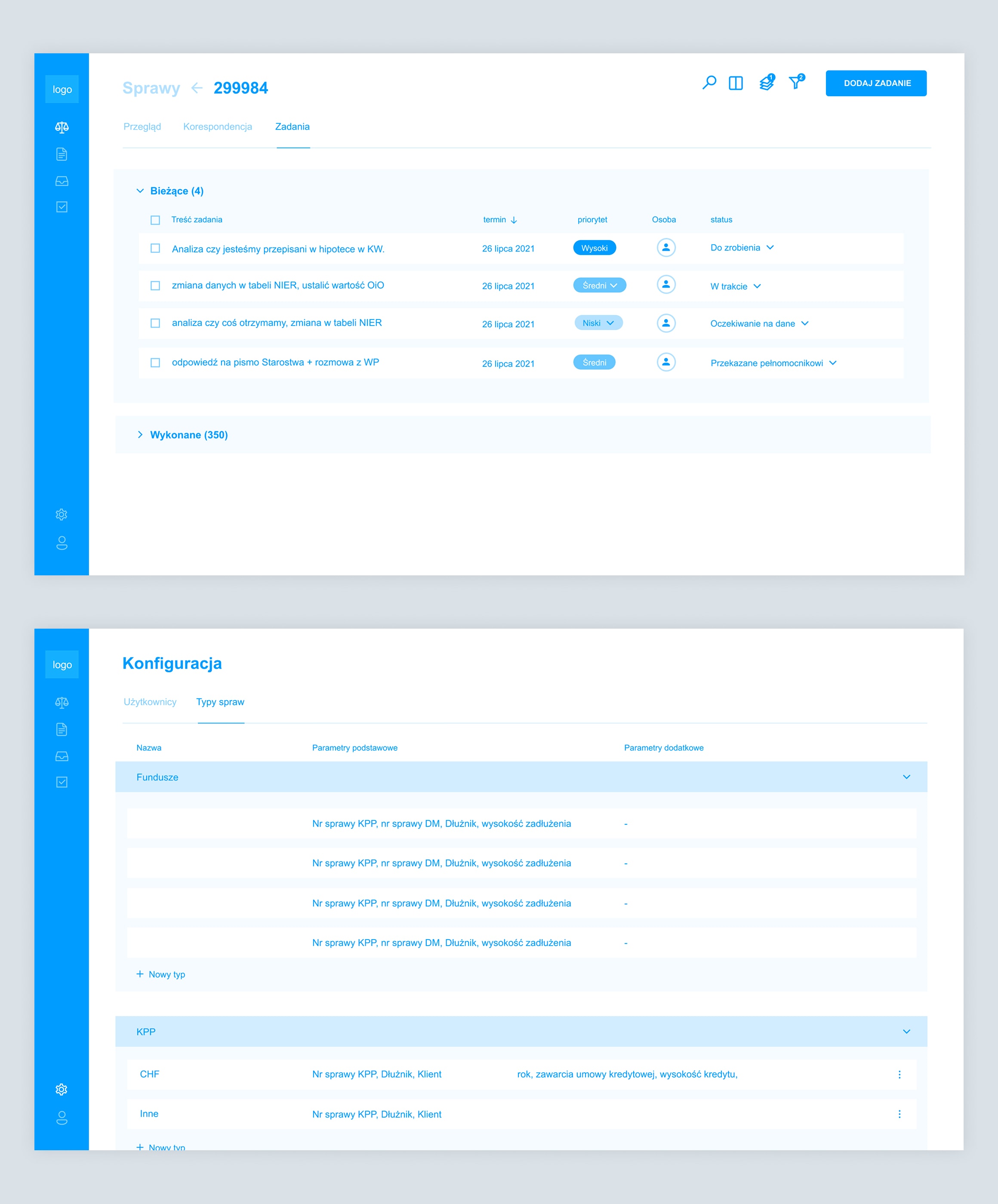
A law firm's cases do not fit a single mould. A flight-compensation claim records airports and a flight number. A bankruptcy tracks the trustee and the dates a petition was filed and declared. A fund case carries court signatures and the stage it has reached. We built the case module around that variety. The shared, relational data lives in PostgreSQL, while the fields that change from one case type to the next are held in MongoDB. That split lets us add a new case type with its own form without reshaping the core database every time.
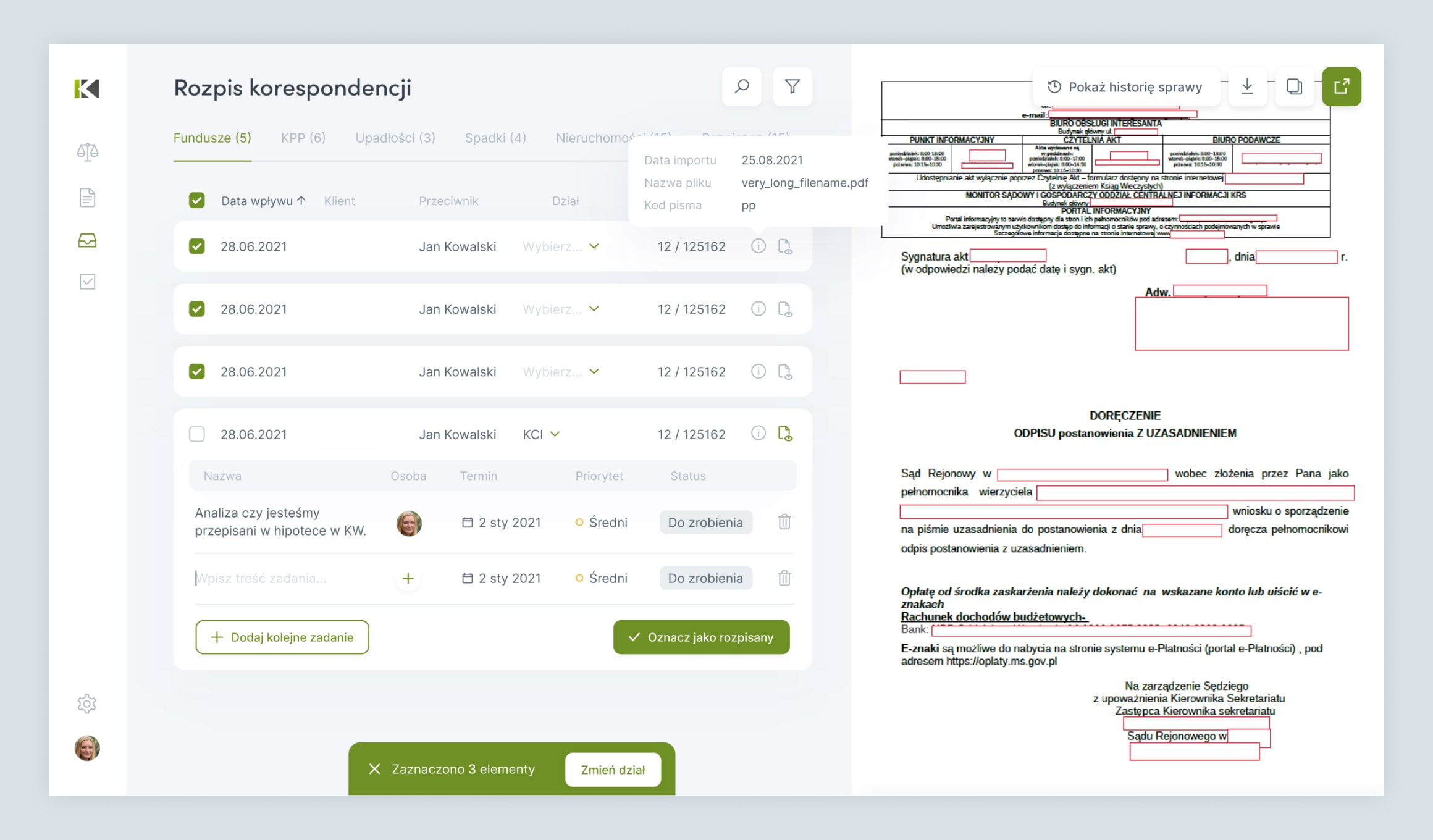
Turning the morning post into tracked work
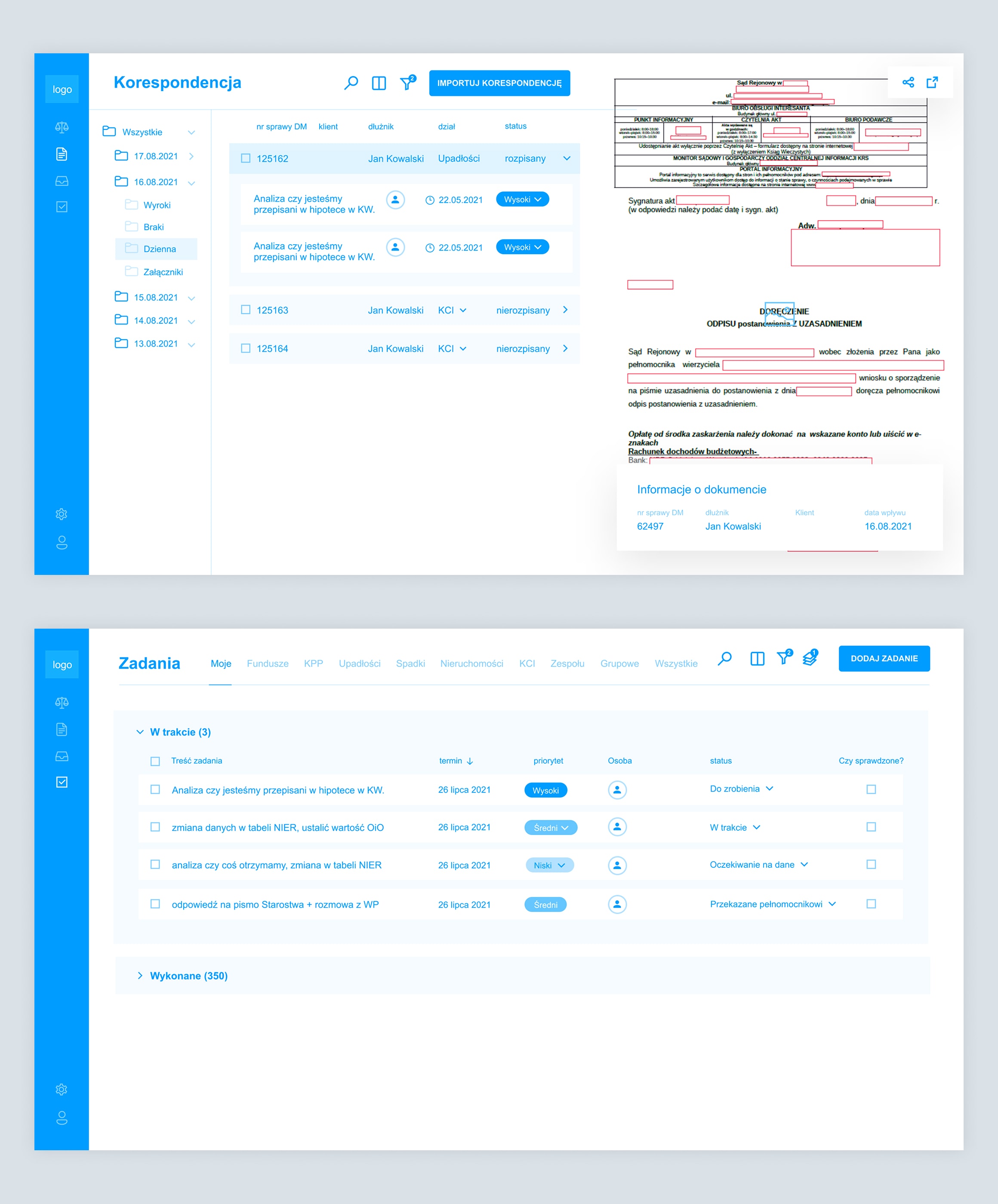
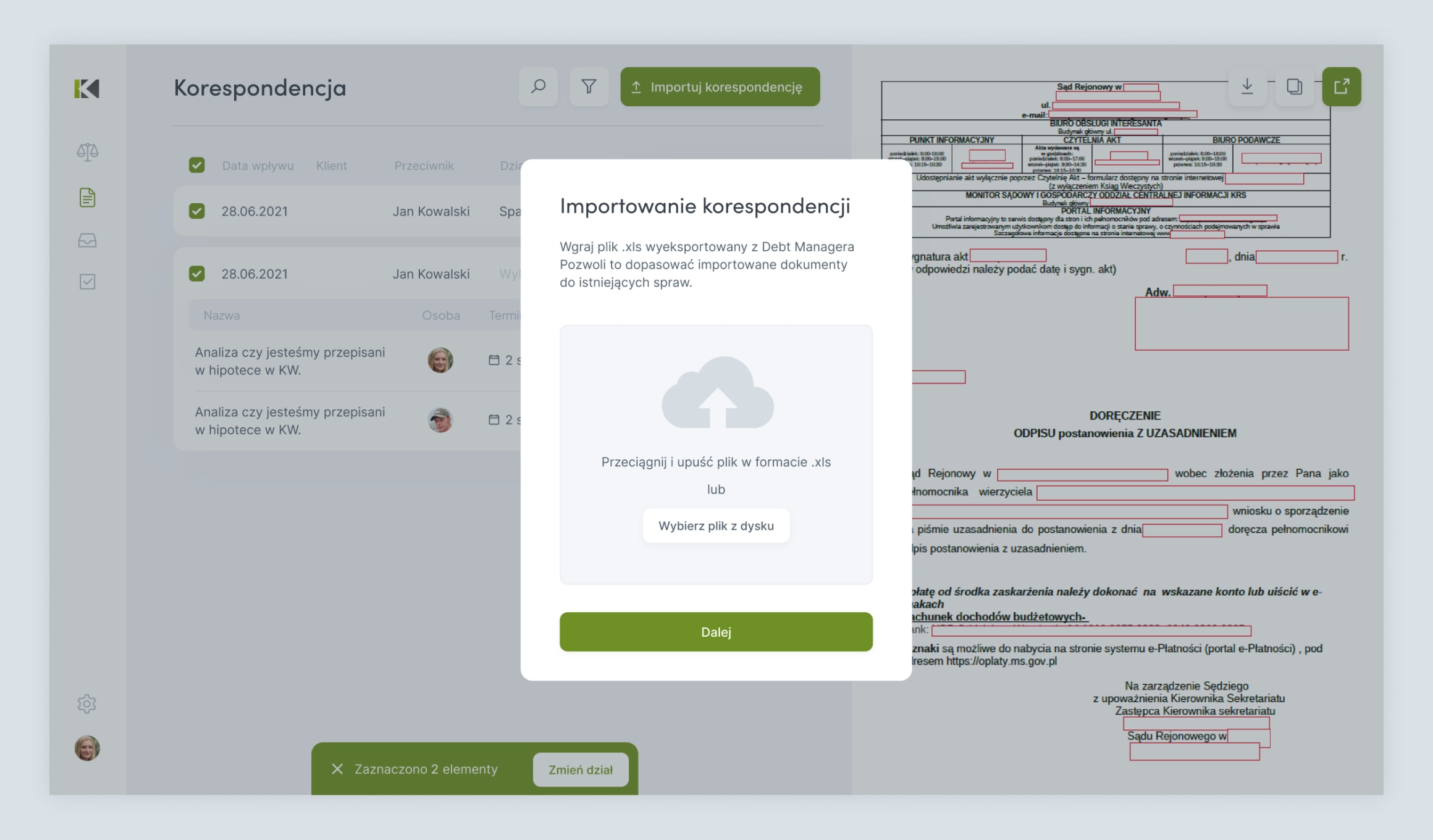
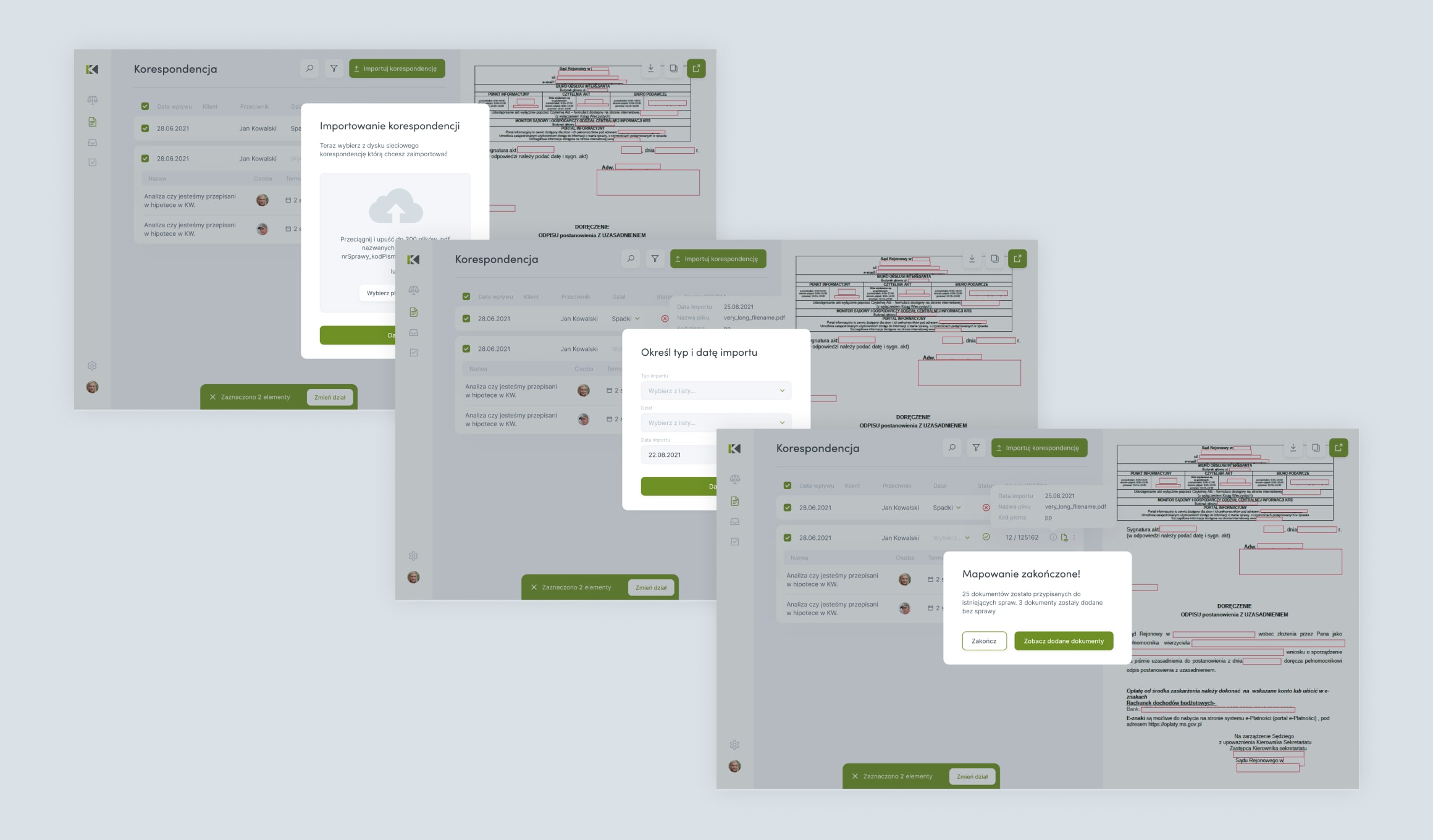
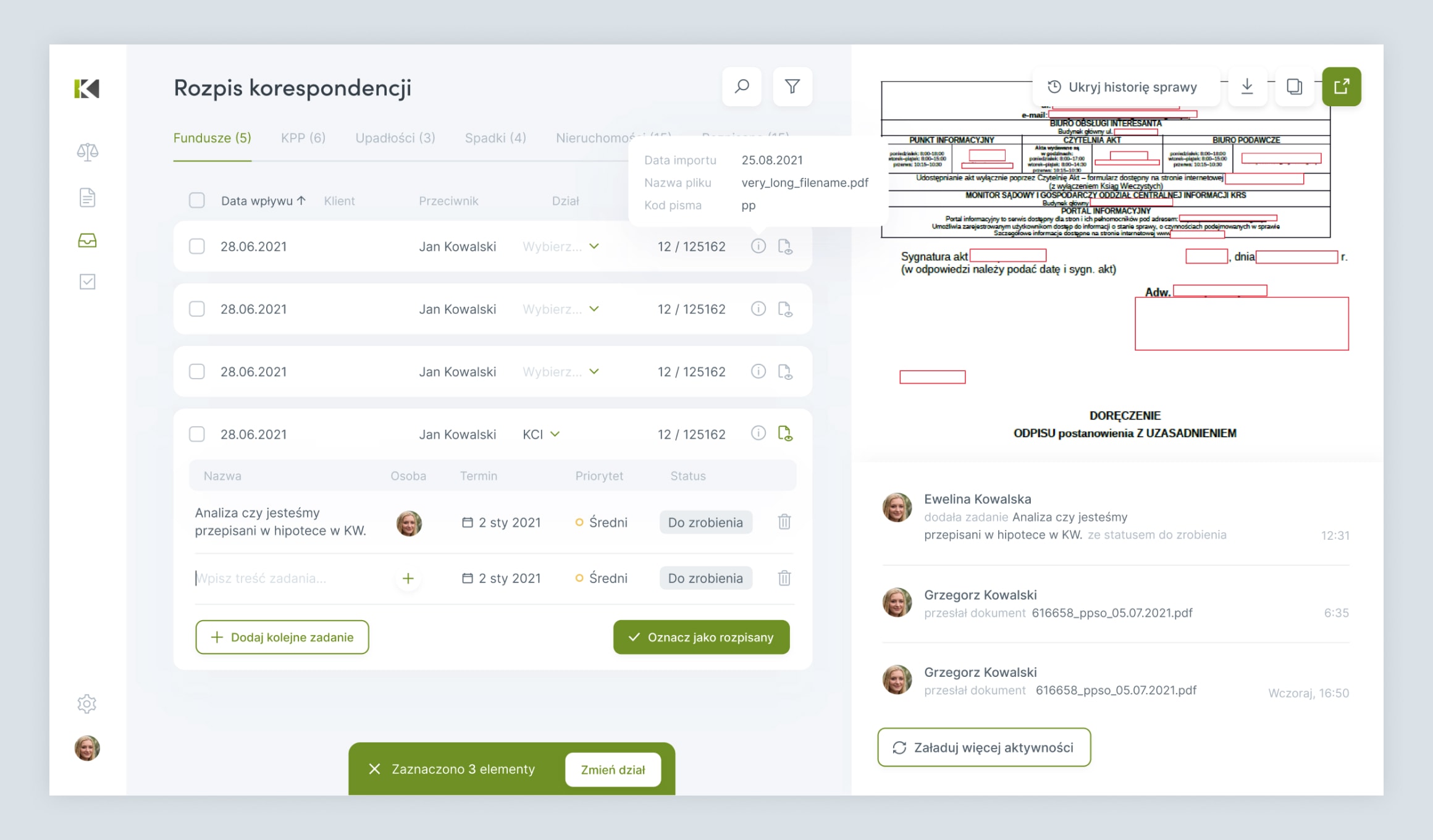
Every day the firm receives a stack of correspondence. The heart of KPPanel is the path from document to task. Post is imported as PDF files, then opened for preview right inside the app. From there a coordinator reads the document beside the assignment form and turns it into one or more tasks, each with an owner, a deadline and a priority. For the KCI department that step runs automatically, following a fixed procedure instead of a manual hand-off.
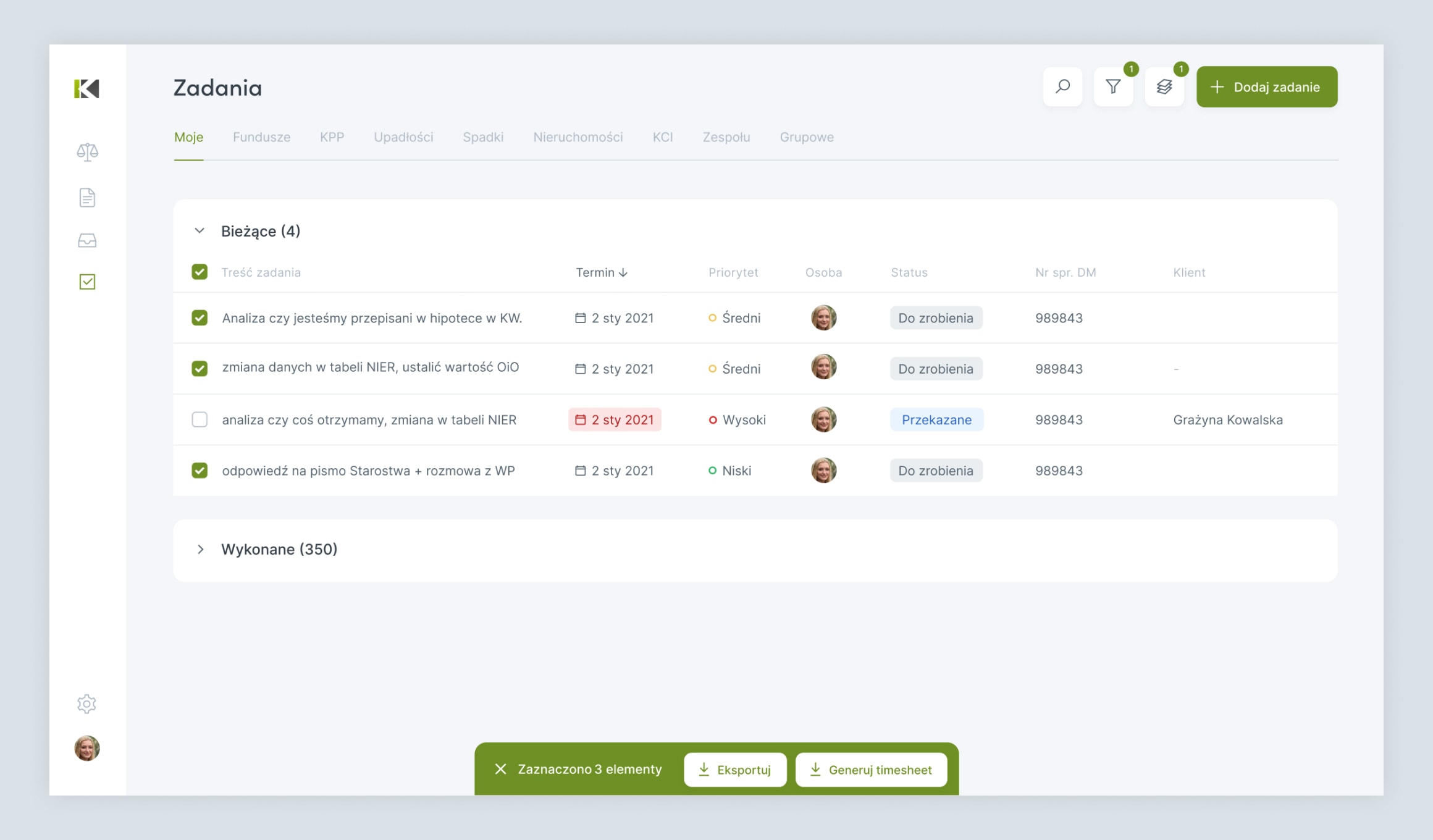
A task list the whole firm runs on
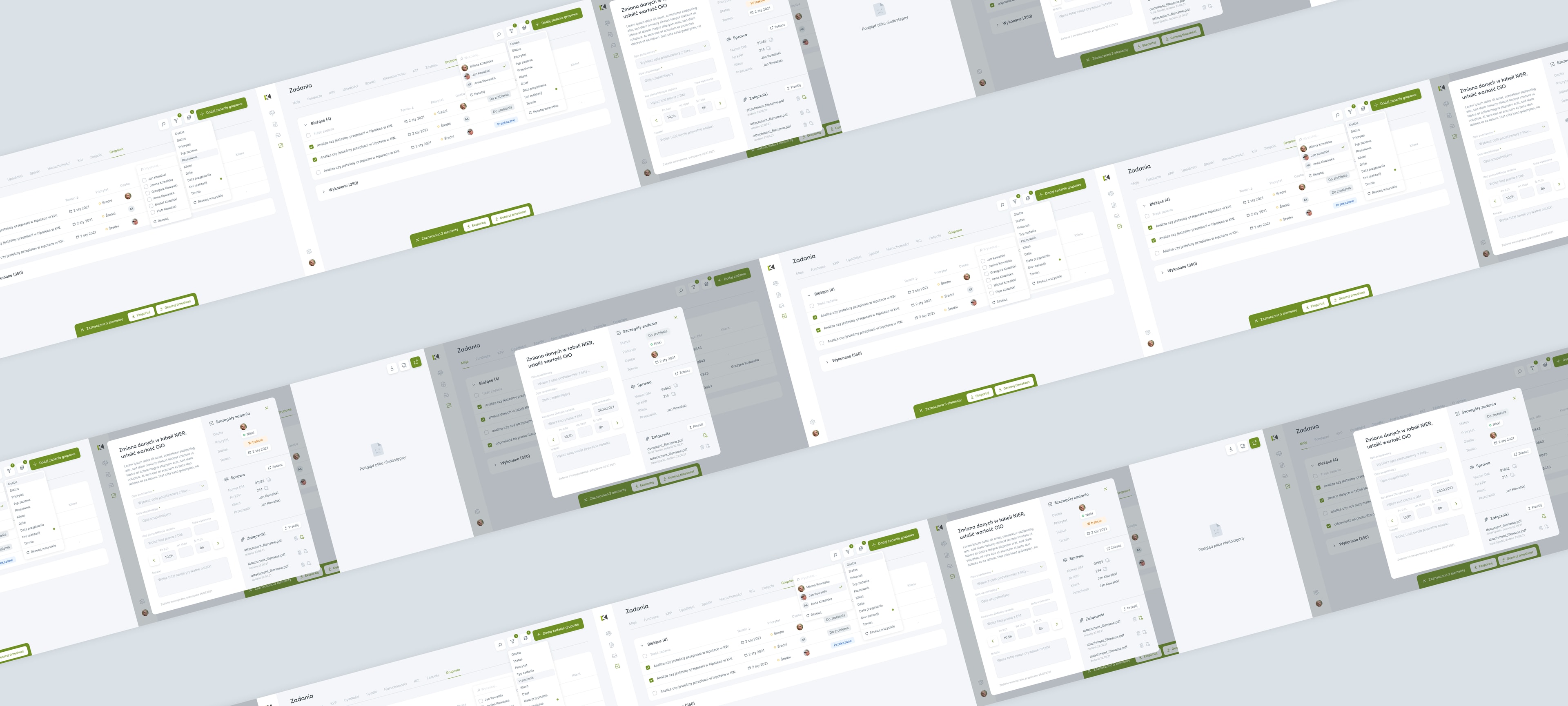
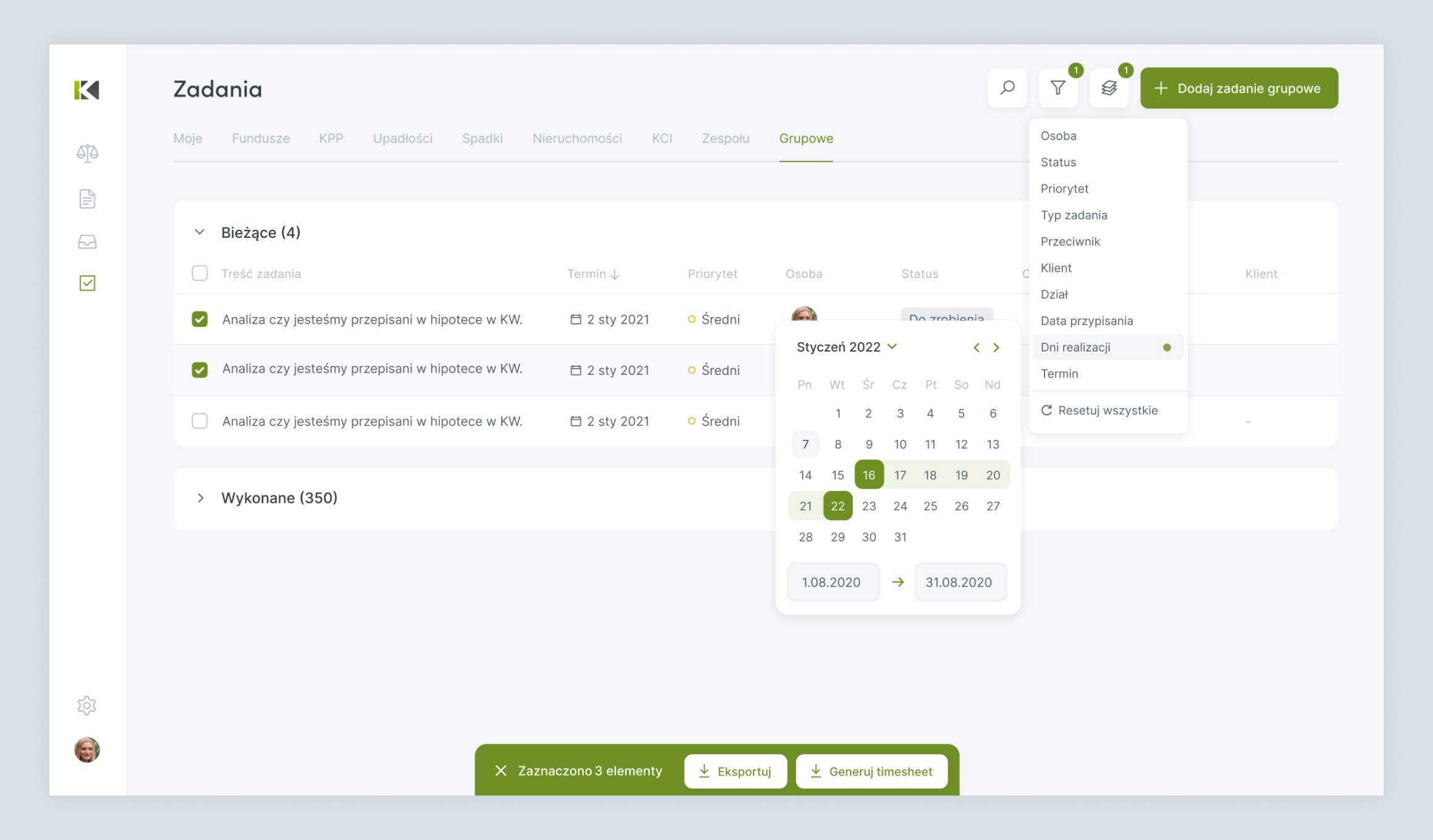
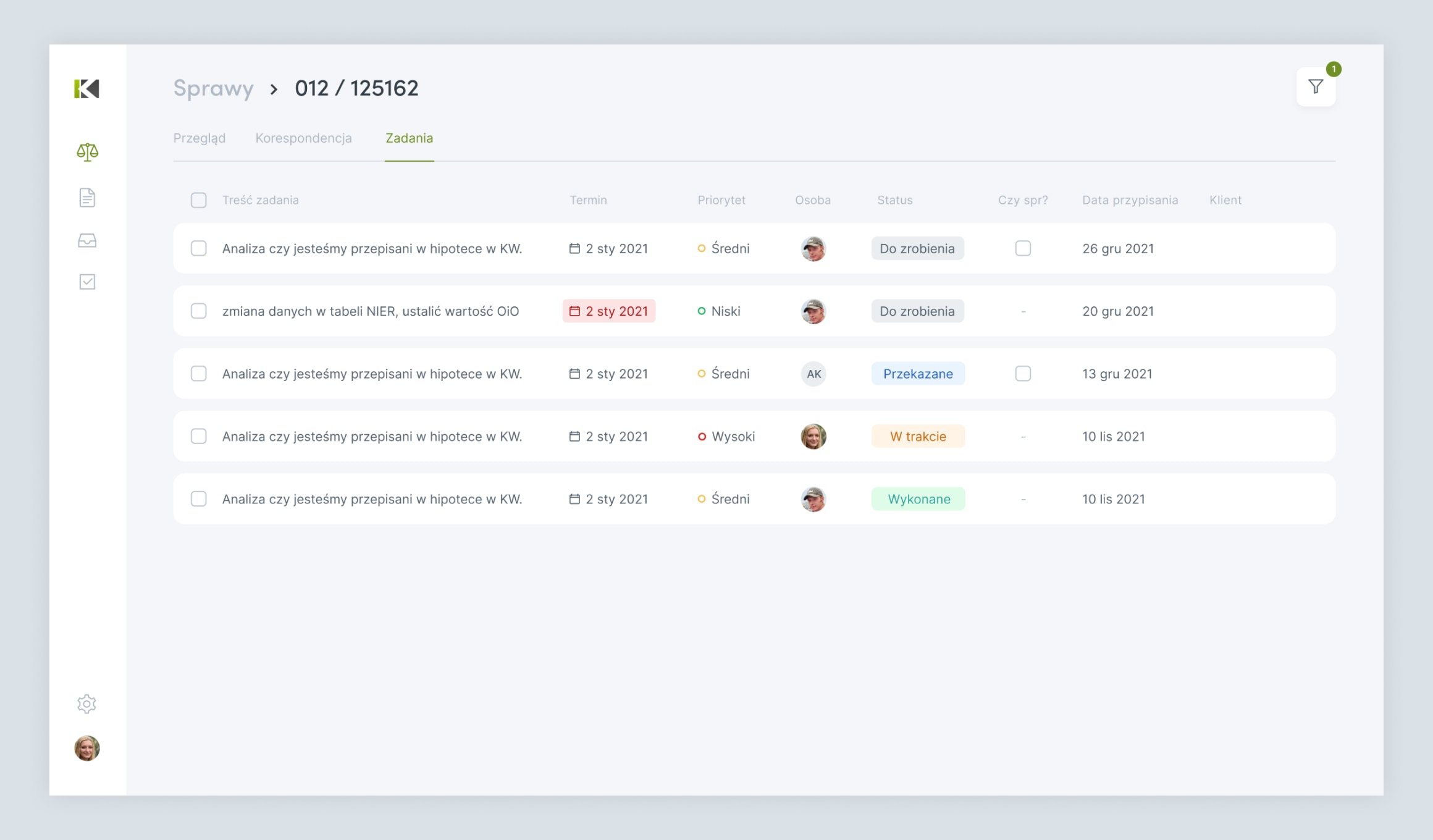
Tasks are where the work actually gets managed, so this became the largest part of the app. Internal tasks, tasks created from correspondence and KCI tasks all flow into one list, pulled together behind the scenes so they can be filtered and sorted side by side no matter where they came from. Each person gets their own tabs - what is assigned to them, what is due, what their team is carrying - with department views for the coordinators. Status and priority can be changed straight from the table, while a fuller editor opens for everything else: the letter code, the base description, attachments, time logs and a note. Time tracker is what later feeds the reports.
Smart defaults that step aside the moment you take over
Each task tab opens already filtered to what usually matters, your unfinished work or the deadlines due today, so nobody starts the morning staring at noise. The moment someone sets a filter of their own, whether a date range or a status the default would normally hide, their choice takes priority and the built-in restriction steps back. It is a small thing that keeps the lists honest.
A permission system shaped around the firm
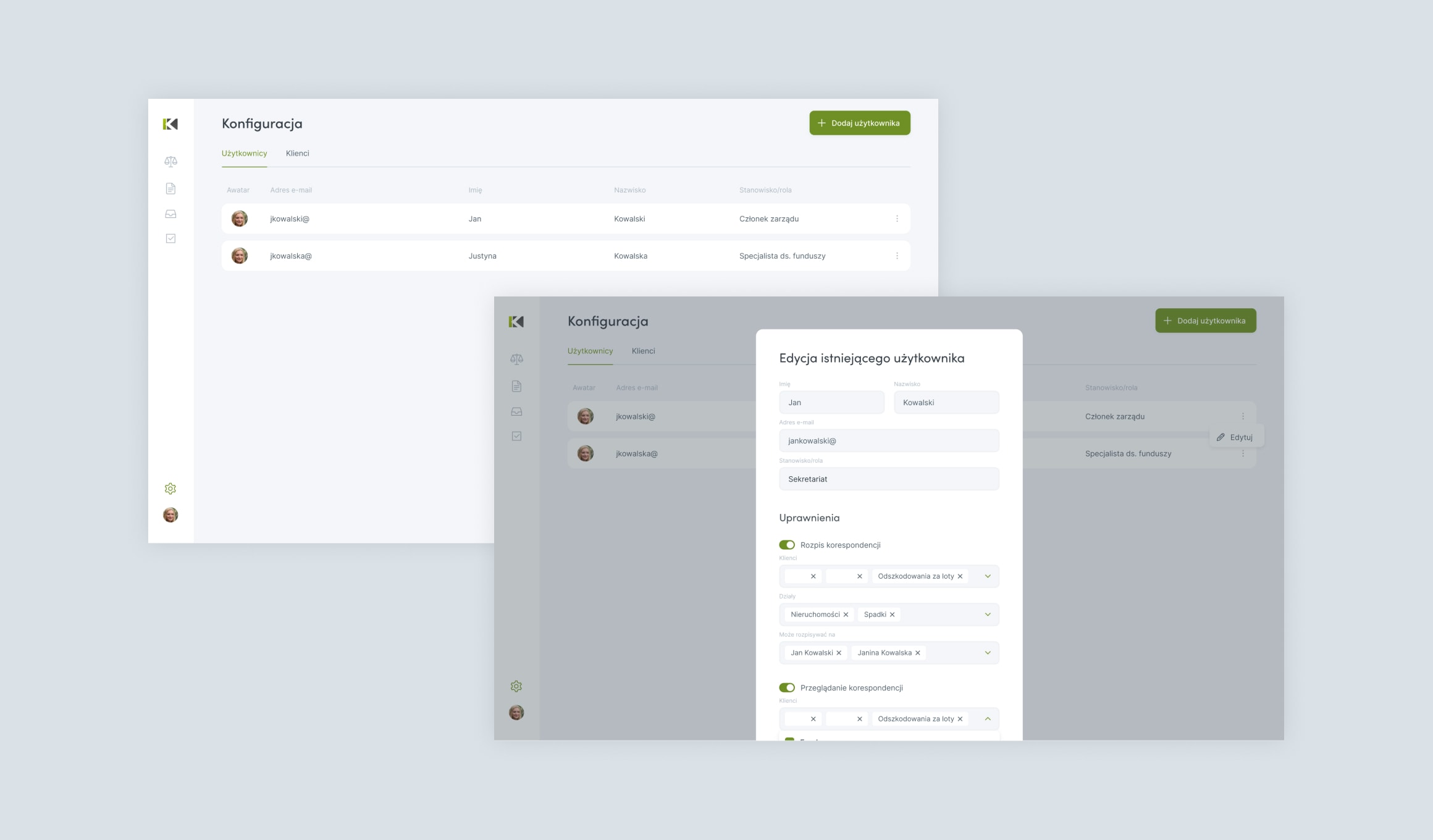
A firm like this runs on need-to-know, so access had to be precise. Permissions decide which modules a person sees, which departments and clients appear in their correspondence and task views and who they are allowed to hand work to. Team membership opens the shared team and deadline views. Editing rights follow the same care: the person who owns a task has full control, an administrator can step in anywhere, while an assignee can move their own work along without changing everything around it. The upshot is that everyone sees exactly what their role calls for, no more.
Reports the office can hand to whoever needs them
Because every task can carry time logs, the data for billing and oversight is already there. Selected tasks export to two Excel files: a report with the full detail of each task and a timesheet that breaks the work down to a row per time entry. Both carry the attorney column the firm needs for its records. What used to be pieced together by hand now comes out of the app in a couple of clicks.
Built on Laravel and React, still growing today
Under the hood KPPanel is a Laravel application with a React front-end, joined by Inertia so the team works in one server-driven codebase rather than maintaining a separate API. We delivered the first version between June 2021 and May 2022, and we have kept developing it ever since. The firm uses it every day, which means feedback keeps coming - and we keep turning that into refinements, new workflows and the kind of small improvements that only show up once people have lived with a tool for a while. The roadmap is still moving.
Outcome
KPPanel supports the firm's daily operations, handling everything from incoming post to month-end reporting. It has been in continuous daily use since launch.
Let's talk about your project idea!
Tell us about your project. We’ll help you plan the architecture, scope, and execution.
© Webalize 2026

