Shopware storefront vs headless: How to choose the right architecture
Compare Shopware storefront vs headless architecture for cost, SEO, plugins, checkout, performance and maintenance to choose the best ecommerce frontend fit.
Shopware Storefront vs Headless: How to Choose the Right Frontend Architecture for Your Store
Choosing between the standard Shopware storefront and a headless storefront is not only a technical decision. It affects launch speed, SEO, plugin usage, content workflows, maintenance cost, analytics, compliance and how quickly your ecommerce team can react to market changes.
The simple version is this: choose the standard Shopware storefront when you want stability and ecosystem leverage. Choose headless when the frontend experience is a strategic growth lever and you are ready to invest in the architecture, team and long-term maintenance required to support it.
For many stores, the native Shopware storefront is the better commercial decision. For some, headless is exactly the right move. The challenge is knowing which category your business falls into.
What the Standard Shopware Storefront Gives You
The standard Shopware storefront is Shopware's native customer-facing frontend. It uses Shopware's built-in storefront architecture, themes, Twig templates, CMS functionality, checkout flows, customer accounts, product listing pages and plugin ecosystem.
It is usually the best choice when your store needs a reliable, cost-efficient launch with strong compatibility across Shopware features and extensions. This is especially true for businesses that rely on:
- Standard catalog, cart, checkout and account functionality
- Shopware plugins for payments, shipping, search, promotions, reviews, analytics, or B2B features
- Shopware CMS and Shopping Experiences for landing pages and content
- A predictable development scope
- Faster time to market
- Lower operational complexity
In practical terms, extending the native storefront often means working with Shopware themes, Twig templates, JavaScript enhancements, custom plugins and storefront configuration. You are building within the Shopware ecosystem rather than replacing the customer experience layer completely.
That matters because many Shopware extensions are designed to work with the native storefront out of the box. Payment widgets, shipping logic, checkout customizations, tracking scripts, product configurators, search integrations and promotional features often assume Shopware's standard storefront behavior. In a headless build, those same features may need custom frontend implementation even if the backend plugin still works.
The standard storefront also gives content teams a familiar editing model through Shopware CMS and Shopping Experiences. They can usually manage page content, category content, banners, landing pages and some merchandising areas without developer involvement. However, this should be qualified: complex layouts, custom components, theme changes, advanced personalization and plugin configuration may still require developers or technical administrators.
What Headless Shopware Means
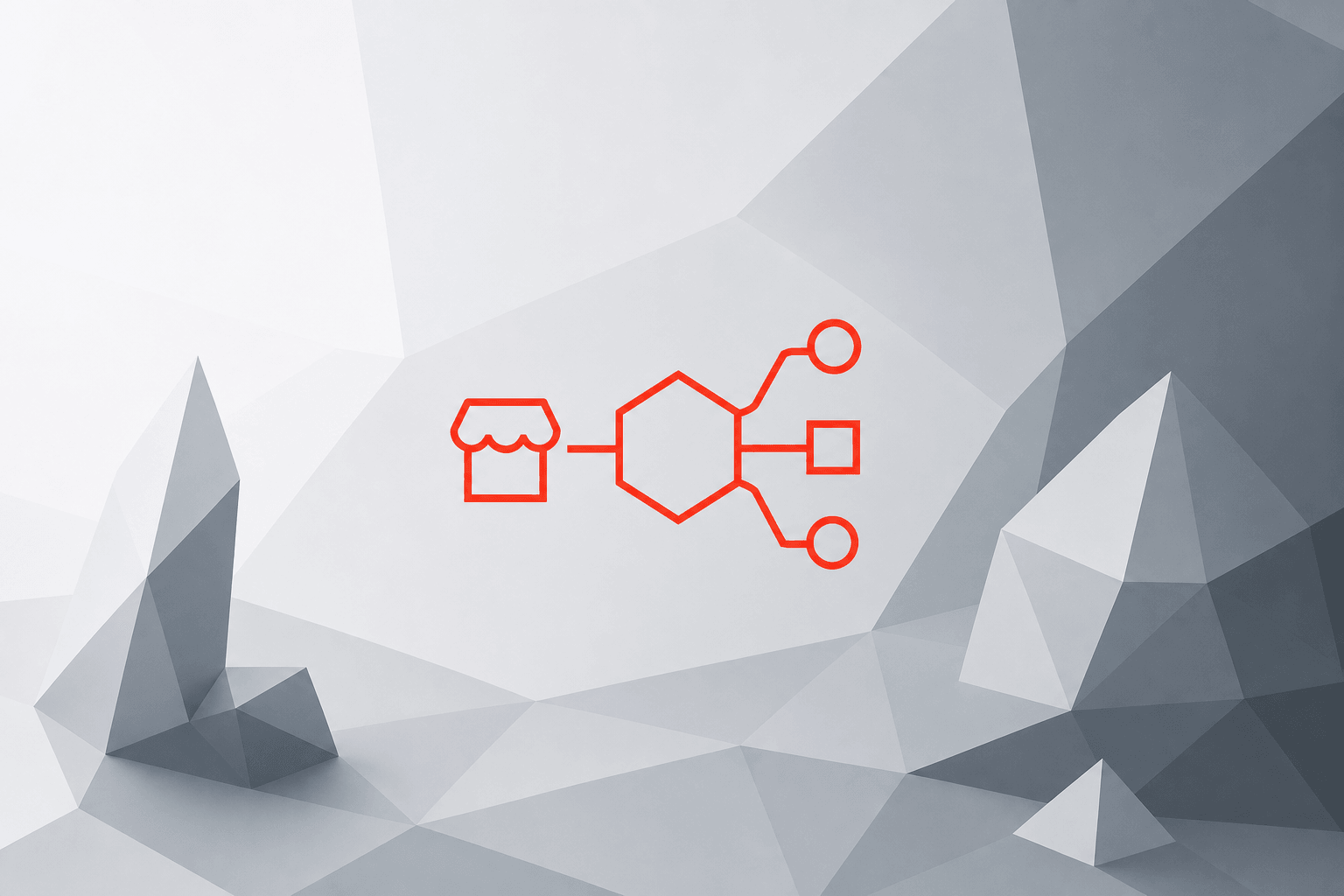
Headless Shopware separates the commerce backend from the customer-facing frontend. Shopware continues to manage products, categories, customers, carts, orders, rules, pricing, promotions and administration. The frontend is built separately, often with frameworks such as React, Vue, Nuxt, or Next.js.
In a headless architecture, the frontend communicates with Shopware through APIs, especially the Shopware Store API. The Admin API may also be used for operational or integration tasks, but customer-facing ecommerce experiences typically rely on the Store API.
A headless setup may use:
- A fully custom React, Next.js, Vue, or Nuxt frontend
- Shopware Frontends or composable frontend tooling
- A separate headless CMS
- Shopware CMS/Shopping Experiences exposed through APIs
- A hybrid model where Shopware powers commerce and another system manages editorial content
- Multiple frontends, such as web store, mobile app, kiosk, marketplace interface, or B2B portal
Headless development makes sense when the frontend is a strategic differentiator. For example, it may be the right architecture if you need:
- A highly customized buying journey
- Multiple customer touchpoints using the same commerce backend
- Advanced personalization or experimentation
- Unusual product discovery flows
- A frontend that combines ecommerce, content, community, subscriptions, or account features in a non-standard way
- A multi-brand or international architecture with different frontend experiences
- A mobile app, progressive web app, kiosk, or in-store commerce interface
- Strict control over rendering, caching and frontend performance
Headless gives more freedom, but that freedom comes with responsibility. You must rebuild or reimplement many parts of the experience that Shopware normally provides out of the box.
Shopware Storefront vs Headless: Comparison Table
|
Criteria |
Standard Shopware Storefront |
Headless Shopware |
|---|---|---|
|
Time to market |
Usually faster because storefront, checkout, CMS and plugin behavior are already integrated |
Usually slower because the frontend, API integrations, routing, SEO, tracking and UI logic must be built separately |
|
Upfront cost |
Lower for standard ecommerce requirements |
Higher due to custom frontend architecture, API work, QA, DevOps and integration effort |
|
Maintenance cost |
Lower because fewer moving parts and stronger alignment with Shopware updates |
Higher because you maintain Shopware plus a separate frontend, hosting, deployments and API contracts |
|
Plugin compatibility |
Strongest compatibility with Shopware storefront plugins |
Backend plugin logic may work, but frontend behavior often needs custom implementation |
|
Checkout |
Native checkout available and easier to maintain |
Checkout must be integrated carefully; payment, shipping, validation and edge cases require extra QA |
|
Content editing |
Shopware CMS/Shopping Experiences work naturally |
Can use Shopware CMS, a headless CMS, or hybrid workflows; preview and editing may require custom work |
|
SEO complexity |
Lower because Shopware handles much of the standard page structure and routing |
Higher because metadata, rendering, canonicals, redirects, pagination, filters, sitemaps and hreflang must be implemented carefully |
|
Performance control |
Good baseline, optimized through theme, caching, hosting and frontend improvements |
More control, but not automatically faster; performance depends on rendering, caching, bundle size, API latency, CDN and implementation quality |
|
Customization freedom |
Good for normal ecommerce customization; constrained by native architecture |
Very high; suitable for unique journeys and multi-touchpoint experiences |
|
Operational complexity |
Lower; one primary application architecture |
Higher; separate frontend deployment, monitoring, caching, logging, preview environments and release coordination |
|
Team requirements |
Shopware, PHP, Twig, theme, plugin and ecommerce knowledge |
Shopware plus frontend framework expertise, API architecture, DevOps, observability, testing and SEO engineering |
|
Best fit |
Standard B2C/B2B stores, plugin-heavy stores, fast launches, cost-sensitive projects |
Experience-led commerce, multi-channel platforms, custom journeys, complex international or brand architectures |
Cost and Timeline: What Usually Changes
Exact budgets depend on scope, design complexity, integrations, catalog size, markets and internal team capability. Still, the difference between the two approaches is usually clear.
A standard Shopware storefront project can often be delivered in weeks to a few months when the requirements are close to Shopware's native capabilities. The team can configure core features, customize the theme, install plugins, adjust templates and focus development effort on the areas that create business value.
A headless Shopware project more often moves into a multi-month implementation, especially if it includes custom frontend components, CMS integration, advanced search, personalization, internationalization, custom checkout, analytics and migration work. It also creates an ongoing maintenance layer: the frontend framework, dependencies, hosting, API integrations, frontend tests and deployment workflows all need ownership.
This does not mean headless is "too expensive." It means headless needs a stronger business case. If the additional frontend flexibility improves conversion rate, supports new channels, enables faster experimentation, or unlocks a better customer journey, the investment may be justified. If the store mainly needs a conventional catalog, cart, checkout and content structure, the standard storefront is often the smarter option.
Performance: Headless Is Not Automatically Faster
One common reason teams consider headless is performance. This can be valid, but it is often oversimplified.
A React or Next.js frontend is not automatically faster than the native Shopware storefront. It can be faster or slower depending on how it is built.
Headless performance depends on factors such as:
- Server-side rendering, static generation, or incremental static regeneration
- API response times from Shopware and other systems
- Caching strategy at application, CDN and API levels
- JavaScript bundle size
- Image optimization
- Third-party scripts
- Search and filtering architecture
- Hosting infrastructure
- Frontend hydration strategy
- Database, indexing and backend performance
- Monitoring and performance budgets during development
A poorly implemented headless frontend can create more JavaScript, more API calls, slower product listing pages and worse Core Web Vitals than a well-optimized native storefront.
The better question is not "Is headless faster?" but "Do we have a performance problem that requires a custom frontend architecture, or can we solve it inside the standard Shopware storefront?"
For many stores, performance can be improved through caching, image optimization, theme cleanup, plugin review, hosting improvements, database tuning and frontend optimization without going fully headless. If you are considering headless mainly for SEO or speed, read our guides on technical SEO for React and Next.js ecommerce and ecommerce performance optimization.
SEO: Both Can Work, but Headless Requires More Discipline
From an SEO perspective, both the standard Shopware storefront and a headless storefront can work well. The difference is implementation risk.
The native Shopware storefront gives you a more integrated starting point for product pages, category pages, CMS pages, URLs, metadata, breadcrumbs, internal linking and routing. You still need SEO strategy and technical optimization, but many fundamentals are already aligned with Shopware's ecommerce model.
In a headless build, your team must intentionally implement the SEO layer. This includes:
- Server-side rendering or another crawlable rendering strategy
- Unique title tags and meta descriptions
- Canonical URLs
- Structured data for products, breadcrumbs, organization, reviews and offers
- XML sitemap generation
- Robots.txt and indexation controls
- Pagination handling
- Faceted navigation and filter indexation rules
- Product variant URL strategy
- Category filter duplicate-content handling
- Redirect mapping during migrations
- Hreflang for international stores
- Localized URLs and language/currency handling
- Out-of-stock and discontinued product rules
- Internal linking logic
- Crawl budget management for large catalogs
- Core Web Vitals monitoring
- Analytics and conversion tracking implementation
The largest SEO risk appears during a rebuild or migration. If URLs change, metadata is lost, filters become indexable, structured data disappears, or redirects are incomplete, organic traffic can decline even if the new frontend looks better.
This is why headless SEO should be planned before development begins, not added at the end of the project.
Plugin Compatibility: The Hidden Decision Factor
Plugin compatibility is one of the most important Shopware-specific differences between native and headless architectures.
With the standard storefront, many plugins work as expected because they are built for Shopware's default frontend behavior. They may add storefront templates, JavaScript, checkout steps, tracking events, CMS blocks, product widgets, search components, or account features.
In a headless setup, the backend portion of a plugin may still function, but the frontend output may not automatically appear. For example:
- A payment plugin may expose backend payment methods, but the frontend still needs custom checkout integration.
- A search plugin may index products correctly, but product listing and autocomplete UI must be built.
- A review plugin may store reviews, but frontend display and submission forms may need custom work.
- A promotion or rule-based feature may work in the cart, but the frontend must communicate messages clearly.
- A CMS block may exist in Shopware, but the headless frontend must know how to render it.
- A tracking plugin may not automatically inject all required events into a custom frontend.
This does not mean headless cannot use plugins. It means plugin behavior must be reviewed case by case. Before choosing headless, create a plugin inventory and classify each extension as:
- Works fully in headless
- Backend works, frontend must be rebuilt
- Requires custom API integration
- Must be replaced
- Not needed after rebuild
This exercise often reveals whether headless is commercially realistic.
Checkout: Be Careful Before Rebuilding the Most Sensitive Flow
Checkout is where architectural decisions become commercial risk.
The standard Shopware checkout already handles many difficult ecommerce cases: customer data, addresses, shipping methods, payment methods, taxes, promotions, validations, error messages, order creation and integration with extensions.
In headless, checkout requires more careful planning. Your team needs to handle:
- Cart creation and persistence
- Login, guest checkout and account flows
- Address validation
- Shipping method selection
- Payment method integration
- Redirect-based and embedded payment flows
- Promotion codes and rule-based pricing
- Tax and currency display
- Error states
- Stock changes during checkout
- Abandoned cart tracking
- Consent and compliance requirements
- Order confirmation
- Analytics events
- Accessibility and mobile usability
For stores with standard checkout requirements, replacing the native checkout may add risk without adding much value. For stores where checkout itself is a differentiator-complex B2B ordering, subscriptions, quote workflows, marketplace logic, or highly customized buying flows-headless or a hybrid approach may be justified.
Content Management Options in Headless Shopware
Headless does not automatically mean you need a separate CMS. There are several options.
You can use Shopware CMS and Shopping Experiences as the content source, then render that content in the custom frontend. This keeps content management closer to Shopware but may require custom mapping between Shopware CMS elements and frontend components.
You can use a dedicated headless CMS if your editorial workflow is more complex. This can be useful for brands with heavy storytelling, campaign pages, localization workflows, approval processes, or content reused across multiple channels.
You can also use a hybrid model. For example, Shopware may manage product and category content while a headless CMS manages editorial pages, guides, lookbooks, landing pages, or campaign content.
Each option has trade-offs:
- Shopware CMS only: simpler commerce alignment, but less editorial flexibility than a dedicated CMS.
- Headless CMS only: stronger content workflows, but more integration and governance.
- Hybrid: flexible, but requires clear ownership of URLs, previews, SEO fields and publishing workflows.
The key question is not only "Where will content live?" but also "Can marketers preview, publish, localize and update content without creating developer bottlenecks?"
Operational Complexity: What Headless Adds After Launch
The main advantage of headless is flexibility. The main disadvantage is complexity.
With the standard storefront, your operational model is simpler. You maintain Shopware, its hosting, plugins, theme, integrations and deployment process.
With headless, you operate at least two layers: Shopware as the commerce backend and a separate frontend as the customer experience layer. That adds responsibilities such as:
- Separate frontend deployment pipeline
- Frontend hosting and CDN configuration
- Monitoring and uptime ownership for both systems
- Logging across frontend, backend and APIs
- Error tracking for browser and server-side rendering issues
- API versioning and contract management
- Release coordination between frontend and backend changes
- Preview environments for content and design reviews
- End-to-end testing across critical customer journeys
- Cache invalidation strategy
- Security updates for frontend dependencies
- Accessibility testing
- Analytics and tracking governance
- Incident response when checkout, product data, or pricing fails
- QA across browsers, devices, languages, currencies and channels
These responsibilities are manageable for the right team. They are dangerous when underestimated.
Headless can fail when businesses adopt it for trend reasons rather than clear commercial goals. We explore this risk in why headless commerce fails, but the short version is simple: headless needs ownership, budget and measurable business value.
When the Standard Shopware Storefront Is the Better Choice
The standard Shopware storefront is usually the better choice when:
- You want to launch quickly
- Budget control is important
- Your store uses standard ecommerce flows
- Plugin compatibility is critical
- Your team is small
- You do not have strong frontend and DevOps capacity
- Checkout customization is limited
- SEO risk must be minimized
- Content workflows fit Shopware CMS and Shopping Experiences
- Your main growth priorities are merchandising, catalog quality, campaigns, pricing, search, or conversion optimization rather than a completely unique frontend
A good example is a DTC brand or B2B distributor with a conventional catalog, category navigation, product detail pages, cart, checkout, promotions and CMS landing pages. If the business depends on Shopware plugins for payment, shipping, search, reviews, or tracking, the native storefront can reduce complexity and speed up delivery.
In this case, it is often better to invest in a strong Shopware implementation, clean theme customization, performance optimization, SEO, search, product data and conversion improvements rather than rebuild the frontend from scratch.
When Headless Shopware Is Worth Considering
Headless Shopware is worth considering when:
- The frontend experience is central to your growth strategy
- You need multiple frontends powered by one commerce backend
- You have a mobile app, kiosk, marketplace, or custom B2B portal
- Your buying journey does not fit the standard storefront model
- You need advanced personalization or experimentation
- You have strong internal or agency support for React, Next.js, Vue, Nuxt, APIs and DevOps
- You can justify higher upfront and ongoing costs
- You are prepared to own SEO, accessibility, analytics and performance implementation
- You have complex international, multi-brand, or multi-channel requirements
- You want to combine Shopware with a broader composable architecture
A good example is a multi-brand international retailer that needs different storefronts for different regions, a mobile app, localized content workflows, custom product discovery and personalized journeys. In that case, headless can provide a flexible architecture that the native storefront may not support elegantly.
Another example is a business where the ecommerce experience is part of a larger digital product: subscriptions, guided selling, configurators, account dashboards, loyalty, marketplace features, or content-led commerce.
In these cases, the additional complexity can be justified because the frontend is not just a theme. It is a product.
Do Not Ignore Hybrid Approaches
The decision is not always "native storefront or fully headless."
Hybrid approaches can be very effective. For example, you might:
- Start with the standard Shopware storefront to launch faster
- Use native Shopware checkout while building custom landing pages separately
- Build a headless frontend only for a mobile app or special channel
- Use composable components for high-value campaign pages
- Keep Shopware CMS for commerce pages and use a headless CMS for editorial content
- Gradually move selected experiences headless after validating business value
This reduces risk. Instead of committing to a full rebuild immediately, you can identify which parts of the customer journey truly need custom architecture.
For many businesses, the best path is to launch or stabilize on the native storefront first, then introduce headless or composable elements where they create measurable value.
Decision Checklist: Should You Choose Native or Headless?
Before committing to a frontend architecture, answer these questions.
Business Questions
- Is the frontend experience a major competitive differentiator?
- Will headless directly support revenue growth, conversion rate, retention, or channel expansion?
- Are you solving a real limitation of the native storefront, or following a trend?
- Do you need multiple customer touchpoints beyond the web store?
- Is the budget sufficient for both implementation and long-term maintenance?
- Can the business tolerate a longer implementation timeline?
Technical Questions
- Which Shopware plugins are critical and how will they behave in headless mode?
- Do you need the Shopware Store API only, or additional custom API layers?
- Will checkout be native, headless, or hybrid?
- How will product listings, search, filters, variants and promotions be rendered?
- How will caching work across frontend, CDN and Shopware?
- Who owns API contracts, deployment pipelines, monitoring and incident response?
- Does the team have proven experience with the chosen frontend framework?
SEO and Content Questions
- How will metadata, canonicals, structured data, pagination, filters and sitemaps be handled?
- Is there a redirect plan for any URL migration?
- How will hreflang and localized URLs work for international stores?
- Will content teams use Shopware CMS, a headless CMS, or both?
- Can marketers preview pages before publishing?
- Who owns SEO QA before launch?
Operations Questions
- How many systems must be deployed and monitored?
- How will frontend and backend releases be coordinated?
- What is the testing strategy for checkout, payments, promotions and tracking?
- How will accessibility be tested?
- How will analytics and consent management be implemented?
- What happens when the frontend is live but the backend API is slow or unavailable?
If many answers are unclear, headless is probably premature. Start with a software architecture audit before committing to a costly rebuild.
Recommendation Matrix
Use this as a practical decision guide.
|
Situation |
Recommended Architecture |
|---|---|
|
You need a fast, stable launch with standard ecommerce features |
Standard Shopware storefront |
|
You rely heavily on Shopware storefront plugins |
Standard Shopware storefront |
|
Your team is small and budget-sensitive |
Standard Shopware storefront |
|
Your content needs fit Shopware CMS and Shopping Experiences |
Standard Shopware storefront |
|
You mainly want better speed or SEO but have no unique frontend requirements |
Optimize the native storefront first |
|
You need a mobile app, kiosk, or multiple customer touchpoints |
Consider headless or hybrid |
|
You need a highly custom buying journey |
Consider headless |
|
You have complex multi-brand or international frontend requirements |
Consider headless |
|
You want to test custom experiences without rebuilding everything |
Hybrid approach |
|
You have strong frontend, API, DevOps, SEO and QA capability |
Headless may be viable |
|
You cannot clearly explain the commercial value of headless |
Do not go headless yet |
Final Rule
Choose the standard Shopware storefront when plugin compatibility, fast launch, lower cost and operational simplicity matter most.
Choose headless Shopware when the customer experience layer directly supports measurable growth and your organization is ready to own the added complexity.
Headless is not better by default. Native is not limited by default. The right choice depends on your business model, customer journey, team capability, integration needs and appetite for long-term maintenance.
If you are unsure, do not start with a rebuild. Start with an architecture review, plugin audit, SEO risk assessment and performance analysis. Then choose the frontend architecture that solves a real business problem-not the one that sounds most modern.